10
Printing
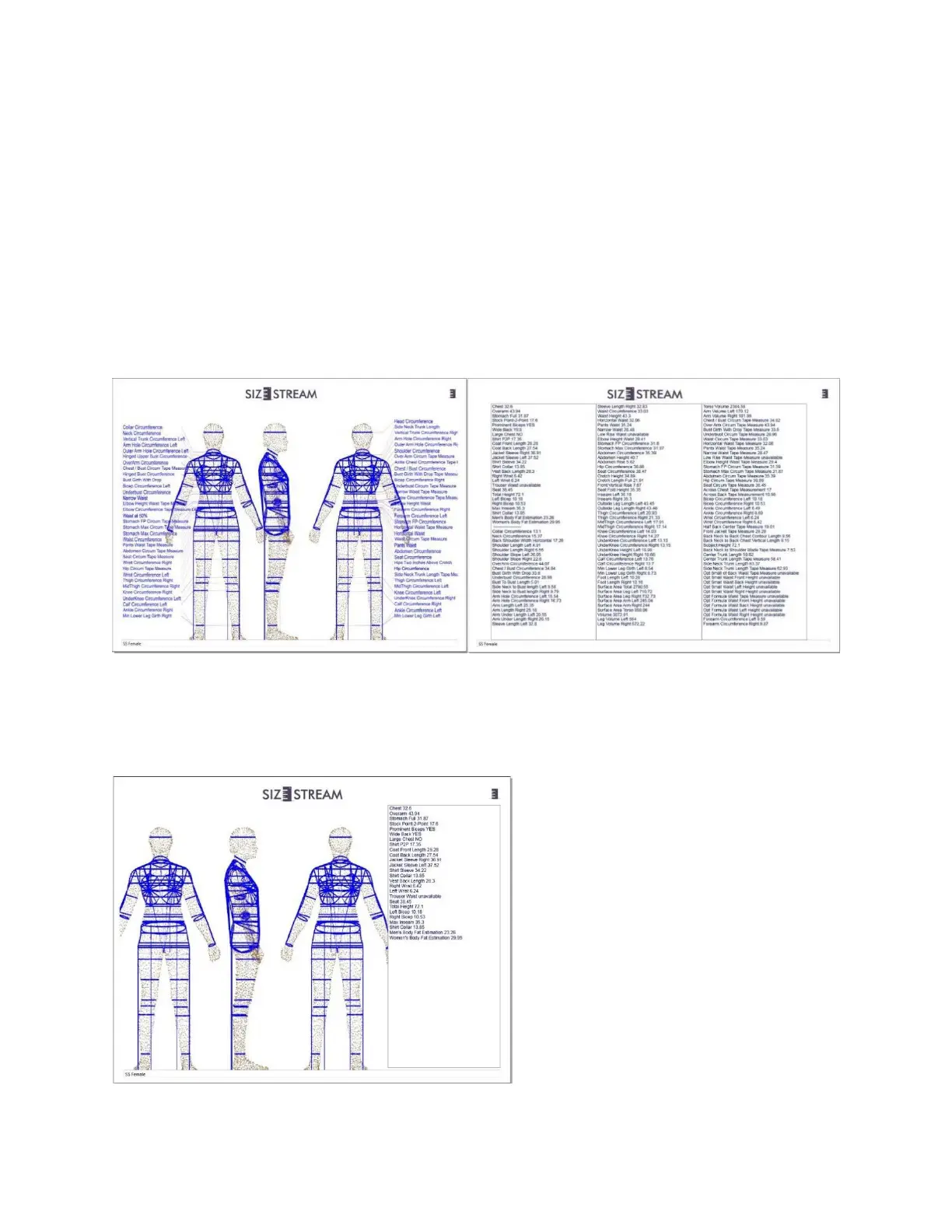
A printout of the displayed scan data can be generated in either of the two different formats shown below,
along with the choice of either the Standard Measurement list, the Custom Measurement list, or both. The
scan file name appears in the space at the bottom of the printout and can be edited by the user prior to
printing. The output will appear in Print Preview for approval.
Normal printout shown with Custom and Standard measurement lists: The Standard Measurement list can be
changed to suit your application. See: “Changing the Standard Measurement List Order”. The blue
measurement labels shown on the printout above will correspond to the Standard measurements contained
in your edited list.
Note: The measurement labels only appear for the Standard Measurements and not for any Custom
Measurement files, e.g., Men’s Custom Suit, etc.
Alternate printout (with Custom Measurement list only):


 To Next Page