19
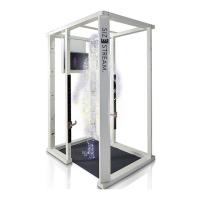
TROUBLESHOOTING THE SIZE STREAM BODY SCANNER
The following paragraphs provide tips for identifying and resolving issues that may occur.
Problem: A scan produces no data.
Solution: Perform a system alignment and do a new scan to see if this resolves the problem.
Problem: The software fails to create a claim code at the end of processing when configured to use
cloud upload.
Solution:
1. Verify the scanner is connected to the Internet.
2. Check the system logs found in C:\ProgramData\Size Stream\Size Stream Scanner\Logs\
folder for additional information.
3. Check that the scan succeeded in processing to measurements.
4. Check that the Scanner has access to a robust internet connection.
5. Check that the save folder exists. (Transfer files are temporarily written to that location.)
Problem: During a computer Restart, the software hangs up and/or does not recognize all 20 sensors.
Solution: The Windows Restart function causes a problem with the sensor drivers and should never be
used! If the computer requires a restart, for any reason, it should be manually SHUTDOWN
using the Windows Shutdown command or by depressing the computer power button until
the computer completely shuts down. Wait 5 seconds and then start the computer again.
This will clear the problem and the software will function normally.


 To Next Page