11
CONFIGURATION
Changing a Setting
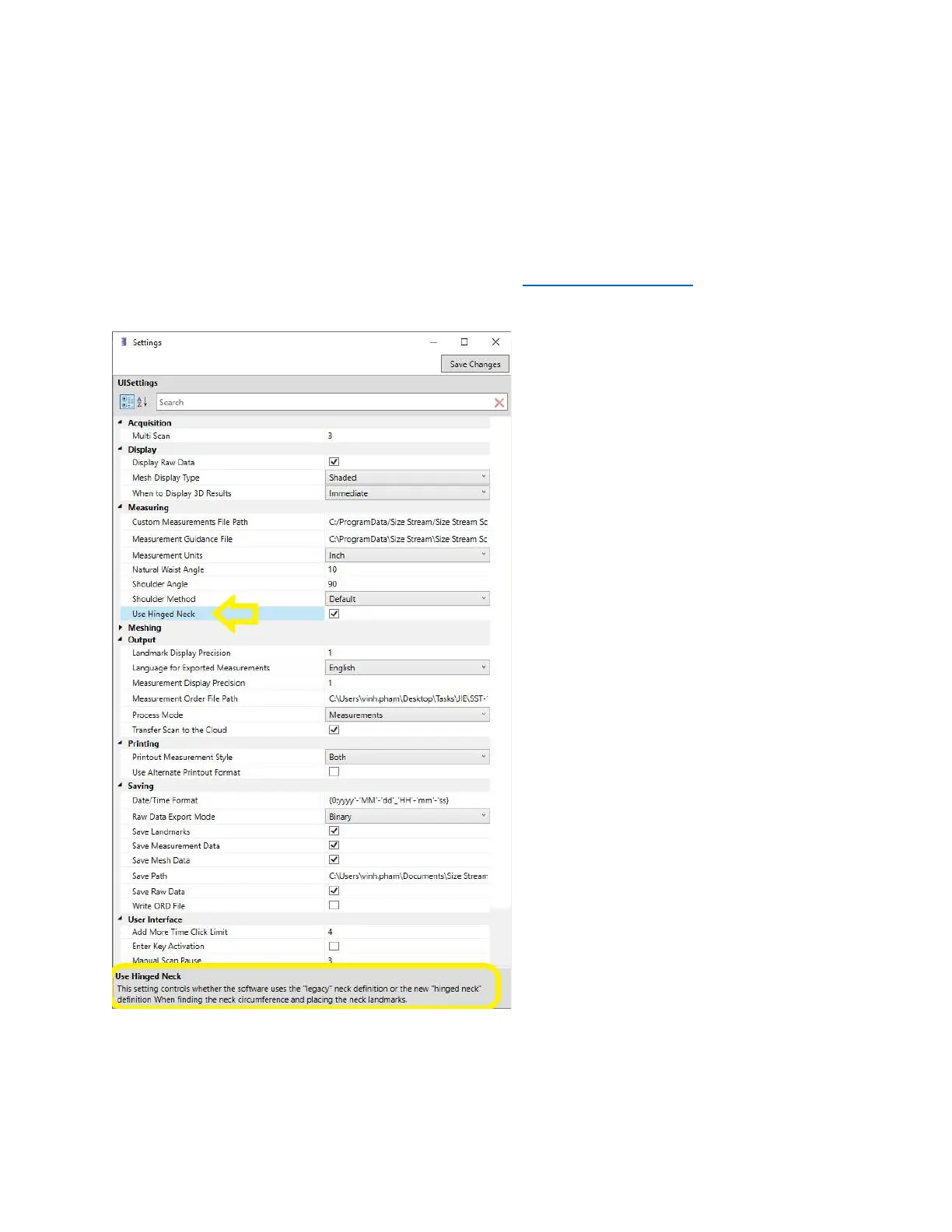
Under the Utilities pull-out on the left side of the screen is a Setting button. Touching this button will bring
up the Settings window, shown below. By touching the name for each setting, the explanation of the setting
is shown at the bottom. If you need additional information on a setting, see the Knowledge Base page under
the Resources section of the Sizes Stream web site or contact
support@sizestream.com
. Remember to
touch the “Save Changes” button after making your changes.


 To Next Page