16
Measurements
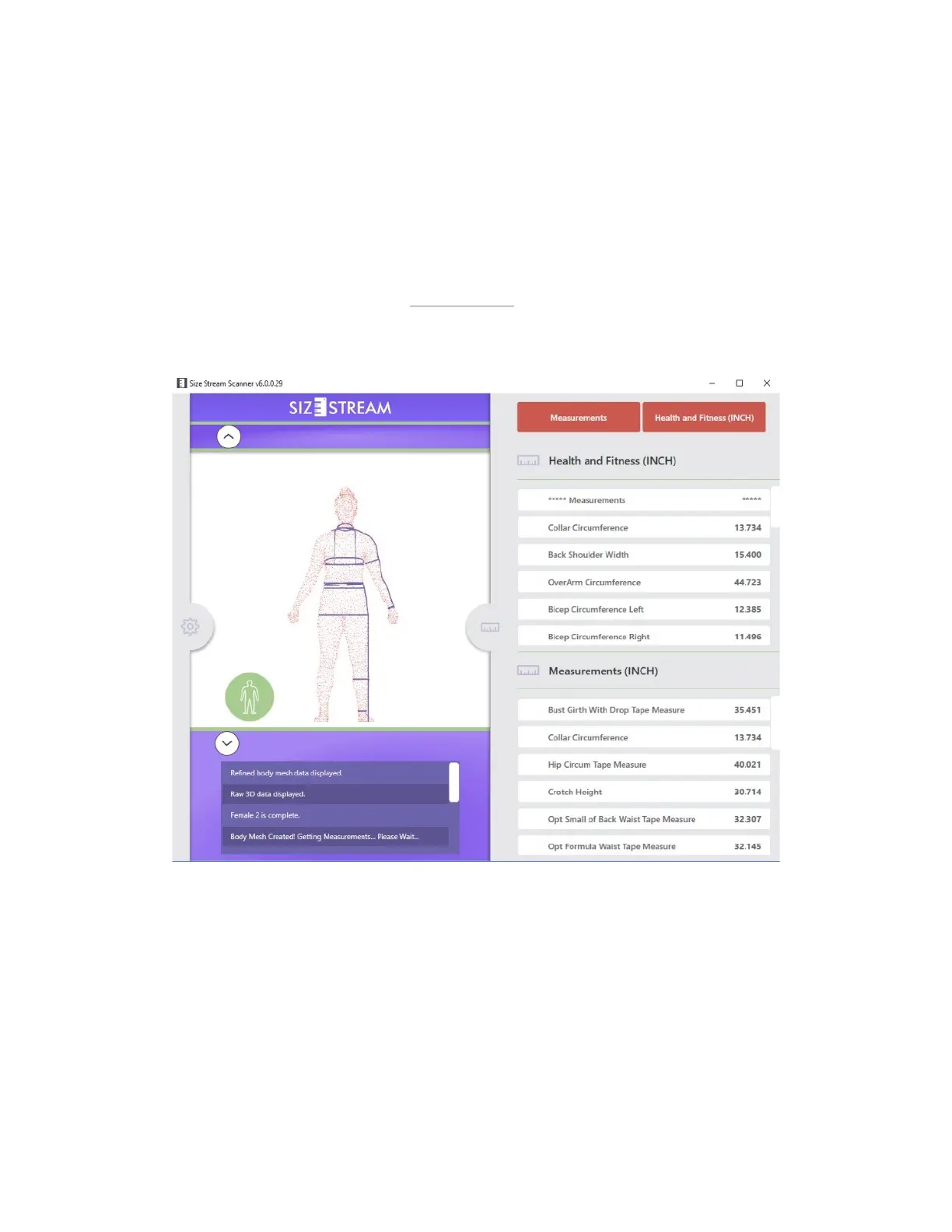
The measurements calculated by the scanner are displayed automatically in the Measurements Pane when
the scanning process is complete. The Measurements Pane can be hidden or displayed by touching or clicking
the Ruler Icon tab. The measurements will be shown in inches or metric units depending on the choice
selected in the “Measurement Units” setting in the Settings Tool.
If Custom Measurements are in use, the top of the Measurements Panel will show two buttons that select
which set of measurements are visible. The “
Measurements” button shows or hides the Standard
Measurement list. The other button’s title will change depending on which Custom Measurement list is
selected in the Settings Tool. This button will show or hide the custom measurements.


 To Next Page