33
Set value display and changing values
7.4.1 General
The user needs a username and password to be able to change the set values.
See section: Entering the password
The set values may be:
" Numbers. When the set values in the blue field are pressed, number buttons are displayed.
" Numbers and letters. When the set values in the blue field are pressed, number and letter buttons are displayed.
" Menu. When the set values in the blue field are pressed, the next point on the menu is displayed.
Move from the status display to the setting display by pressing the Set button
the required user level is A.
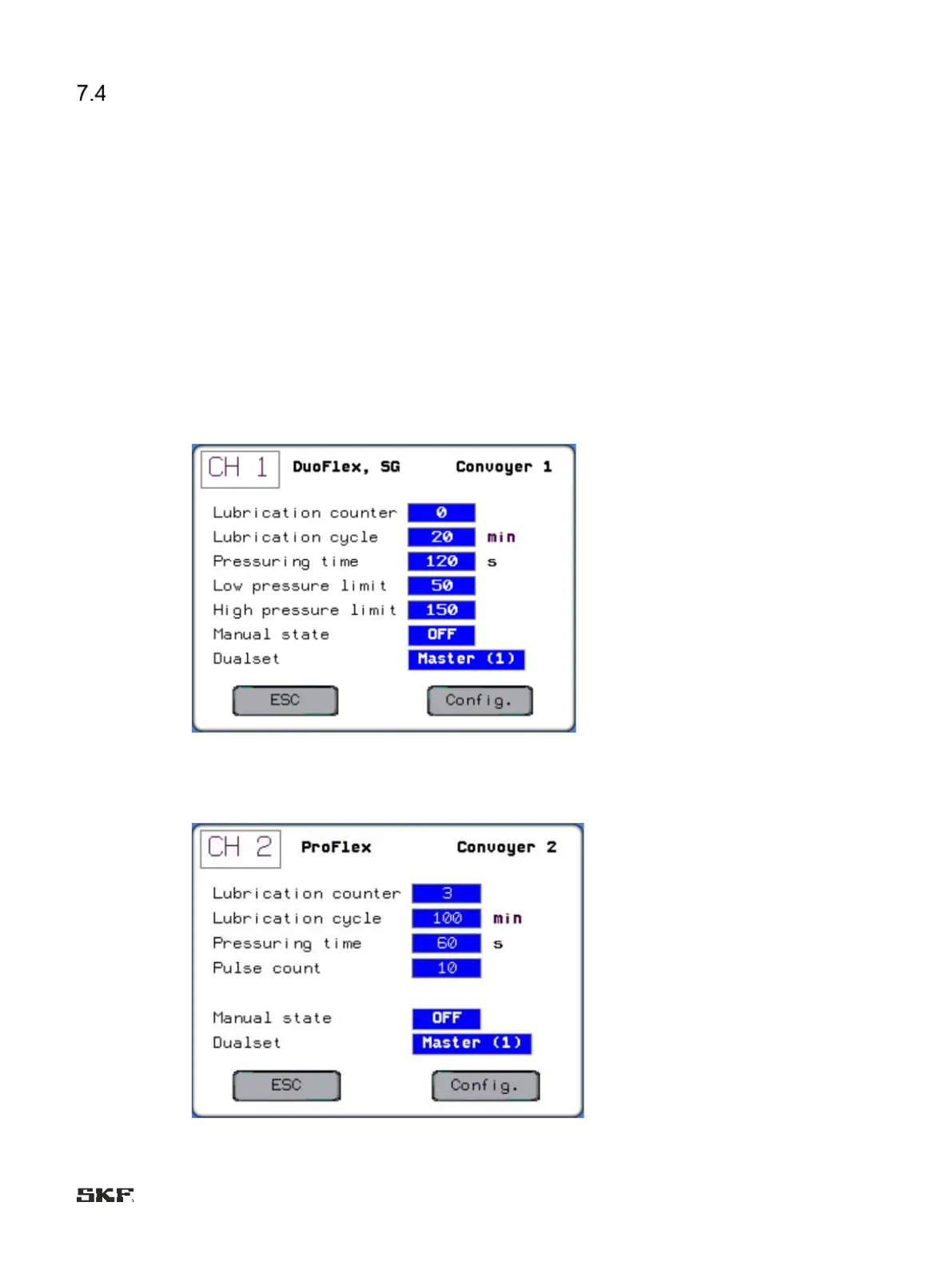
Set values for the MonoFlex and DuoFlex lubrication systems:
Set values in the MonoFlex and DuoFlex systems:
Set values in the ProFlex system:


 To Next Page