38
Entering password
A password needs to be entered when the set values for lubrication need to be changed.
There are three password levels:
Level A: The lubrication parameters can be changed on the set value page. The password is 1240.
Level B: The settings can be changed on the configuration page. The password is 1241.
Level C: This level has been reserved for manufacturing testing.
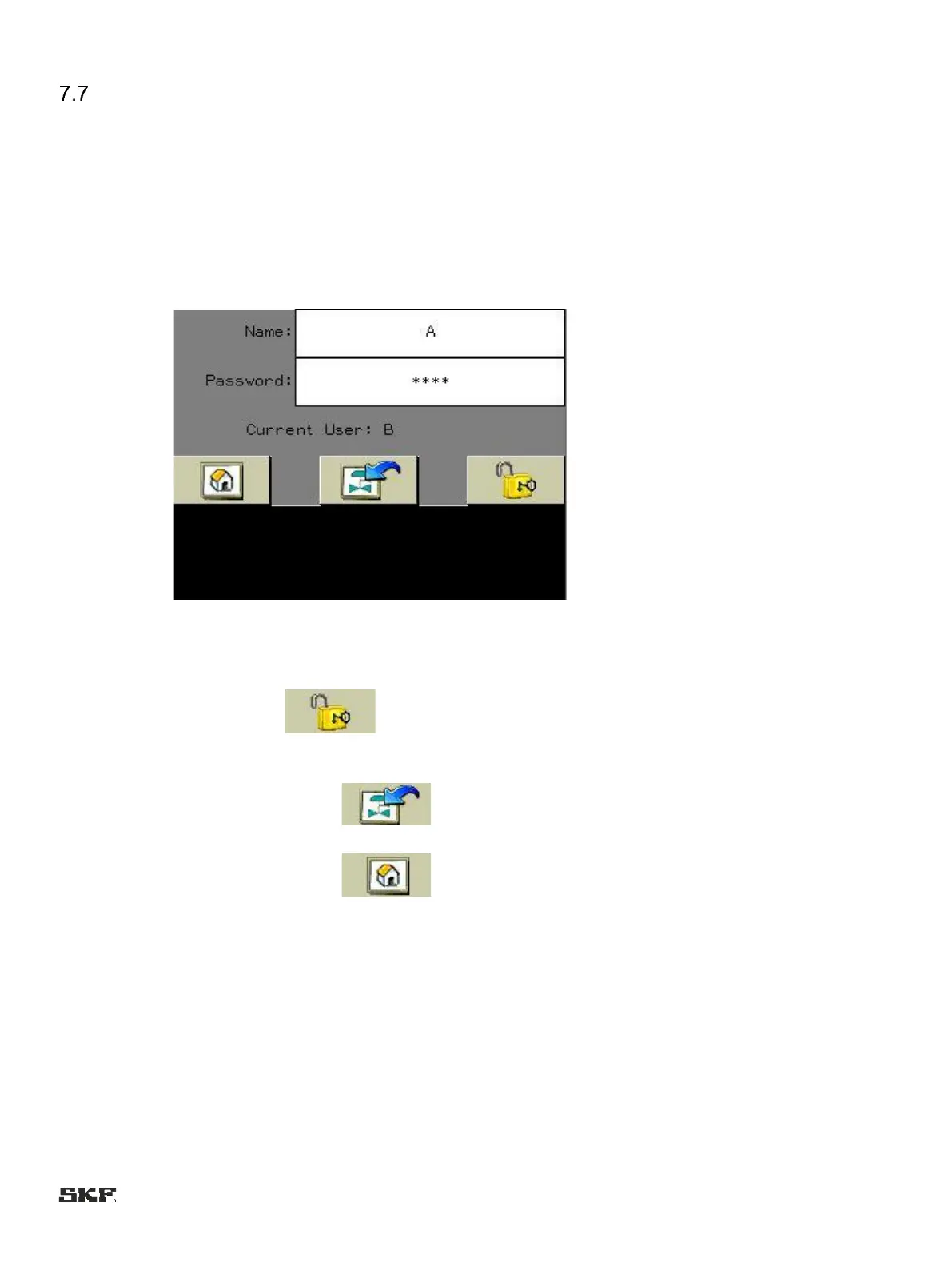
The parameters are password-protected. If you are yet to log in, the login window shown below appears when you press the
factory setting button.
Complete the fields: Name: A
Password: 1240
Accept by pressing:
Go to previous by pressing:
Go to start:
Time expires after 10 minutes.


 To Next Page