Page 14 of 56
SKIPPER Electronics AS
Edition: 2021-09-16
ESN100 Operation and Installation Manual
Chapter: System Setup
System Setup
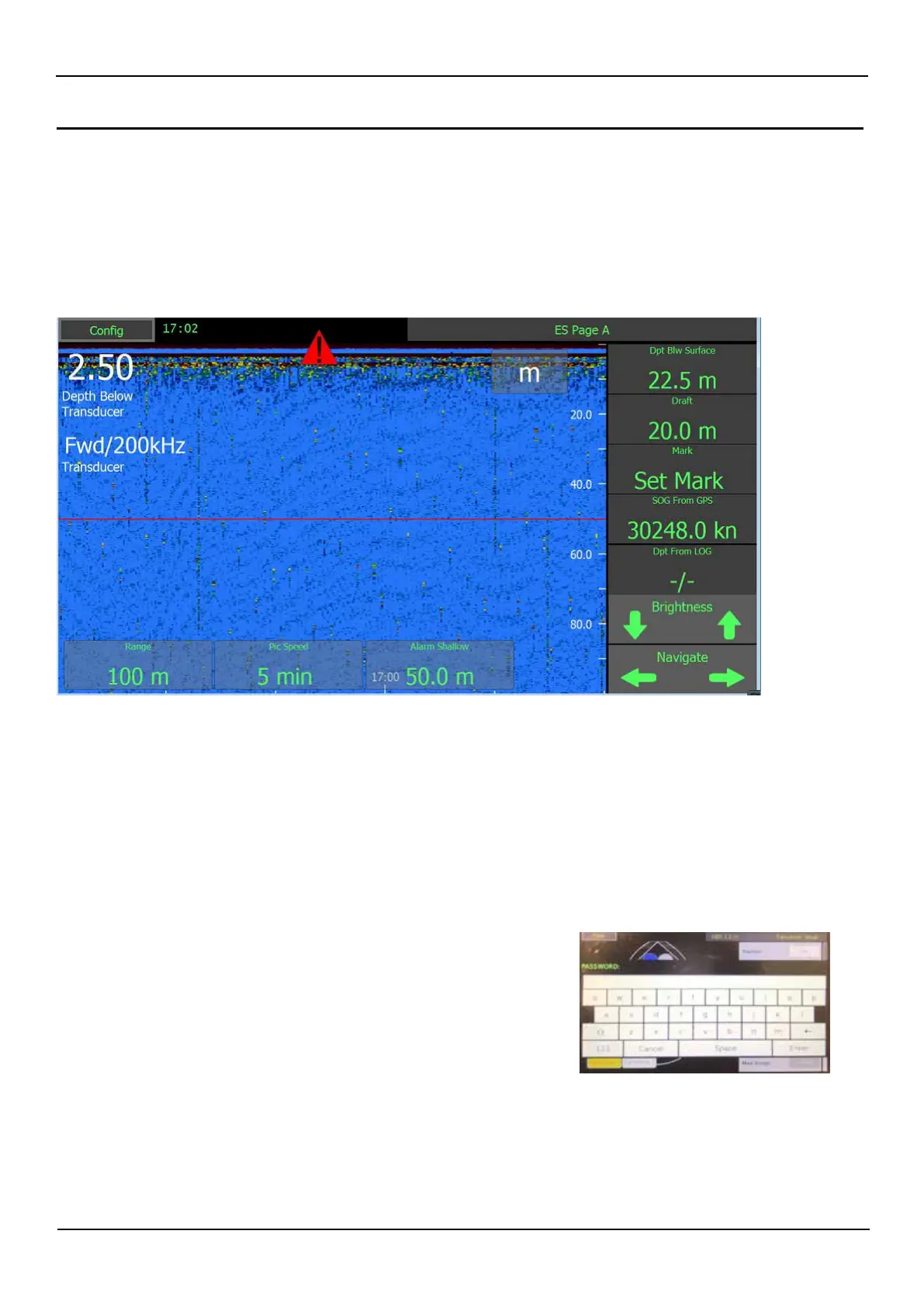
Display description
e display is programmable and can be made to show what the user wishes.
It comprises of 5 information’s on the right, and 3 on the bottom. ese information’s can show parameters
of the system, or parameters being sent into the system from other equipment. ese parameters will, aer a
short time, slide o screen., Touching the screen will make them return.
All these parameters are selected by default, but can be changed to show whatever the user chooses. See the
User guide Runtime screen setup
Some parameters requires a password to enter, e.g.
transducer and output settings.
The password for all units is ‘service’. The password will
be remembered for 1 hour, or until reboot of the system.



 To Next Page