Page 43 of 56
SKIPPER Electronics AS
Edition: 2021-09-16
ESN100 Operation and Installation Manual
Chapter: ESN100 Screen functions
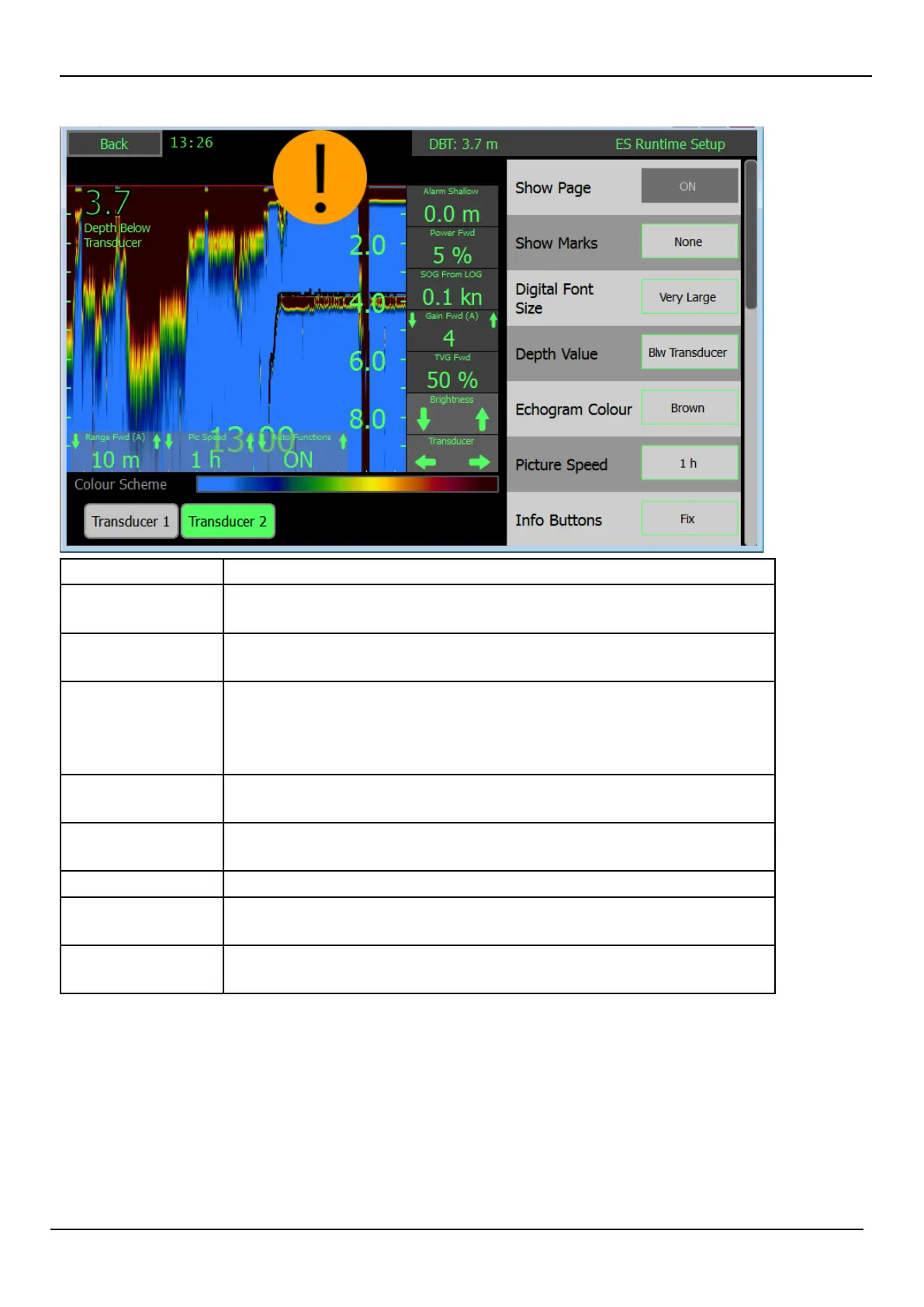
Button Description
Page A (lo/hi) e Transducer connected to transducer connector 1 (if this is a dual
frequency transducer it will show the low or high frequency)
Page B (lo/hi) e Transducer connected to transducer connector 2 (if this is a dual
frequency transducer it will show the low or high frequency)
Digital Font size Adjusts the size of the depth text on the le.
Small – 1m viewing distance
Medium – 3m viewing distance
Large – 5m viewing distance
Depth value e reference point from which the depth is measured
(Surface/Transducer/Keel)
Info buttons e information on the right can be made xed or to disappear aer a
time
Information 1-5 Select the information/parameters to be shown on each information.
Bottom bars e information on the bottom can be made xed or to disappear aer a
time
Bottom bar 1-3 Select the parameter/ information to be shown on the bottom bar. (1 is
xed to range)



 To Next Page