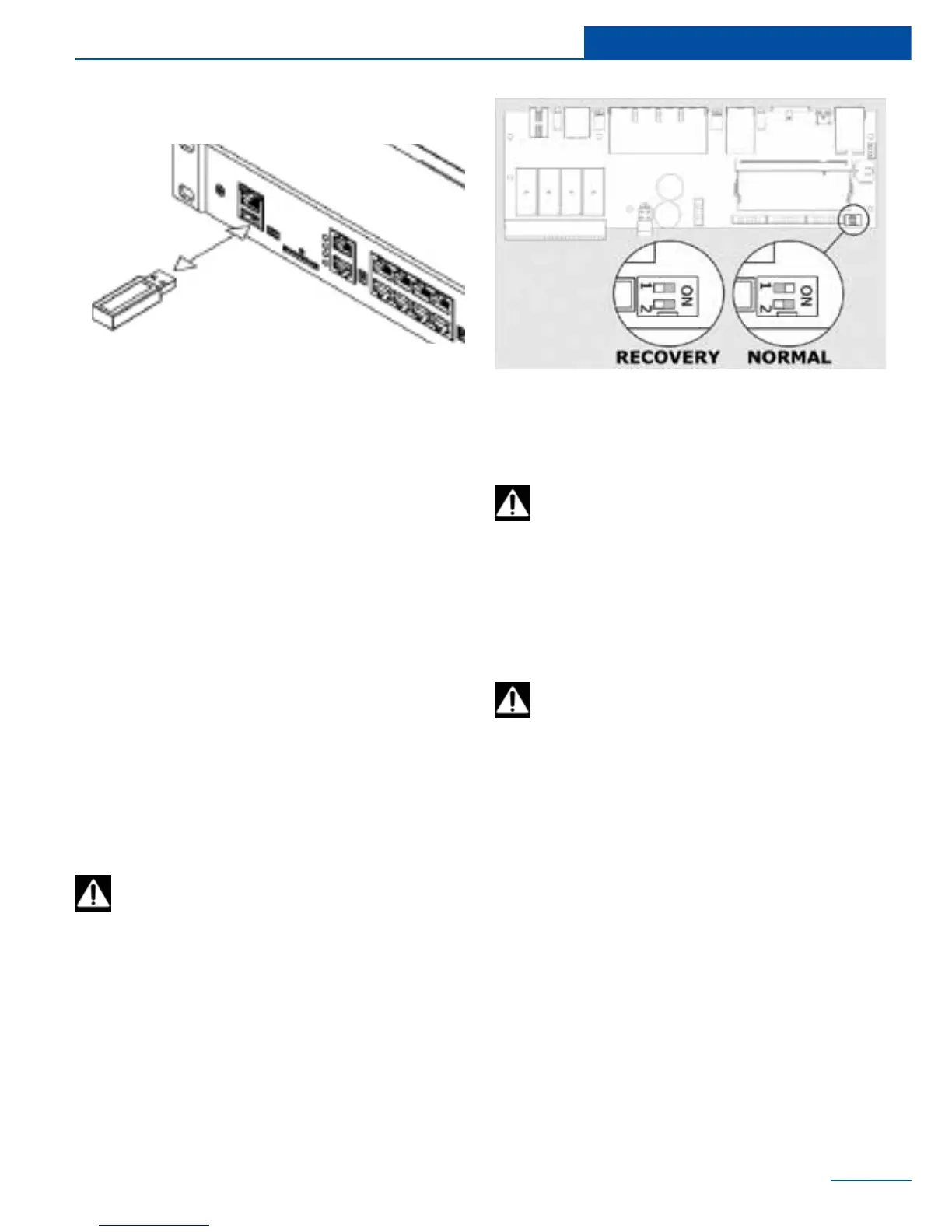
To update the software via USB, copy the
update le (“sky25rmware.sky”), the system
settings le (“sky25settings.sky”) or/and reset
password le (“sky25resetusers.sky”) into the
root of USB-ash drive. Do not change the le
names!
Insert USB ash drive into the input “USB” and
wait while the contents of drive will be analyzed
by the device.
The process of updating will be displayed on the
LED on the front panel of the device.
After the system is rebooted (all the LEDs will
be turned off) test the system.
Sometimes you may need a full software recov-
ery in the appliance. You will need cable USB-A
- miniUSB, PC with 32-bit operating system
Windows, preferably Windows XP, with installed
Microsoft Visual C + + 2008 Redistributable
Package (x86) driver.
Download le skyupdater.zip from the server
ftp://ftp.sky-control.com/drivers/recovery/
(choose the version you need) or from supplied
CD. Extract le into any folder on your PC, for
example in C:\extract. Register USB driver. To
do this go to subfolder C:\extract\windriver\
and run C:\extract\windriver\wd_install_4NT.
bat le. If successfull, you will see in PC Task
Attention! All user information and prefer-
ences will be destroyed forever if a full
software recovery is used!
Attention! Subfolder C:\extract\rmware\
must contain rmware.zip le!
If the appliance has a GSM modem, it
must be turned off, disconnect modem
cable from modem connector J5.
Close the cover of appliance, turn the power on,
connect cable USB A - miniUSB port to PC USB
input and “NS” input of appliance. The PC will
detect the new USB device and will report that it
can run faster. Start the New Hardware Wizard.
Cancel the search for drivers on Windows up-
date. It will then prompt you to install the driver
for MX25. You should choose the automatic
installation. After copying the les, a new device
will be found and MX25 driver installation will
be nished. PC Task Manager will record device
(Jungo->MX25).
Test the USB connection, in order to do this,
select “Test connection” in the eld “Operation”
and click item “Start”. The program will connect
to the appliance in a «Recovery» mode and
display identication information.
Set the appliance to «Recovery mode». In
order to do this, turn off the appliance, open
the cover, switch the DIP switch 1 “Recovery” to
the mode “ON” in the lower right corner of the
motherboard.
Upgrade through USB
Restore of appliance
43
Upgrade and restore
manager: Registered Windriver. Return to the
unpacked folder C:\extract\ and run C:\extract\
skyupdater.exe le.



 To Next Page