If strong electromagnetic interferences
are present, we recommend to use 3-pair
cable CAN FTP for sensor connection!
Sensors are shown on p.3-5
Type Analog sensors
Vibration sensor (SC540)
Vibration sensor (SC541).
Chain connection possible.
Smoke sensor (SC560).
Chain connection possible.
PIR sensor (SC570)
Leak sensor (SC590)
Cable leak sensor (SC591)
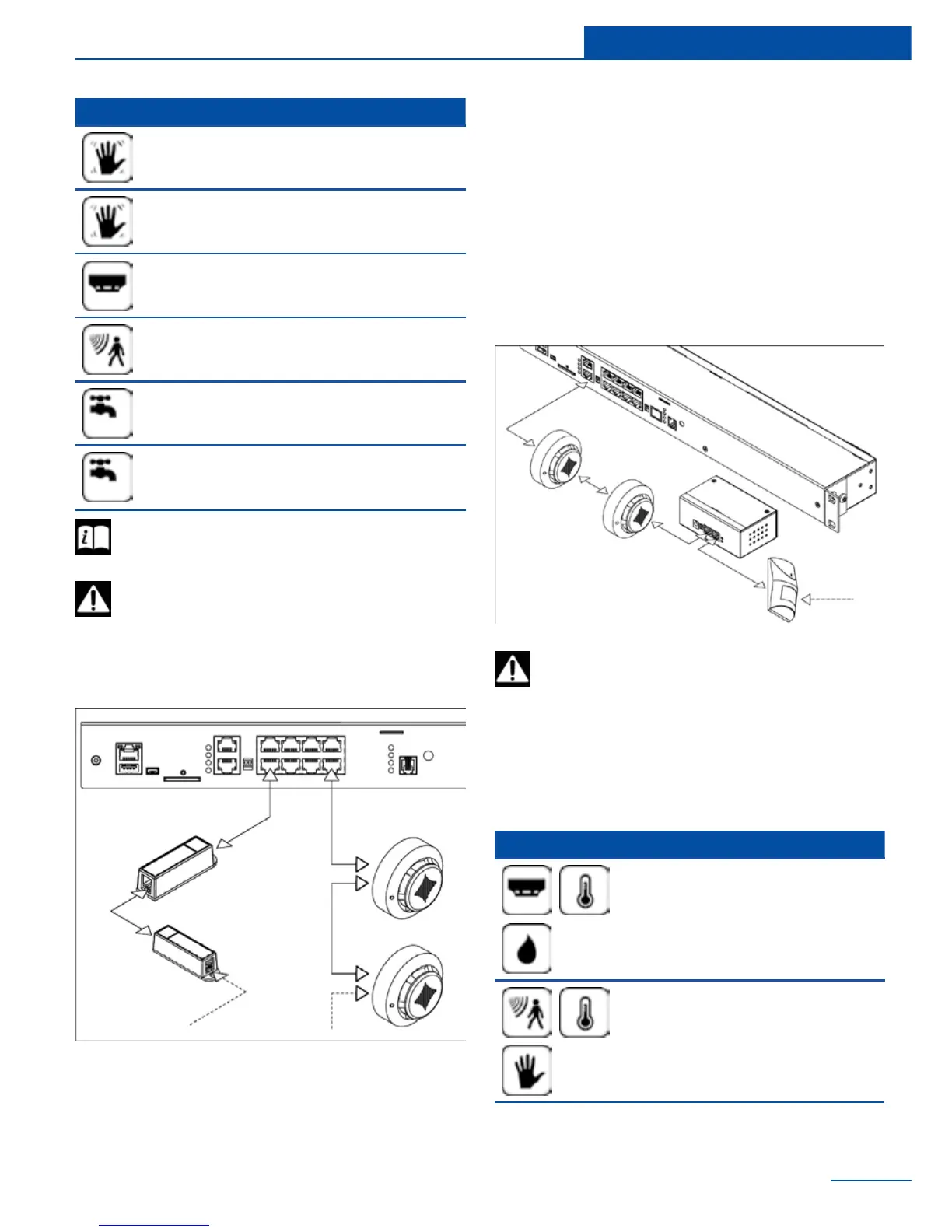
Chain connection of SC541, SC560
SC541 and SC560 are the only analog sensors
that allow chain connection. All the sensors in
such series are seen by the system as one sen-
sor. One chain can have up to 10 sensors.
CAN sensors and CAN
modules connection
Connect CAN sensors to any CAN port CN1 or
CN2 on the monitoring system using a CAN
FTP cable supplied. CAN sensors can also be
CAN module which are connected on the CAN
bus. Determination of the module and its con-
nection is done through web-interface.
17
Installation
which are supported by the appliance and are
connected to the CAN ports:
You can connect maximum up to 8 CAN
sensors and CAN modules together
on one CAN bus!
Type CAN sensors
Smoke, temperature and hu-
midity sensor (SC460)
PIR, temperature and vibration
sensor (SC470)



 To Next Page