Setting up CAN
CAN bus is used for connection of CAN sensors
and CAN modules. The device has two inde-
pendent CAN nodes: CAN1 and СAN2.
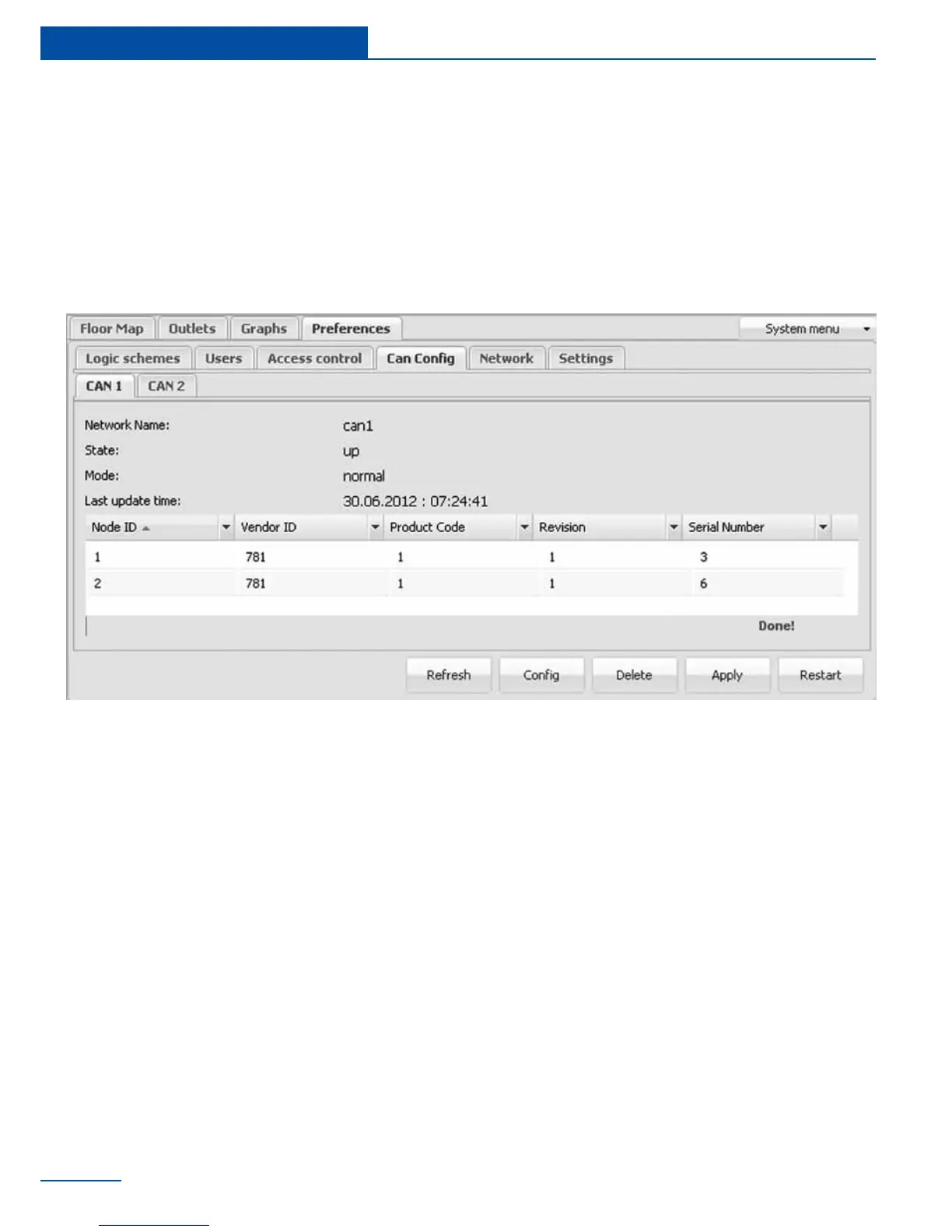
Before using CAN sensor module, CAN bus must
be congured in order to operate with this CAN
sensor module. Conguration of the CAN bus is
The following operations can be carried out on
CAN bus node:
• Refresh - updates the current information
on the status of the node;
• Cong - launches conguration process of
the node for CAN sensor modules con-
nected to it, the old conguration is lost;
• Delete - removes selected CAN sensor
module from the conguration (list) of CAN
sensor modules;
• Apply - saves the list of CAN sensor mod-
ules in ash memory;
• Restart - restarts the CAN bus node.
To set up a CAN bus node for operation with
the CAN sensor module, connect CAN module
to CAN network and run corresponding con-
guration procedure in the web-interface using
command Cong. The conguration process
is displayed at the bottom of the tab and lasts
made through tab “Preferences” >> “CAN con-
g”, which in turn has two identical tabs - one
for each node.
E
modules connected to this node.
aprox. 2 minutes. Detected modules will be
added to the list of modules during the congu-
ration process. After completing conguration
the node returns to its normal operation. Sen-



 To Next Page