5
6
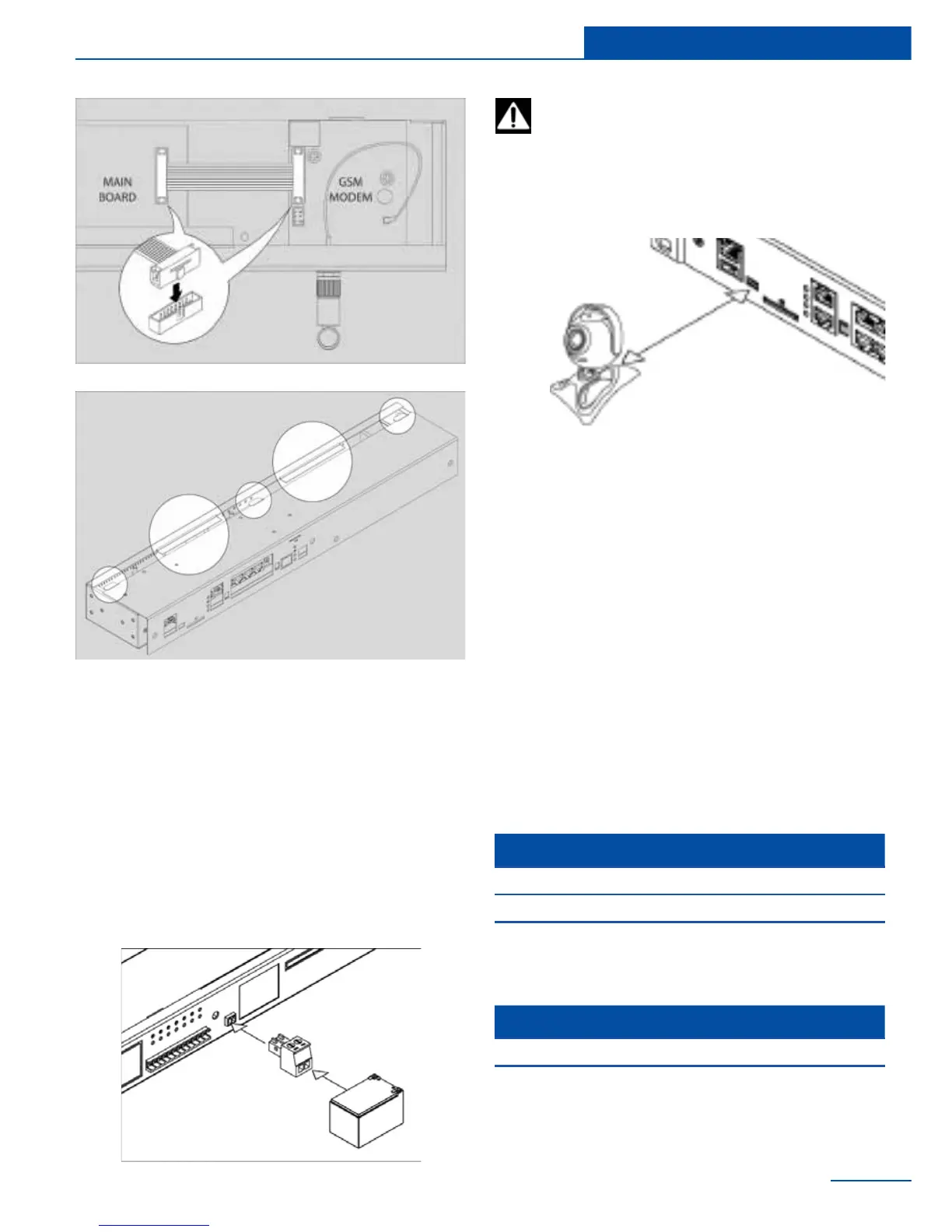
Connecting backup battery
Backup battery can be connected to the fol-
lowing systems: SC8100, SC8110, SC2100,
SC2110.
If necessary, connector “DC 12V” can be con-
nected to the backup battery 10-12 V with sup-
plied plug 3.5 mm. Battery discharge starts as
the battery voltage exceeds over the appliance
internal voltage 12V.
25
Installation
The input voltage of backup power must
not exceed 13,0V! Do not charge the bat-
tery while it is connected to the system!
Connecting USB camera
If necessary, by means of supplied cable USB-A
/ MiniUSB AB, you can connect any USB camera
of class Linux UVC Webcam which supports
MPEG. USB camera is connected to “HS” port.
Determination of camera and connection will
occur automatically. USB camera can also be
connected to USB A port, however, it will have a
lower resolution. Do not use any USB exten-
sion cables when connecting the camera to USB
A port, use only the cable supplied with the
camera.
List of USB cameras
We recommend:
USB + HS inputs cams:
Only HS input cams:
Manufacturer Art.
1 Logitech С160
2 Logitech С210
3 Logitech С270
Manufacturer Art.
1 Logitech С110
2 Logitech С510



 To Next Page