EasyManua.ls Logo

Sky Control SC8110 - Relay and Load Connections

Default Icon
52 pages
Print Icon
To Next Page IconTo Next Page
To Previous Page IconTo Previous Page
Loading...
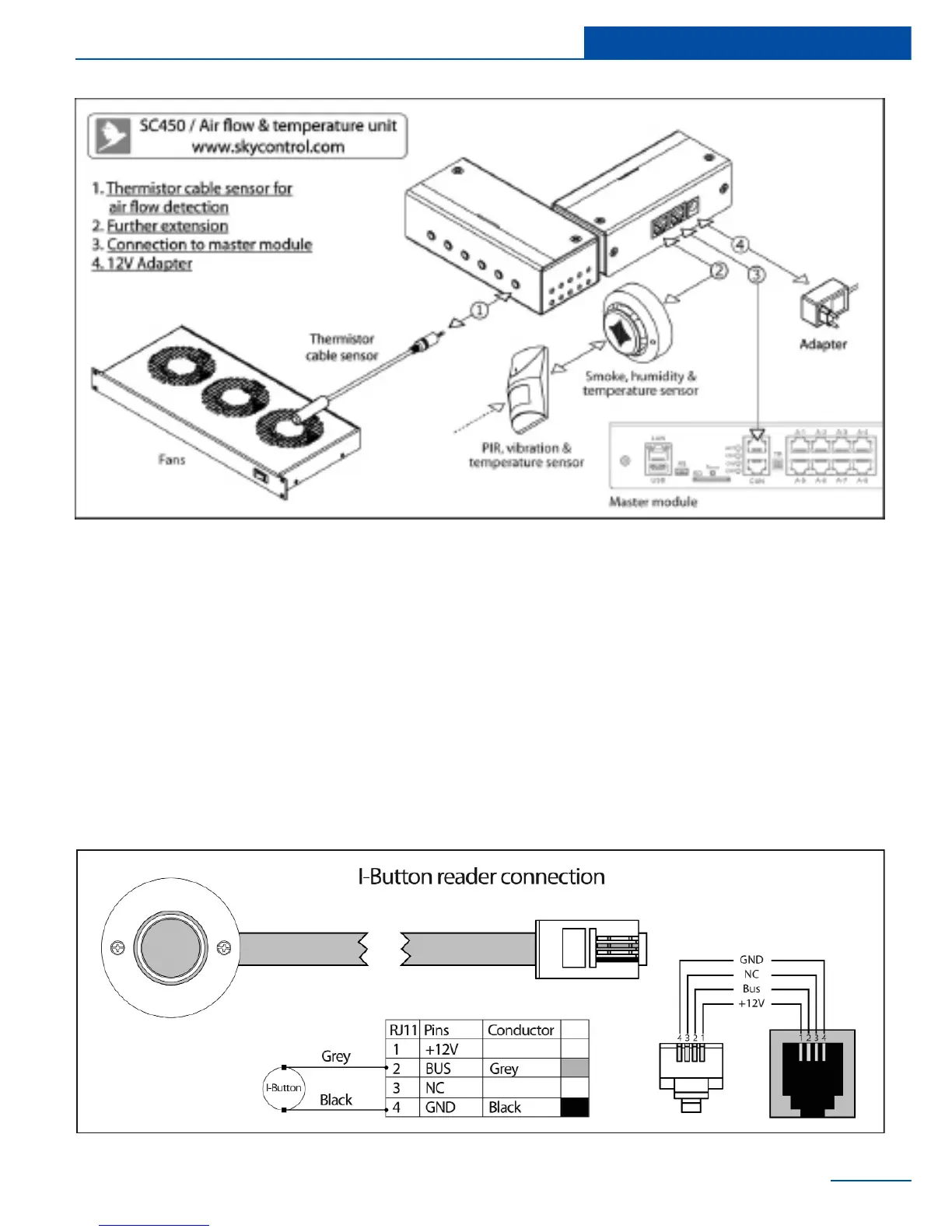
Connecting I-Touch Button
I-BUTTON readers have two wires:
19
Installation
1 Ground (GND)
2 Data wire (BUS)
Readers ground wire is connected to the GND
pin on RJ9 connector. Data wire of I-BUTTON
reader is connected to the BUS contact on RJ9
connector.
Connecting Proximity reader
Proximity readers have 3 wires:
1 Power (+12V)
2 Ground (GND)
3 Data wire (BUS)

Proximity readers GND is connected to the GND
pin on RJ9 connector. Proximity reader’s data
wire is connected to the BUS contact. Proximity
readers power connects to the +12V pin on RJ9
connector.

Table of Contents

Related product manuals