Device Description
“Temperature”
Temperature sensor installed
inside a rack
“Relay 1” Controls fan #1
“Relay 2” Controls fan #2
“E-mail”
Notication via e-mail. Cre-
ated by user
“SMS”
Notication via SMS. Created
by user
36
Quick Conguration
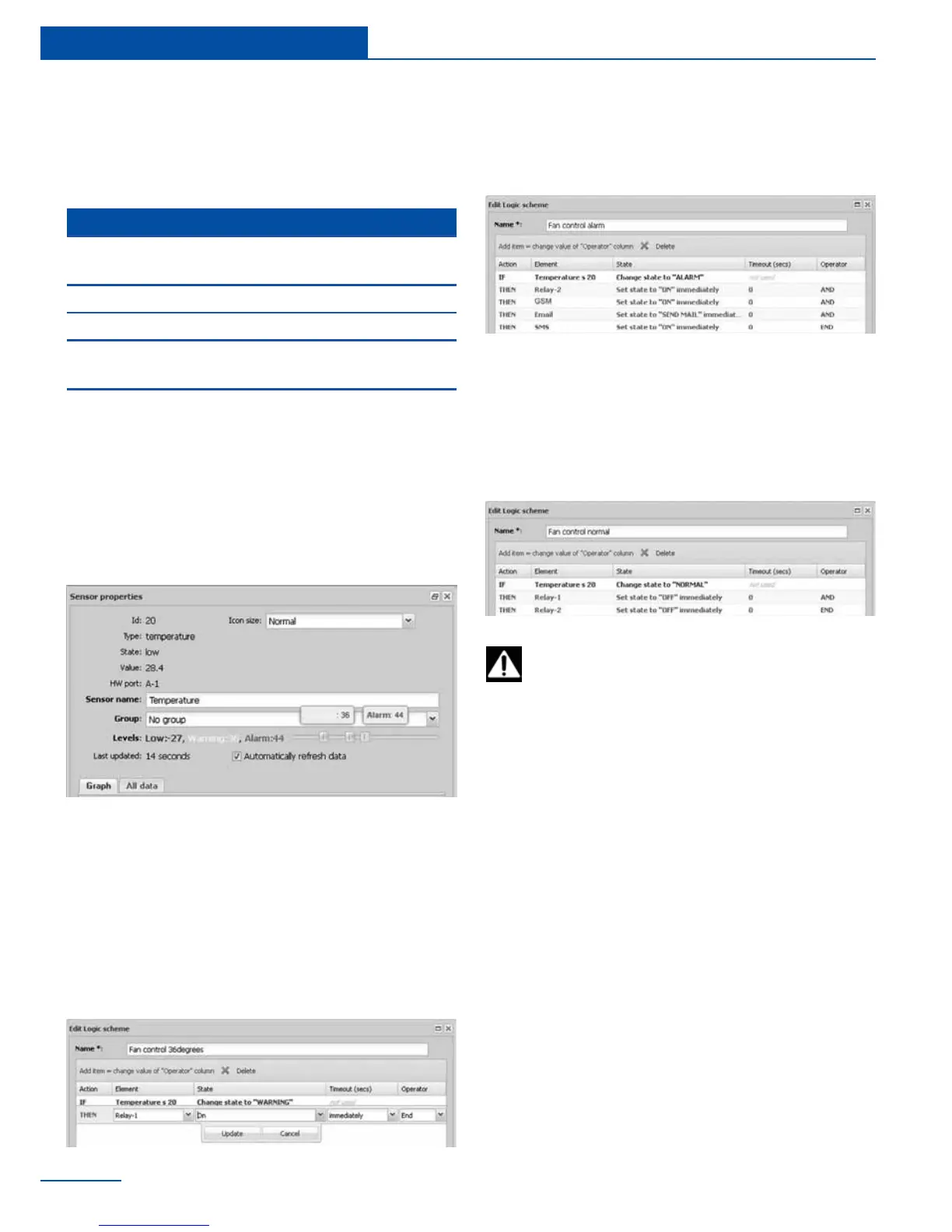
1 Edit the thresholds of “warning” and
“alarm” levels for the temperature sensor.
Set “warning level” to 36°C and “alarm
level” to 44°C.
To save the settings of elements and logic
schemes in the ash memory of the de-
vice go to System menu->Save setting to ash
Adding a key
To add a key to the access database, go to
“Preferences” in the appliance web interface,
select “Access control” >> “Add”. You will be
prompted to touch the reader with the key in
order to add a new user and then press “OK”.
Bring the key next to Proximity reader or touch
the reader with the key. New key will be regis-
tered and dialog box will disappear. Default key
name (newkey) can then be edited.
I
f the key is not registered or you have decided
not to register the key, click “OK”.
Access control
2 Create “E-mail” and “SMS” notications.
Follow the steps in section “Creating noti-
cations”
3 Go to “Preferences” . Select “Logic
schemes”. Add 3 logic schemes as follows:
a First logic scheme will turn on Fan#1 when
temperature reaches 36°C.
b Second logic scheme will turn on Fan#2
when temperature reaches 44°C. SMS
and e-mail notications will be sent.
c Third logic will turn off Fan#1 and Fan#2
when temperature falls into “normal”
(“Normal” level is between “low” and
“warning” levels. Thus below 36°C in this
example).
reaches 36°C. If temperature reaches 44°C you
need to activate second fan and to notify the
administrator via e-mail and SMS.
You have:



 To Next Page