Creating groups of elements
Groups of elements are made for the structural
organization of the elements in the system.
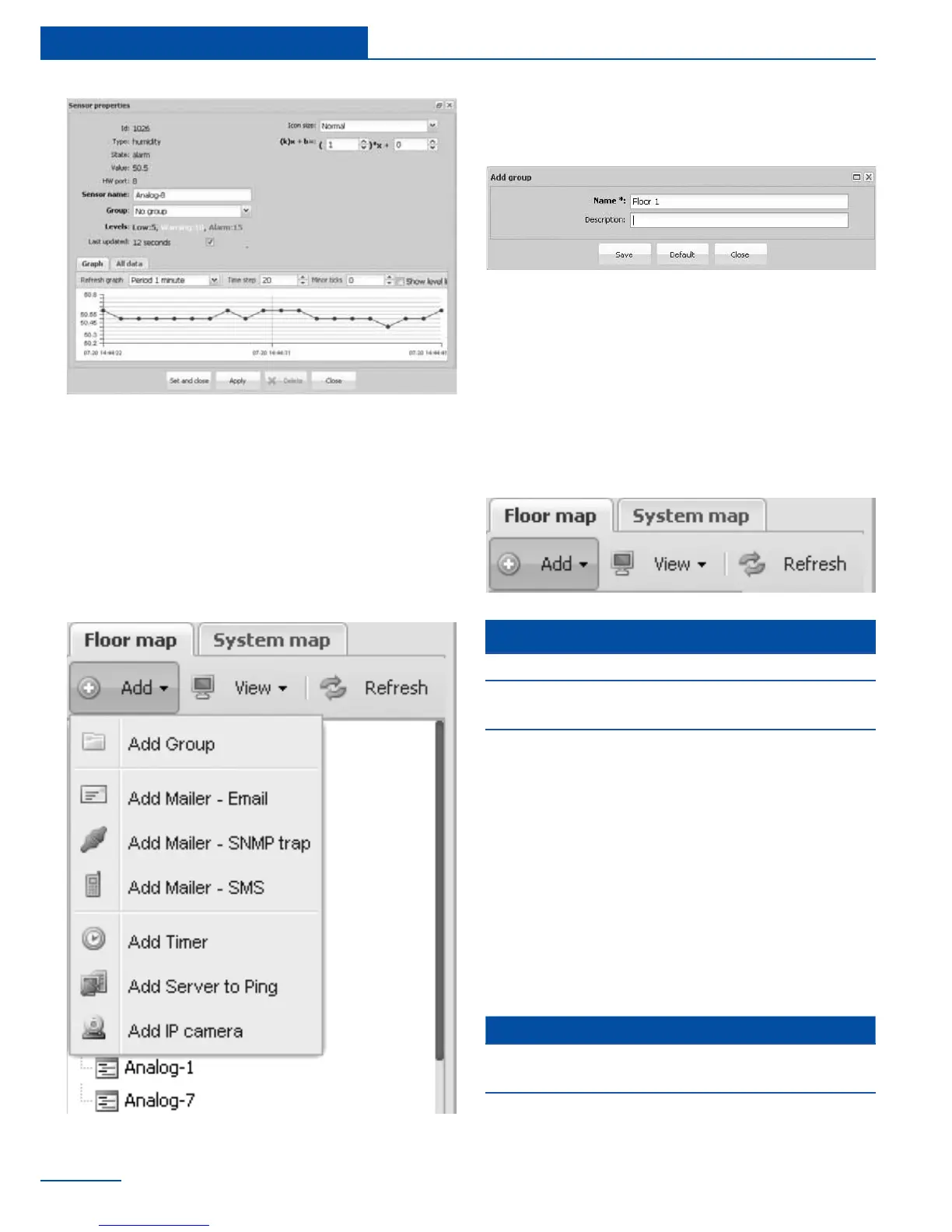
To create a group, go to “Add” in the upper left
corner of the web interface, select “Add Group”.
Give name to created group, ll in description
elds and save.
Creating notications
Notications are intended to inform the user
about events occurring in the monitoring sys-
tem.
To create notication go to “Add” in the upper
left corner of the interface, select the needed
element.
In the dialog box, specify a group name, ll in
the description and press “Save”.
Left click on the menu item. Fill in the form in
the window that appears and press “Save”.
T
message”.
It is possible to add the following
notication via E-mail “Add Mailer - Email”
notication via SNMP trap “Add Mailer -
SNMP trap”
notication via SMS “Add Mailer - SMS”;
32
Quick Conguration
To create notication via e-mail you have to
specify the following parameters:
Notication via E-mail
Parameter Description
Name
The name of the element
in the system
SMTP server
Name or SMTP server IP
address (smtp.gmail.com)



 To Next Page