134 MN.00273.E - 004
9.10.3 Configuration upload and download using WEBLCT
Configuration upload
Foreword: it is advisable to backup the configuration after the first installation. Proceed as follows:
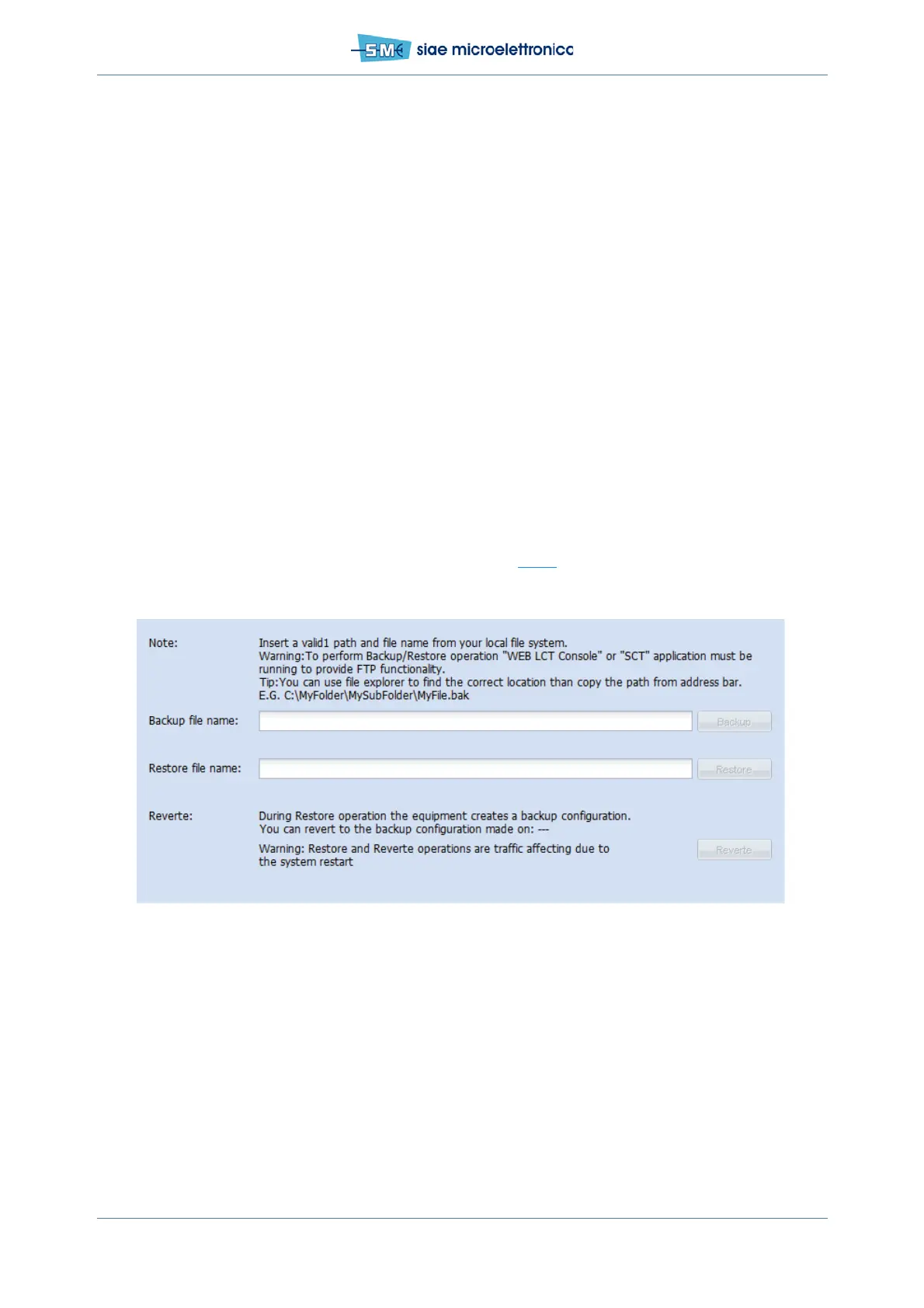
1. select “Backup/Restore Configuration” in the “Main menu”
2. in the field “Backup File name” write the name of the configuration file you are going to upload in
the PC, complete with the full path of its folder
3. push Backup. The status of the backup procedure is shown in the “Operation Status” field.
Configuration download
Once the spare Controller has been installed or every time the saved configuration is necessary, proceed
as follow:
1. Select “Backup/Restore Configuration” in the “Main menu”
2. In the field “Restore file name” write the name of the configuration file you are going to download
in the ODU, complete with the full path of its folder
3. Push Restore. The status of the backup procedure is shown in the “operation Status” field. During
Restore operation the equipment creates a backup configuration, you can come back to this config-
uration at the end of the restore pushing Revert (see Fig.80
)
Warning: the file full backup, making use of SCT, isn’t compatible with WebLCT and vice versa.
Fig.80 - Backup/Restore configuration



 To Next Page