20
2.2.3.2 Adding the VLC-2-EIP into the PLCs Ethernet/IP network
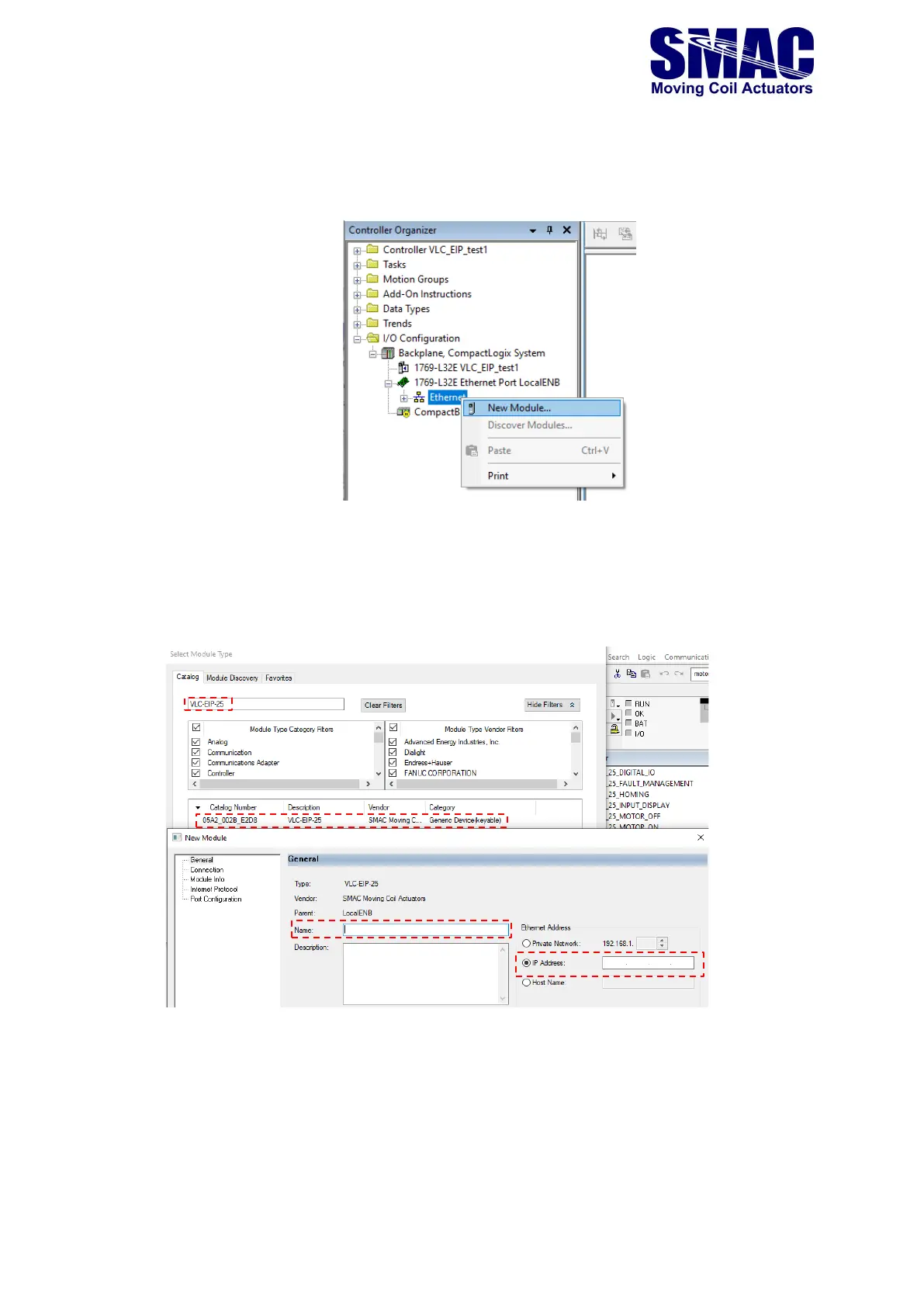
1. In the left-pane of Studio 5000 environment, right-click on ‘Ethernet’ and select ‘New Module..’
2. Search for the device’s name corresponding to the EDS file, as shown below, e.g. ‘VLC-EIP-25’.
Double-click on the one corresponding to the VLC-2-EIP. In the ‘New Module’ window, specify
a name for the VLC-EIP and the IP address based on the discussion in section 2.2.2 of this
manual, whether the default one or a newly-defined one is used.



 To Next Page