21
Using key 2 menu the functions can be scrolled in this order of display:
cooking functions menu;
oven temperature;
cooking time programming;
timer;
alarm clock;
When scrolling the functions, the relative icons flash. If the function is not confirmed or
modified within 7 secs, the selection is deactivated. From oven “on in stand-by for
commands”, if commands are inactive for a time exceeding 5 minutes, the oven switches off
automatically.
ATTENTION: it is possible to pass from oven "in cooking mode" to the "on in stand-by for
commands" status by pressing key 1 ON/OFF . Pressing the key again, switches the oven
off definitively.
Cooking functions menu
After oven switch-on using key 1 ON/OFF , it is possible to directly access the choice of
cooking functions by pressing key 2 menu . The central icon and the cooking functions
start to flash.
Using keys 4 and 5 it is possible to scroll through all cooking functions available (see "
COOKING FUNCTIONS TO BE SELECTED"): the relative segments activate.
Once the desired function is highlighted, confirm with key 6 .
In each case, after 7 seconds of inactivity of the commands, the function selected is
confirmed automatically (auto-confirm).
At this point, to start cooking, confirm everything using key 3 START (see reference
paragraph).
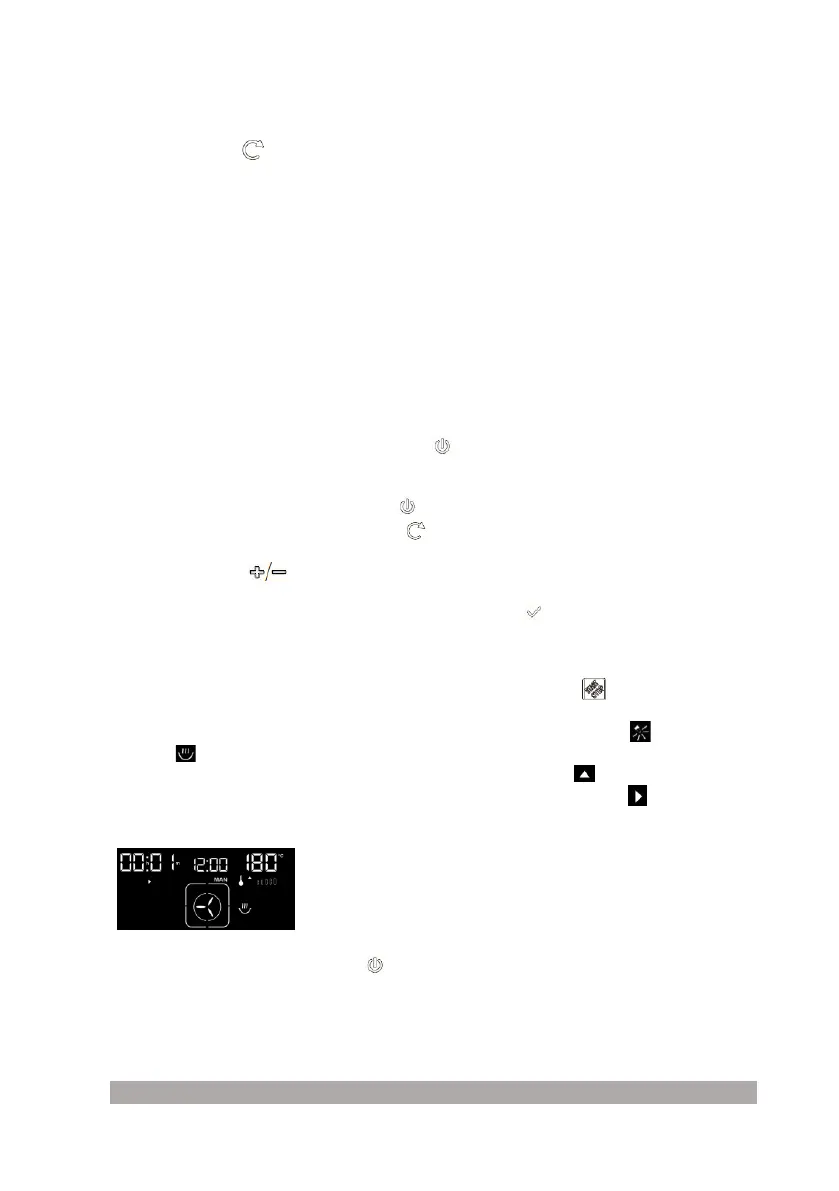
The oven starts the pre-heating phase. The light inside the oven switches on . The cooking
pan icon sis activated and starts to flash. On the basis of the cooking function selected,
the default temperature appears and the upward temperature icon starts to flash. The
progressive cooking time in manual mode is displayed. The respective icon starts to flash
(see figure).
At cooking end, press key 1 ON/OFF and the oven remains in “on in stand-by for
commands” mode. Pressing the key again, switches the oven off definitively.
Temperatures display



 To Next Page