Configuration
3.13
Position Trim - TP303
Via Simatic PDM
It is possible to calibrate the transmitter by means of parameters CAL_POINT_LO and
CAL_POINT_HI.
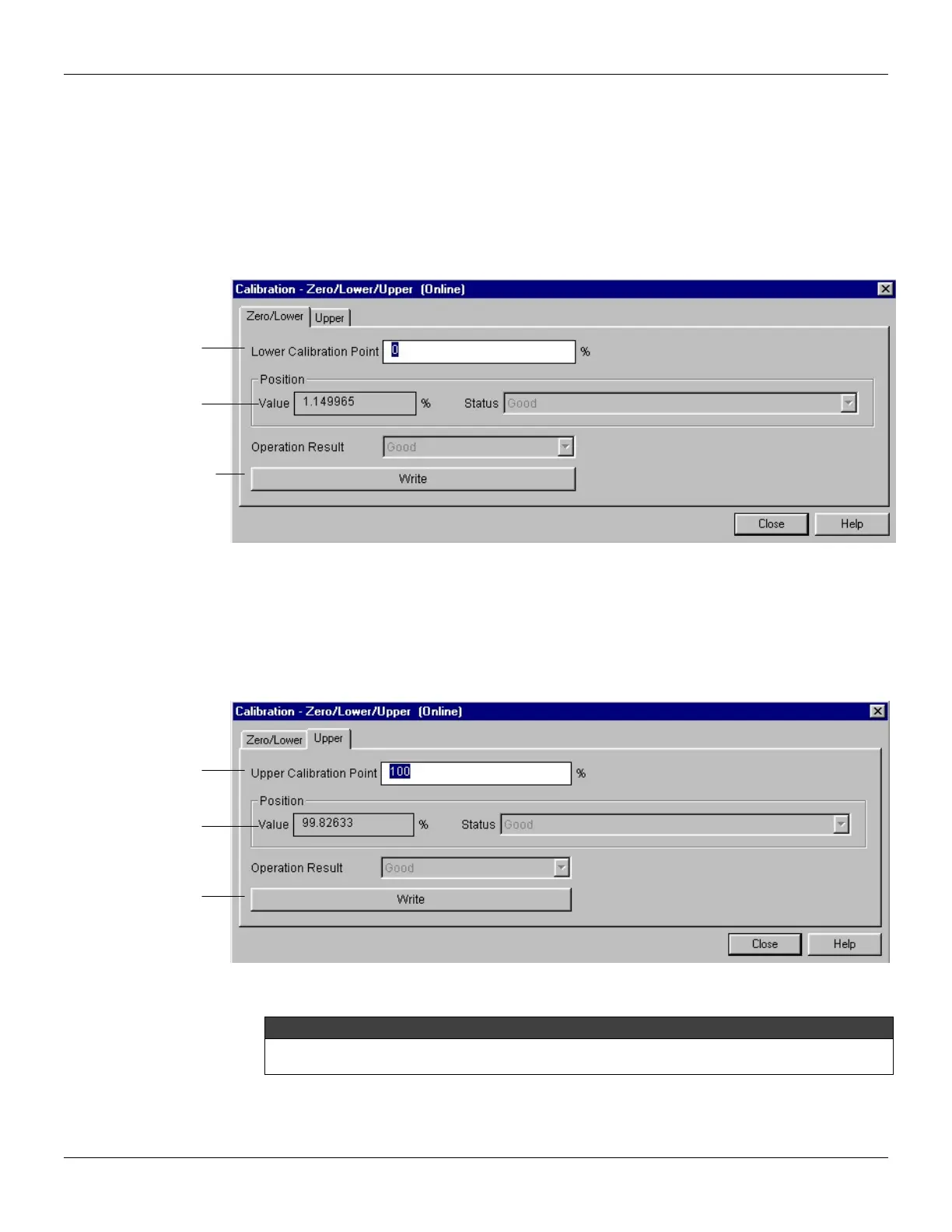
The engineering unit for the calibration is always. Using the device menu, select the calibration
menu. Then, select zero/ lower calibration menu. Apply to the input position 0.0% or the lower
position value and wait until the readout of parameter TRIMMED_VALUE stabilizes. Write 0.0 or the
lower value in the parameter CAL_POINT_LO.
Figure 3.12 - TP303 Simatic PDM - Lower Position Calibration
For each value written a calibration is performed at the desired point. This value must be inside of
the sensor range limits allowed.
Then, select upper calibration menu. Apply to the input position 100.0% or the upper position value
and wait until the readout of parameter TRIMMED_VALUE stabilizes. Write 100.0 or the upper value
in the parameter CAL_POINT_HI.
Figure 3.13 - TP303 Simatic PDM – Lower Position Calibration
WARNING
It is recommendable, for every new calibration, to save existing trim data, by means of parameter
BACKUP_RESTORE, using option "Last Cal Backup".
The last lower calibration
point. Here, the user just
needs to enter the
desired value.
desired the value, the
user can check the
desired value, this key
should be pressed to
complete the operation.
The last lower
calibration point.
Here, the user just
needs to enter the
desired value.
desired the value, the
user can check the
calibration.
desired value, this key
should be pressed to
complete the
operation.



 To Next Page