9 English
Introduction
Introduction
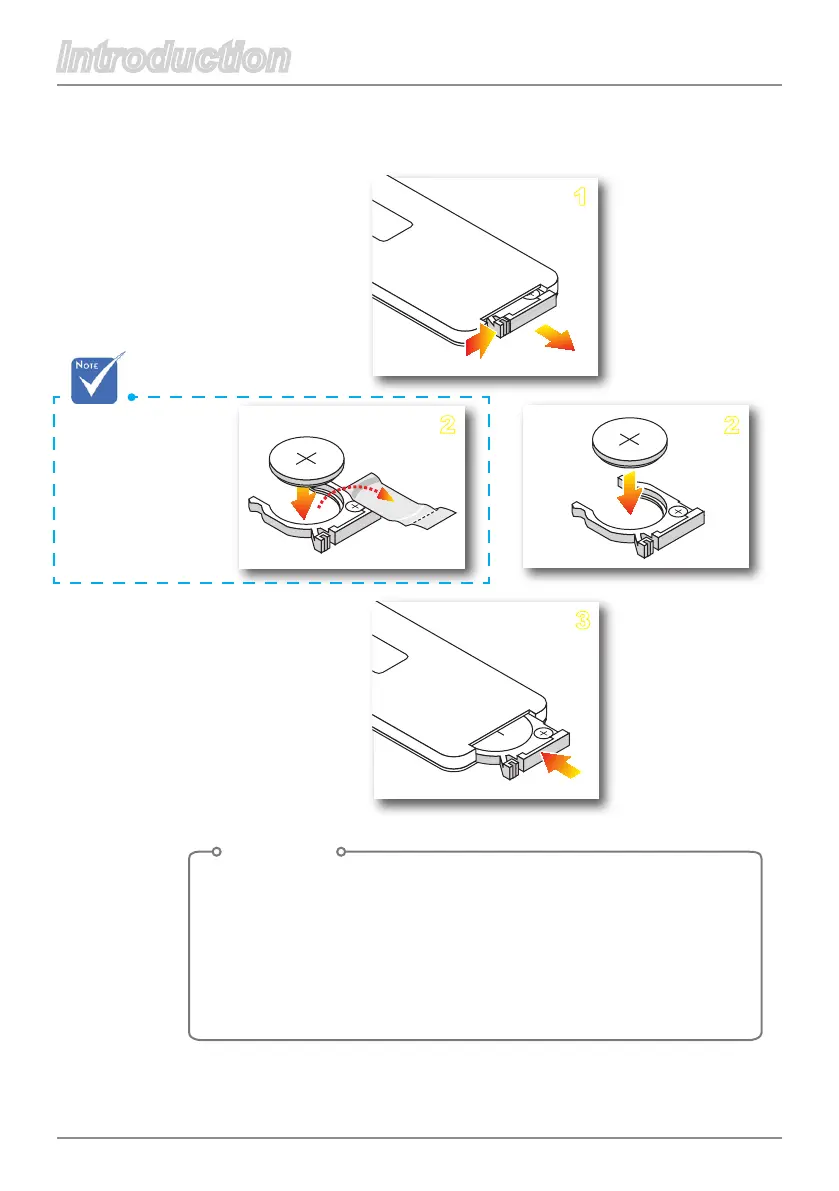
When you use the
remote control for
thersttime,there
is a plastic sheet
between the battery
and its contact.
Remove the sheet
before use.
To change the remote control’s battery
Procedure
1. Remove the battery holder by holding down the side release
rmlyandpullingoutthebatteryholder.
2. Insert a CR2025 coin cell battery.
Be sure to align the plus and minus ends of the battery
properly.
3. Replace the battery holder.



 To Next Page