English 10
Installation
Installation
100
V
-
240
V
50
H
z
-
60
H
z
A
udio I
n
A
udio I
n
A
udio
1
A
udio Ou
t
S
erv
i
c
e
C
on
tr
o
l
A
udio
2
4
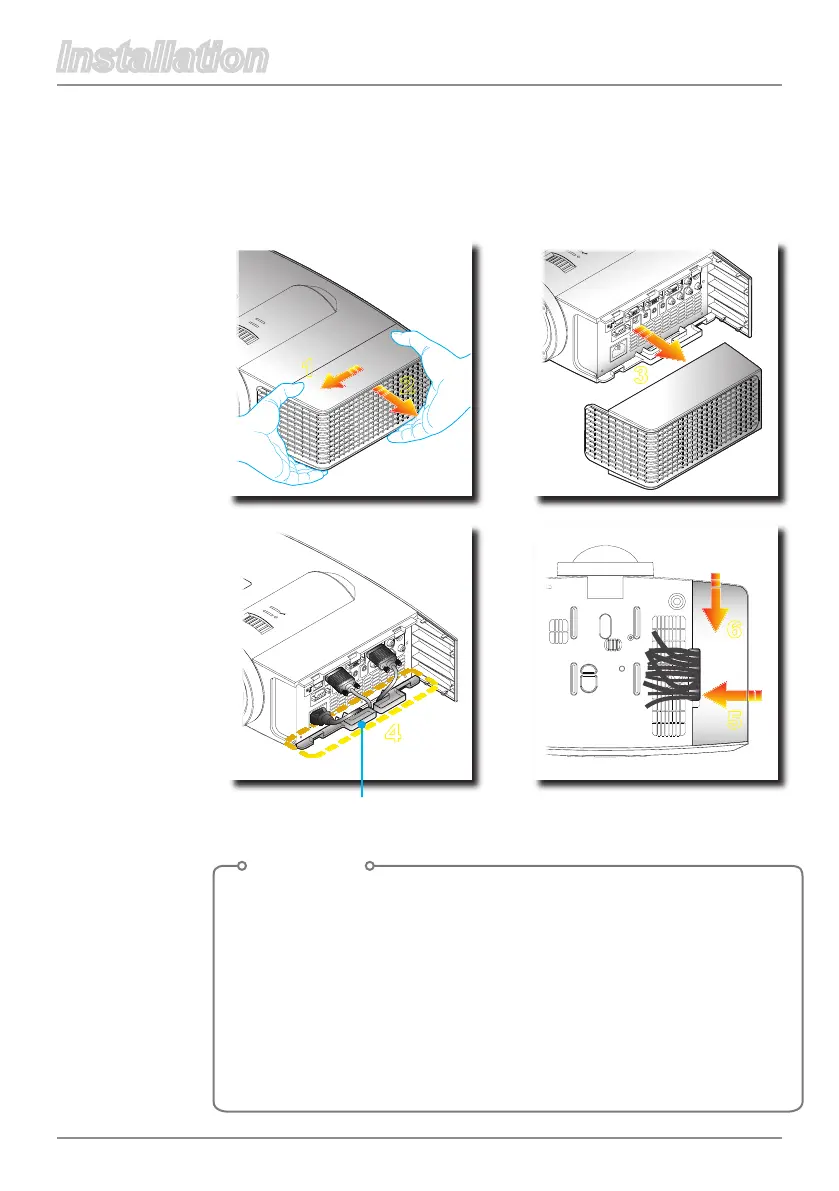
Connecting the Projector
Opening and Closing the Input and Output
Cover
Cable management slot
100
V
-
240
V
50
H
z
-
60
H
z
A
udio I
n
A
udio I
n
A
udio
1
A
udio Ou
t
S
erv
i
c
e
C
on
tr
o
l
A
udio
2
3
Procedure
1. Pull the cable cover forward and leftward to remove the
cable cover from the slot.
2. Connect the power cord and the cable that you want to
connect to the projector.
3. Collect all cables in the cable management slot.
4. Clip the Input / Output IO cover rightward to the projector.
5. Fit the Input / Output IO cover with the rear cover backward
tightly



 To Next Page