27 English
User Controls
User Controls
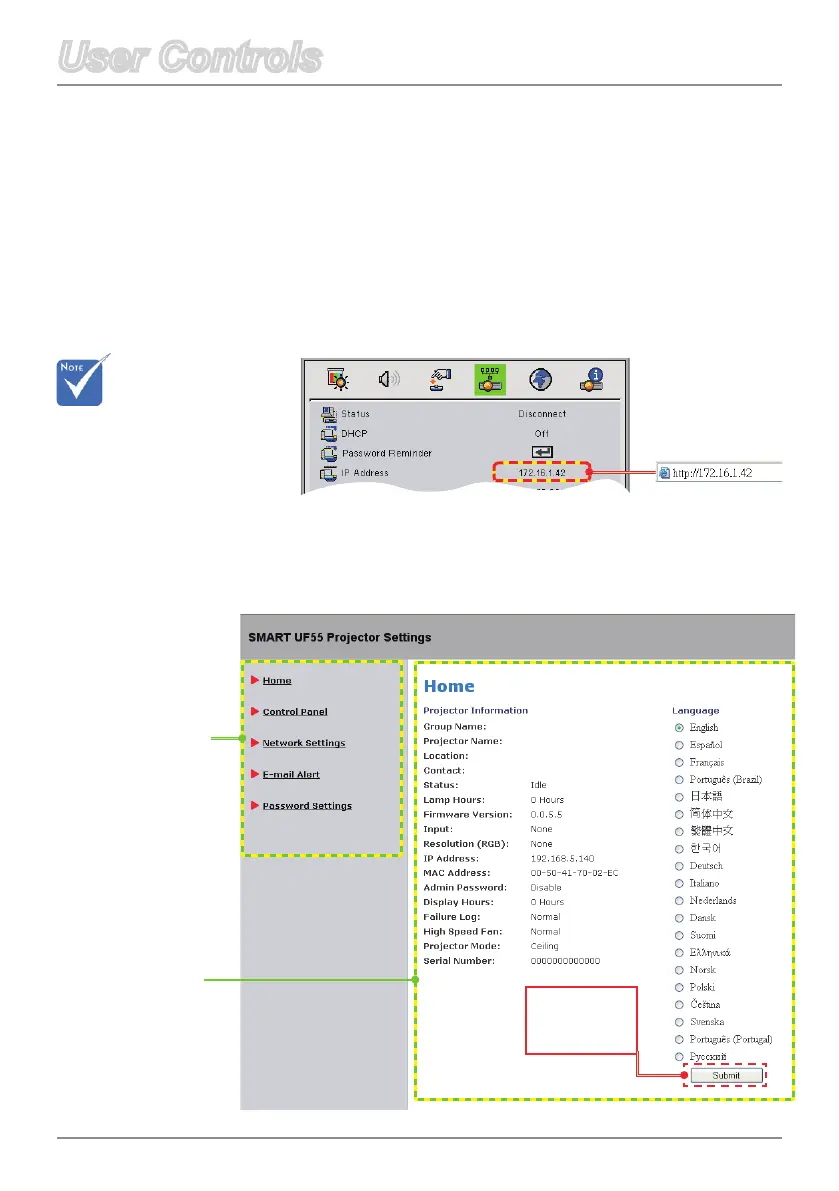
Iftheprojectorisconnectedtoanetwork,the IP address appears
on the OSD screen.
Web Management
Accessing Web Management
Start the Internet Explorer
®
or Netscape Navigator™ Internet
browserandentertheIPAddressintotheaddresseld.TheWeb
page displays as below.
This menu allows you to access Web Management and manage
the projector from a remote location.
Main Menu
Setting
Press Submit
to apply your
selection.
Example
Be sure to use
JavaScript
supportive
browser.



 To Next Page