English 52
Appendices
Appendices
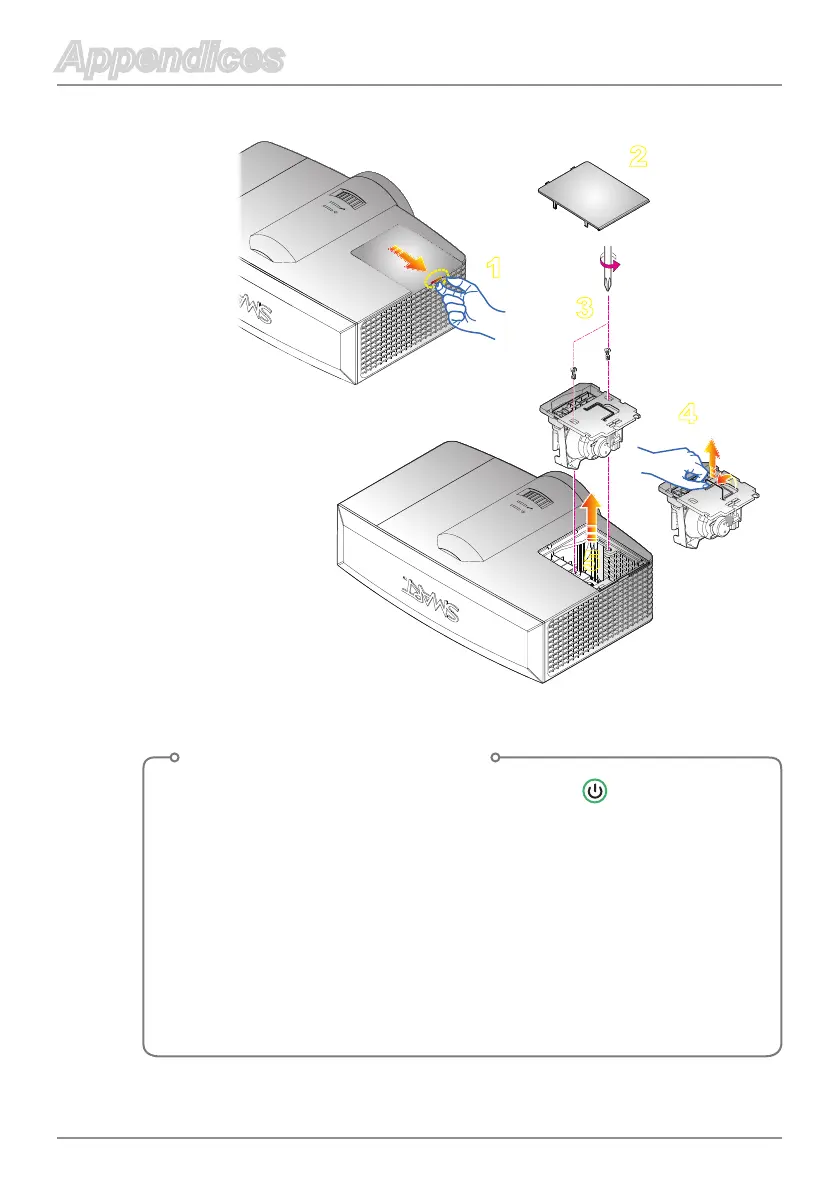
Lamp Replacement Procedure
1. Switch off the power to the projector by pressing “ ” on the remote
control.
2. Allow the projector to cool down for at least 30 minutes.
3. Disconnect the power cord.
4. Pull the lamp cover carefully.
5. Remove the lamp cover.
6. Use a screwdriver to unscrew the 2 screws from the lamp module.
7. Pull up the lamp handle carefully.
8. Remove the lamp module.
Toreplacethelampmodule,followpreviousstepsinreverseorder.



 To Next Page