EasyManua.ls Logo

Smartgen HGM7100N Series - User Manual

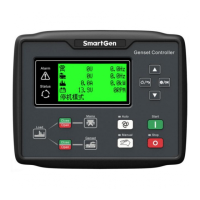
Smartgen HGM7100N Series
47 pages
Print Icon
To Next Page IconTo Next Page
Loading...
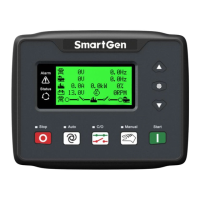
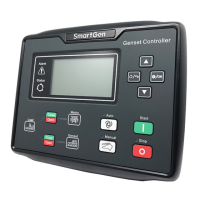
HGM7100N SERIES
(HGM7110N/7120N)
GENSET CONTROLLER
USER MANUAL
SMARTGEN (ZHENGZHOU) TECHNOLOGY CO., LTD.

Questions and Answers

  • J
    Jorge PotterAug 16, 2025
    What to do if Smartgen Controller no response with power?
    • M
      Michelle DelgadoAug 16, 2025
      If the Smartgen Controller isn't responding when powered on, begin by inspecting the starting batteries, then check the controller connection wirings, and finally, examine the DC fuse.
  • M
    Mrs. Gina SmithAug 19, 2025
    Why is my Smartgen HGM7100N Controller showing a shutdown alarm in running?
    • C
      christian33Aug 19, 2025
      If your Smartgen Controller displays a shutdown alarm while running, examine the related switch and its connections based on the information shown on the LCD. Also, check the programmable inputs.
  • D
    David MarshallAug 21, 2025
    What to do if the Smartgen Controller emergency stop activates?
    • M
      Morgan WilkinsAug 22, 2025
      If the Smartgen Controller shows an emergency stop, verify that the emergency stop function operates correctly. Check if the positive electrode of the battery is properly connected to the emergency stop input, and inspect the wire connections for any open circuits.
  • S
    selena41Aug 25, 2025
    What to do if the Smartgen HGM7100N gen-set shutdown?
    • K
      kathrynunderwoodAug 25, 2025
      If the gen-set shuts down, check if the water/cylinder temperature is too high. Also, check the gen-set AC voltage and the DC fuse.
  • R
    Ray ShawAug 28, 2025
    Why is the Smartgen Controller starter no response?
    • S
      Sharon SmithAug 28, 2025
      If the starter doesn't respond, check the starter connections and the starting batteries.
  • B
    Brandi BrewerAug 30, 2025
    What to do if Smartgen HGM7100N Controller gen-set is running while ATS not transfer?
    • L
      lindseygibsonAug 30, 2025
      If the gen-set runs but the ATS doesn't transfer, inspect the ATS itself and check the connections between the ATS and the controllers.
  • A
    Anthony MorrisSep 2, 2025
    What to do if Smartgen Controller crank not disconnect?
    • C
      Courtney RobertsonSep 3, 2025
      If the crank doesn't disconnect, check the fuel oil circuit and its connections and the starting batteries. Inspect the speed sensor and its connections.
  • G
    Gabriel SanchezSep 6, 2025
    What to do if Smartgen Controller RS485 communication is abnormal?
    • A
      Alexander DoyleSep 6, 2025
      If the RS485 communication is abnormal, check the connections and verify that the COM port settings are correct. Ensure that RS485's A and B connections are not reversed, and check if the PC's communication port is damaged. Adding a 120? resistor between A and B of RS485 is recommended.
  • L
    lorettaschroederSep 9, 2025
    What to do if Smartgen HGM7100N Controller shows a low oil pressure alarm after crank disconnect?
    • C
      corygallagherSep 9, 2025
      If a low oil pressure alarm appears after crank disconnect, check the oil pressure sensor and its connections.
  • L
    Leslie ReeseSep 12, 2025
    What to do if Smartgen HGM7100N Controller shows high water temp alarm after crank disconnect?
    • E
      Emily HoodSep 12, 2025
      If a high water temperature alarm appears after crank disconnect, check the temperature sensor and its connections.

Summary

Operation

Key Function

Explains the function of each button on the controller panel.

Controller Panel

Illustrates and describes the controller's front panel indicators and buttons.

Auto Start;Stop Operation

Details the automatic start and stop sequences for the genset.

Manual Start;Stop Operation

Explains how to operate the genset manually.

Protection

Warnings

Lists warning alarms that do not stop the genset operation.

Shutdown Alarm

Lists shutdown alarms that immediately stop the genset.

Parameters and Definitions

Contents and Scopes of Parameters

Defines various programmable parameters and their ranges.

Configurable Input Ports

Defines the functions of configurable input ports 1-7.

Sensor Selection

Details the selection and configuration of various sensors.

Parameters Setting

Controller Parameter Settings

Explains how to access and set controller parameters, including password.

Commissioning

Installation

Fixing Clips

Details how to secure the controller using fixing clips.

Overall Dimension

Provides the physical dimensions and cutout information for panel mounting.

Troubleshooting

Smartgen HGM7100N Series Specifications

General IconGeneral
CategoryController
DisplayLCD
Crank InterruptYes
AC Frequency50/60Hz
Storage Temp.-40°C to +85°C
Protection LevelIP65
Communication InterfaceRS485
ProtocolMODBUS
Humidity≤ 95% (non-condensing)
ModelHGM7100N
DC Supply8V-35V
Power Consumption≤ 3W
Operating Temp.-25°C to +70°C

Related product manuals