EasyManua.ls Logo

Smartgen HGM7220N Series - User Manual

Smartgen HGM7220N Series
60 pages
Print Icon
To Next Page IconTo Next Page
Loading...
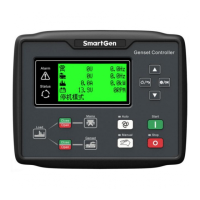
HGM7220N/HGM7220S SERIES
GENSET CONTROLLER
USER MANUAL
SMARTGEN (ZHENGZHOU) TECHNOLOGY CO., LTD.

Table of Contents

Questions and Answers

  • D
    Dr. Kathleen KingAug 15, 2025
    What to do if Smartgen Controller emergency stop?
    • N
      nguyenjenniferAug 15, 2025
      If the Smartgen Controller shows an emergency stop, verify the emergency stop function for correct operation. Also, check that the battery's positive electrode is properly connected to the emergency stop input and inspect the wiring for any open circuits.
  • K
    Katie MorrisAug 18, 2025
    How to troubleshoot Smartgen HGM7220N Controller no response with power?
    • T
      trevorthompsonAug 18, 2025
      If the Smartgen Controller doesn't respond when powered on, check the starting batteries, controller connection wirings, and the DC fuse.
  • H
    holly97Aug 21, 2025
    What causes Gen-set shutdown with Smartgen Controller?
    • J
      Jacob ClineAug 21, 2025
      If the gen-set shuts down, examine whether the water or cylinder temperature is too high. You should also check the gen-set AC voltage and the DC fuse.
  • R
    robinholtAug 25, 2025
    What to do if Smartgen Gen-set running while ATS not transfer?
    • M
      matthew48Aug 25, 2025
      If the gen-set is running but the ATS (Automatic Transfer Switch) isn't transferring, check the ATS itself and the connections between the ATS and the controllers.
  • B
    bmcintyreAug 27, 2025
    What to do if Smartgen HGM7220N shutdown Alarm in running?
    • D
      Daniel BryantAug 27, 2025
      If a shutdown alarm occurs while the Smartgen Controller is running, check the related switch and its connections based on the information displayed on the LCD screen. Also, inspect the programmable inputs.
  • A
    adamjohnsonAug 30, 2025
    Why Starter no response in Smartgen Controller?
    • C
      Carl CochranAug 30, 2025
      If the starter doesn't respond, check the starter connections and the starting batteries.
  • B
    Brenda BradySep 2, 2025
    How to fix Smartgen RS485 communication is abnormal?
    • P
      Paul HudsonSep 2, 2025
      If RS485 communication is abnormal, check the connections and ensure the COM port settings are correct. Verify that RS485’s A and B connections are not reversed and inspect the PC's communication port for damage. Adding a 120 ? resistor between A and B of RS485 is recommended.
  • O
    Olivia CharlesSep 5, 2025
    What causes Crank not disconnection in Smartgen HGM7220N Controller?
    • L
      Linda RobertsSep 5, 2025
      If the crank doesn't disconnect, check the fuel oil circuit and its connections, the starting batteries, and the speed sensor and its connections.
  • M
    Michael PittmanSep 8, 2025
    What to do if Smartgen HGM7220N shows low oil pressure alarm after crank disconnect?
    • J
      jessicadavenportSep 8, 2025
      If a low oil pressure alarm appears after crank disconnect, check the oil pressure sensor and its connections.
  • K
    kelsey17Sep 12, 2025
    What to do if Smartgen HGM7220N shows high water temp alarm after crank disconnect?
    • A
      Aaron McbrideSep 12, 2025
      If a high water temperature alarm appears after crank disconnect, check the temperature sensor and its connections.

Summary

Overview

Performance and Characteristics

Specification Operation

Outlines the technical parameters and operational specifications of the genset controller.

Operation

Key Function

Describes the function of each key on the genset controller panel.

Controller Panel

Illustrates and explains the different indicators and buttons on the genset controller's front panel.

Auto Start;Stop Operation

Details the automatic start and stop sequences for the genset controller.

Manual Start;Stop Operation

Explains how to manually start and stop the genset using the controller.

Emergency Start

Describes the procedure for initiating an emergency start of the genset.

Breaker Control Process of Genset Controller

HGM7220 N Breaker Control Process

Details the breaker control process specific to the HGM7220N model.

HGM7220 S Breaker Control Process

Details the breaker control process specific to the HGM7220S model.

Protection

Warnings

Lists and explains different warning alarm types and their triggers.

Shutdown Alarm

Details shutdown alarm conditions and the controller's response.

Trip and Stop Alarm

Explains trip and stop alarms and their immediate actions.

Trip Alarm

Describes trip alarms, their triggers, and consequences.

Wirings Connection

Scopes and Definitions of Programmable Parameters

Contents and Scopes of Parameters

Lists and defines the available parameters, their ranges, and default values.

Definition Content of Programmable Output Ports 1~6

Details the functions and configurations of programmable output ports.

Defined Contents of Configurable Input Ports 1~7

Explains the programmable functions of configurable input ports.

Selection of Sensors

Guides users on selecting appropriate sensors for the genset controller.

Conditions of Crank Disconnect Selection

Outlines the conditions for selecting crank disconnect parameters.

Parameters Setting

Menu Items

Lists the main menu items accessible for parameter setting.

Controller Parameter Settings

Details how to access and set controller parameters after entering the password.

Language Selection

Allows selection of the display language for the controller interface.

Event Log

Provides access to view logged historical records from the controller.

Controller Information

Displays controller information such as software version and issue date.

Time Setting

Allows calibration of the controller's time and date settings.

Cycle Start Setting

Enables configuration of cycle start settings for multiple gensets.

Battery Under Voltage Start Setting

Configures settings for starting the genset based on battery under-voltage conditions.

Gensets Cycle Start

Sensor Setting

Commissioning

Typical Application

Installation

SGE02 Expansion Module

Explains the installation of the SGE02 expansion module, including antenna ports.

Overall Dimension

Provides the physical dimensions and cutout specifications for controller installation.

SMS Message Alarm and Remote Control

SMS Message Alarm

Describes how the controller sends alarm notifications via SMS.

SMS Message Remote Control

Details how to send commands to the controller via SMS for remote operation.

Connections of Controller and J1939 Engine

Cummins ISB;ISBE

Provides connection details for Cummins ISB/ISBE engines.

Cummins QSL9

Details connection procedures for Cummins QSL9 engines.

Cummins QSM11 (Import)

Details connection procedures for Cummins QSM11 engines.

Cummins QSX15-CM570

Provides connection details for Cummins QSX15-CM570 engines.

Cummins GCS-MODBUS

Details connection procedures for Cummins GCS with Modbus communication.

Cummins QSM11

Details connection procedures for Cummins QSM11 engines.

Cummins QSZ13

Provides connection details for Cummins QSZ13 engines.

Detroit Diesel DDEC III;IV

Details connection for Detroit Diesel DDEC III/IV engines.

Deutz EMR2

Details connection procedures for Deutz EMR2 engines.

John Deere

Provides connection details for John Deere engines.

MTU MDEC

Details connection procedures for MTU MDEC engines.

MTU ADEC(Module Module)

Provides connection details for MTU ADEC module engines.

MTU ADEC (SAM Module)

Details connection procedures for MTU ADEC SAM module engines.

Perkins

Details connection procedures for Perkins engines.

Scania

Provides connection details for Scania engines.

Volvo EDC3

Details connection procedures for Volvo EDC3 engines.

Volvo EDC4

Provides connection details for Volvo EDC4 engines.

Volvo-EMS2

Details connection procedures for Volvo EMS2 engines.

Yuchai

Provides connection details for Yuchai engines.

Weichai

Details connection procedures for Weichai engines.

Troubleshooting

Appendix

Smartgen HGM7220N Series Specifications

General IconGeneral
ModelHGM7220N Series
CategoryController
Frequency50/60Hz
DisplayLCD
AC Voltage Input (1P2W)220-240VAC
Communication InterfaceRS485
Protection FeaturesOvervoltage, Undervoltage, Overcurrent
Protection ClassClass I
Operating Temperature-20°C to 60°C
Storage Temperature-40~+85°C
Humidity5~95%RH

Related product manuals