Getting Started
2
16
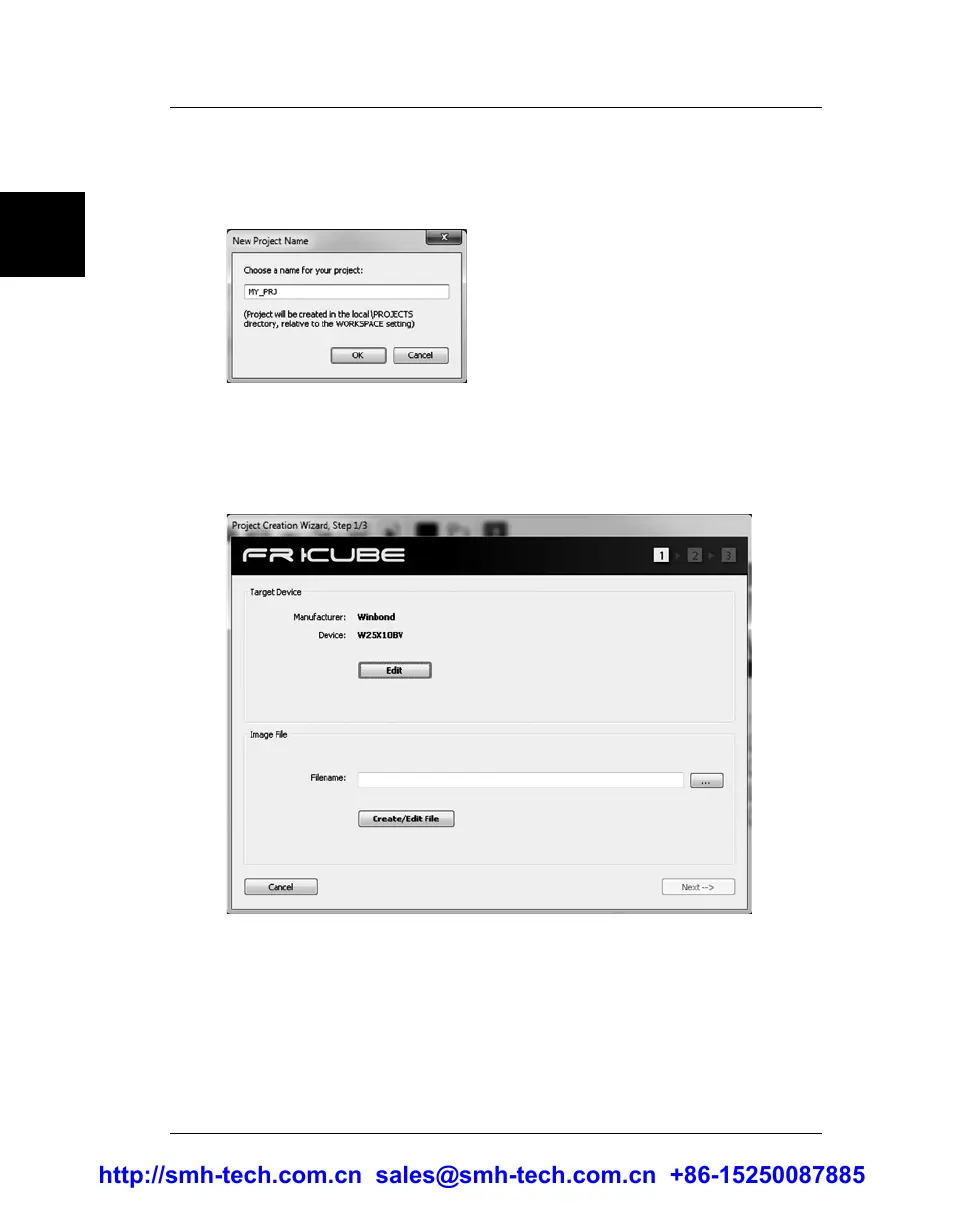
3. Create a New Project
Select File > New Project, give a name to your programming
project, and then follow the Project Creation Wizard steps.
4. Create a New Project, Step 1 of 3
In the first Wizard step, specify the target device, by clicking the
“Edit” button.
Next, specify the file to be programmed (image file). To create an
image file, click the “Create/Edit File” button. A dedicated
window will open.
http://smh-tech.com.cn sales@smh-tech.com.cn +86-15250087885


 To Next Page