FlashRunner Cube User’s Manual
2
17
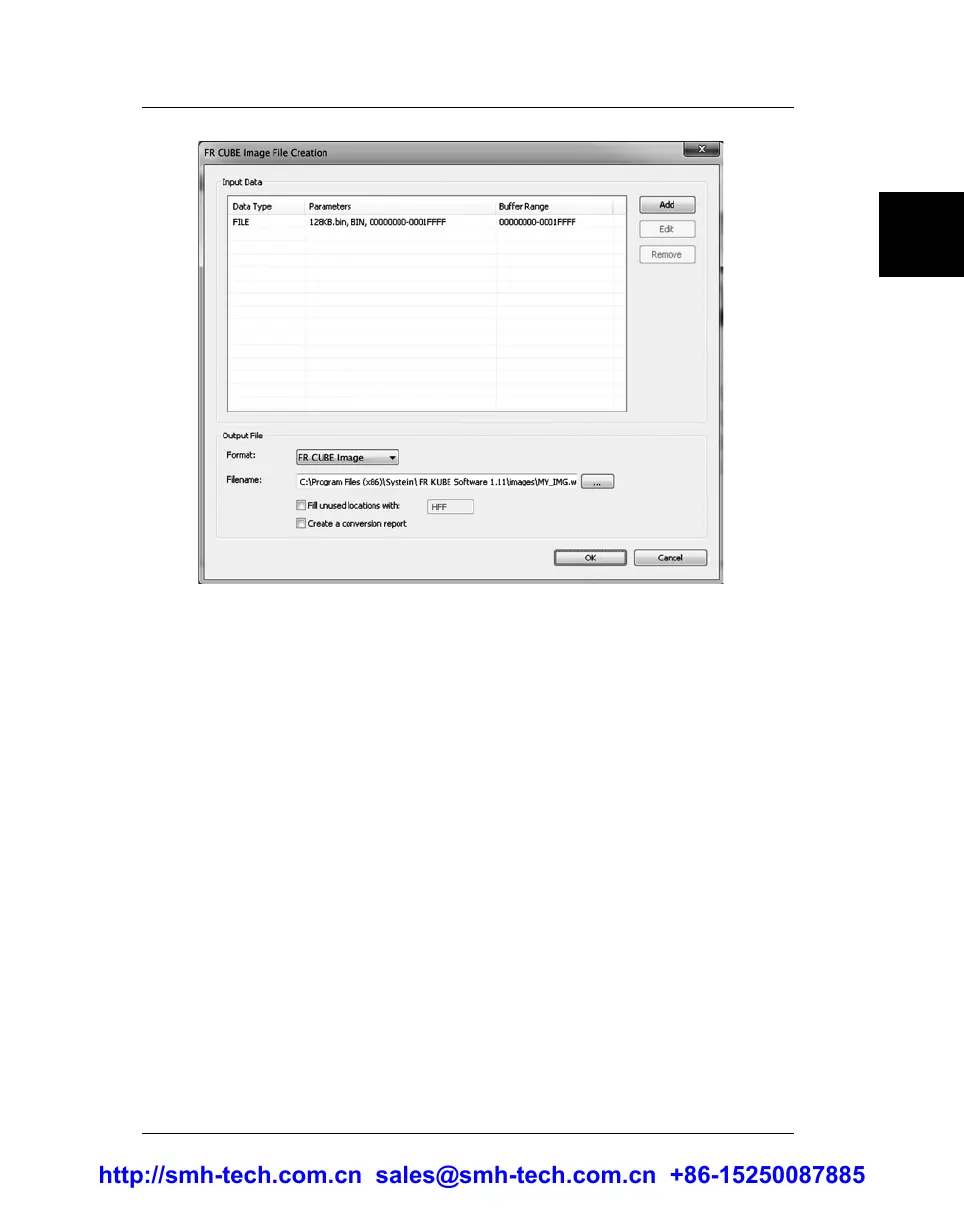
In the Output File section, specify the output filename by clicking
the “...” button.
Use the “Add” button to compose the data that will compose the
Image file. Use the “...” button to specify the name of the Image
file. When done, click “OK” to return to the Wizard, and proceed
to Step 2.
5. Create a New Project, Step 2 of 3
In this step, specify target parameters and connection values. The
Wizard will automatically fill all data with typical values for the
selected target device.
http://smh-tech.com.cn sales@smh-tech.com.cn +86-15250087885


 To Next Page