Variable Data Programming
7
56
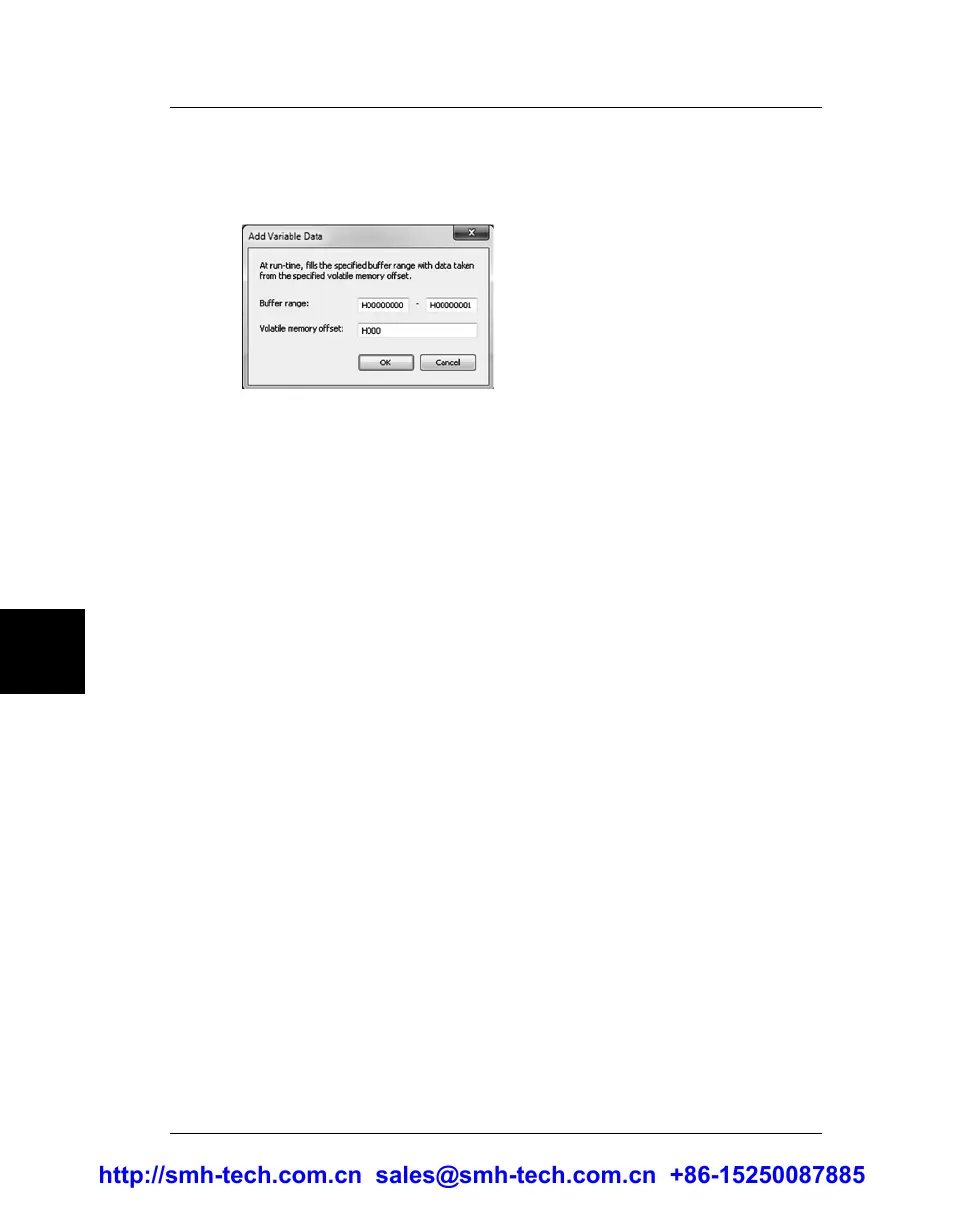
2. You will then be asked for the target device address range to
be programmed and the offset of the memory bank that will
contain the variable data.
3. Proceed to the end of the Project Creation wizard. Your
programming project is now ready to accept variable data.
4. Before executing the project, you must supply the variable data
to each of the programming sites.
To do so, send the #volatile –o write command (for more information,
see “Volatile Memory Commands” on page 38).
Alternatively, you can skip steps 1 to 3, but you must manually edit your
programming project by inserting an appropriate #data –o set –c out -t volatile
command and subsequent appropriate programming commands (for more
information, see “Data In/Out Commands” on page 30).
http://smh-tech.com.cn sales@smh-tech.com.cn +86-15250087885


 To Next Page