EasyManua.ls Logo

Snap-On Thermal Laser - User Manual

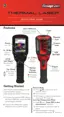
Snap-On Thermal Laser
34 pages
Print Icon
To Next Page IconTo Next Page
Loading...
User Manual
BC

Other manuals for Snap-On Thermal Laser

Questions and Answers

  • M
    Maria RobinsonAug 9, 2025
    What to do if temperature measurement display is non-responsive on Snap-On Thermal Laser Diagnostic Equipment?
    • G
      Gregory MataAug 9, 2025
      If the temperature measurement display is non-responsive on your Snap-On Diagnostic Equipment, and you see a “>” symbol in front of the Center Region Temperature value, it means the maximum measurable temperature has been reached. Wait a few seconds and retry. If there is still no response, the Thermal Laser may be performing an automatic calibration; in this case, wait a few seconds and retry, and if it’s still unresponsive, turn the unit off and then back on.
  • D
    davisjamesAug 14, 2025
    What to do if I get an error message 'Disconnect the USB cable from the PC and retry' or 'Unable to save image' on Snap-On Thermal Laser?
    • A
      agoodmanAug 14, 2025
      If your Snap-On Diagnostic Equipment displays the error message “Disconnect the USB cable from the PC and retry” or “Unable to save image”, it’s because saving and viewing images is disabled when the Thermal Laser is connected to a PC via USB. Disconnect the USB cable from the PC to resume normal operation.
  • M
    Molly RodgersAug 19, 2025
    How to fix poor or no image on Snap-On Thermal Laser?
    • L
      lcooperAug 19, 2025
      If you're experiencing a poor or no image issue with your Snap-On Diagnostic Equipment, there are a few potential causes: * The color palette setting may be incorrect, so try changing it. * The emissivity setting might be off; adjust the emissivity setting. * There could be condensation or debris on the thermal and/or camera lenses. Clean the lenses or place the imager in a dry area at room temperature until the condensation clears.
  • J
    Jennifer MillerAug 25, 2025
    Why won't my Snap-On Thermal Laser turn on?
    • T
      trandouglasAug 25, 2025
      If your Snap-On Diagnostic Equipment won't turn on, it could be due to a discharged or defective battery. Try recharging the battery. If that doesn't work, the device or software may be damaged.
  • S
    samuel23Aug 29, 2025
    Why is the battery performance poor on my Snap-On Diagnostic Equipment?
    • M
      Maria HudsonAug 29, 2025
      Poor battery performance on your Snap-On Diagnostic Equipment could be due to using an incorrect or defective USB power supply adapter or cable to charge the battery. Make sure to use the USB cable and adapter supplied with the equipment.
  • C
    Calvin JohnsonSep 3, 2025
    Why is the temperature measurement inaccurate on my Snap-On Thermal Laser Diagnostic Equipment?
    • S
      Sarah MoraSep 3, 2025
      Inaccurate temperature measurements on your Snap-On Diagnostic Equipment can be caused by an incorrect emissivity setting. Try changing the emissivity setting. Also, check for condensation or debris on the thermal and/or camera lenses, and clean them, or place the imager in a dry area at room temperature until condensation clears.

Snap-On Thermal Laser Specifications

General IconGeneral
Infrared Range8 - 14 μm
Laser ClassClass 2
Laser Output< 1 mW
Spectral Response8 - 14 μm
Display Resolution0.1°F/°C
Laser TypeSingle laser
Battery Type9V
Battery LifeApproximately 12 hours
Operating Temperature32°F to 122°F (0°C to 50°C)
Storage Temperature140°F (-10 - 60°C)

Related product manuals