© 2009 snom technology AG
man_snom870_v101_en
20
snom 870 User Manual
Getting to Know Your Phone
2. Information symbols and text:
a. Symbols (incoming call ringing, outgoing call ringing, etc.)
b. Text (phone number calling/being called, duration counter, etc.). If the
caller is listed in your directory, the screen will also show his/her phone
type (e.g., office, home, mobile), first and last name, title, organization,
and e-mail.
Info area
Its contents and appearance differ, depending on phone activity and selected
appearance mode.
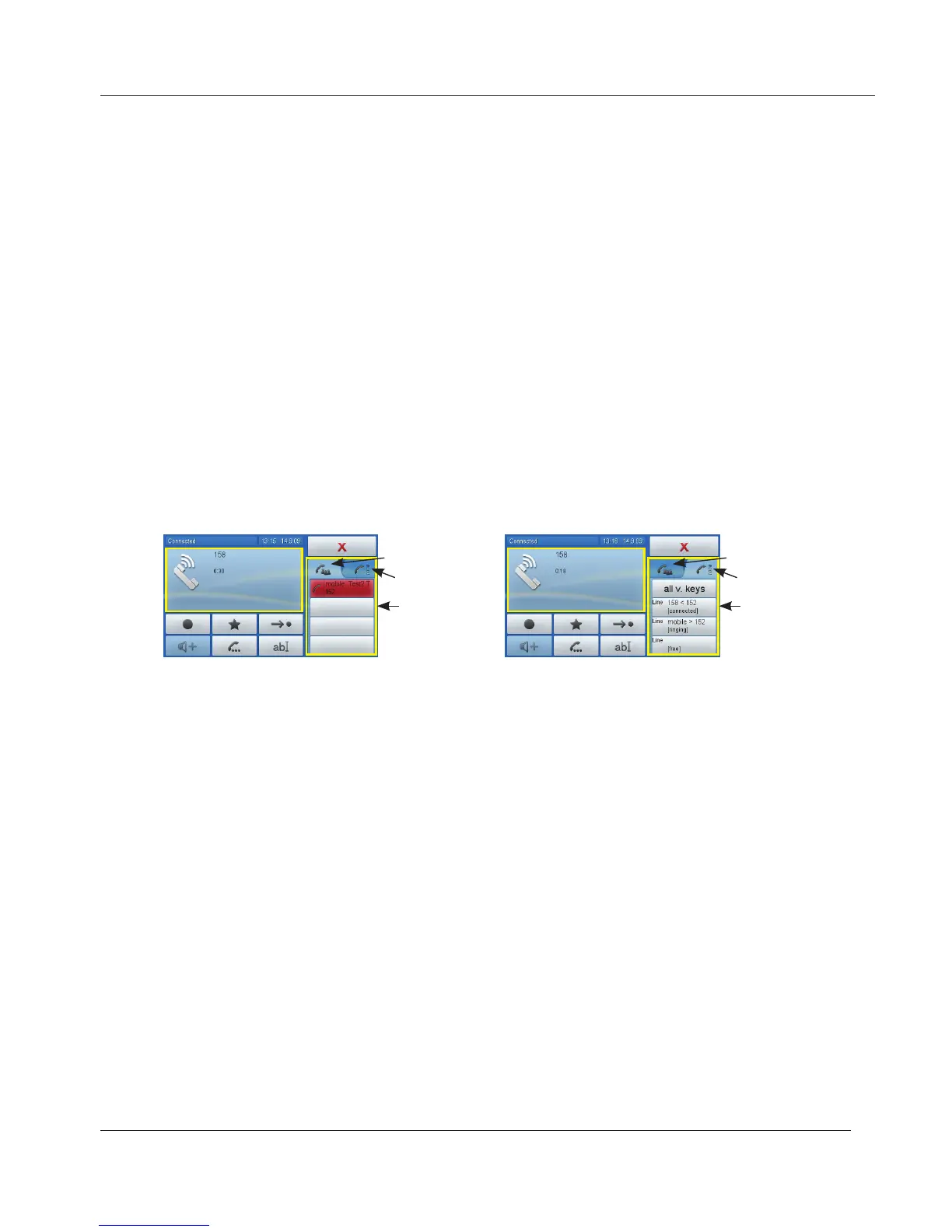
1. While connected or calling a number or being called two appearance
modes are available, call info (left tab) and virtual function keys (v.keys
- right tab). Tap the tab to activate the mode. The example shows call
waiting in both appearance modes: The phone is talking to 158, with 151
(mobile) ringing.
Info area in call
appearance mode
Active: Call info tab
Inactive: Virtual
function key tab
Info area in virtual
function key mode
Inactive: Call info tab
Active: Virtual function
key tab
2. In other contexts, this area contains arrows for navigation or informational
text.
www.InternetVoipPhone.co.uk | sales@internetvoipphone.co.uk | 0800 088 48 46



 To Next Page