© 2009 snom technology AG
man_snom870_v101_en
19
snom 870 User Manual
Getting to Know Your Phone
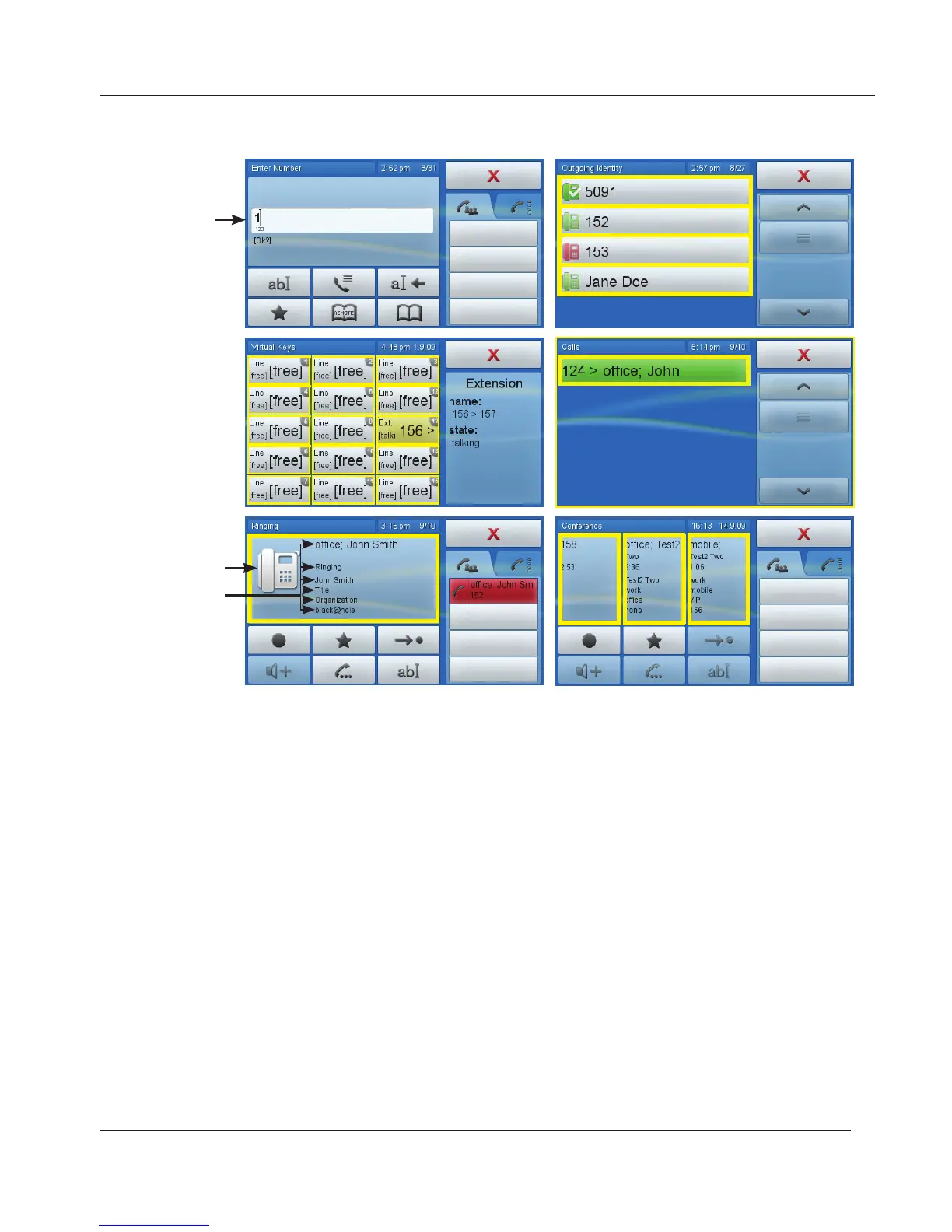
Context area
Text fi eld
Yellow outlines: Touch buttons in context area
Information:
• Symbol
• Text
The context area shows the current activity of the phone and can contain a
number of interactive elements as well as information text and symbols.
1. Interactive elements.
a. Text fields when dialing or editing the directory or the call lists.
b. Touch buttons for selecting identities, menu items, directory and call
lists entries, etc.
c. While connected (single call) or calling a number or being called, the
entire context area can be dragged-and-dropped into the info area to
put the call on hold, initiate a call transfer, etc.
d. During a conference the context area is divided into segments, one for
each phone connected to yours. Each segment can be dragged-and-
dropped into the info area.
www.InternetVoipPhone.co.uk | sales@internetvoipphone.co.uk | 0800 088 48 46



 To Next Page