Tap to look up the phone‘s IP address. Open the web browser
of your PC and type http:// followed by the IP address, for example
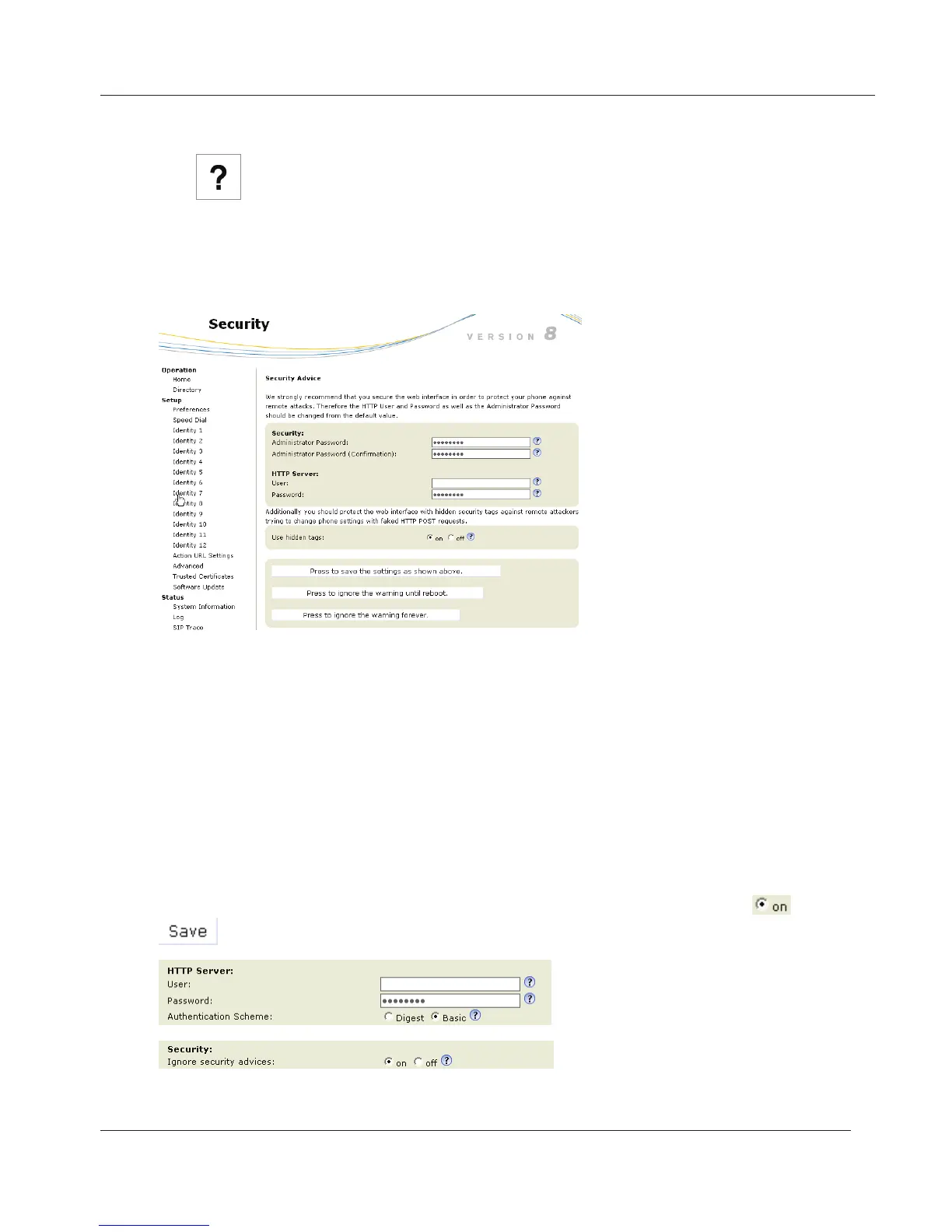
http://192.168.9.14. The web interface will open with the Security page
which is shown only when the web interface is opened for the first time upon
initialization or after reboot or a resetting of values:
We urge you to set administrator and HTTP passwords. The default
administrator password is 0000 (4 zeros); there is no default HTTP password.
If you set your own passwords, be sure to write them down and store them in a
secure place.
If you do not wish to set an HTTP password, you can turn off the reminder
on the phone’s display until the next reboot or forever by clicking on the
appropriate button. If you change your mind later, you can set the password
on the phone’s web interface, "Advanced"page > "QoS Security" tab > "HTTP
Server" (see "Notational conventions" on page <?>) or turn off the warning later
at Advanced > QoS Security > Security > Ignore security advices
>
.
www.InternetVoipPhone.co.uk | sales@internetvoipphone.co.uk | 0800 088 48 46



 To Next Page