© 2009 snom technology AG
man_snom870_v101_en
32
snom 870 User Manual
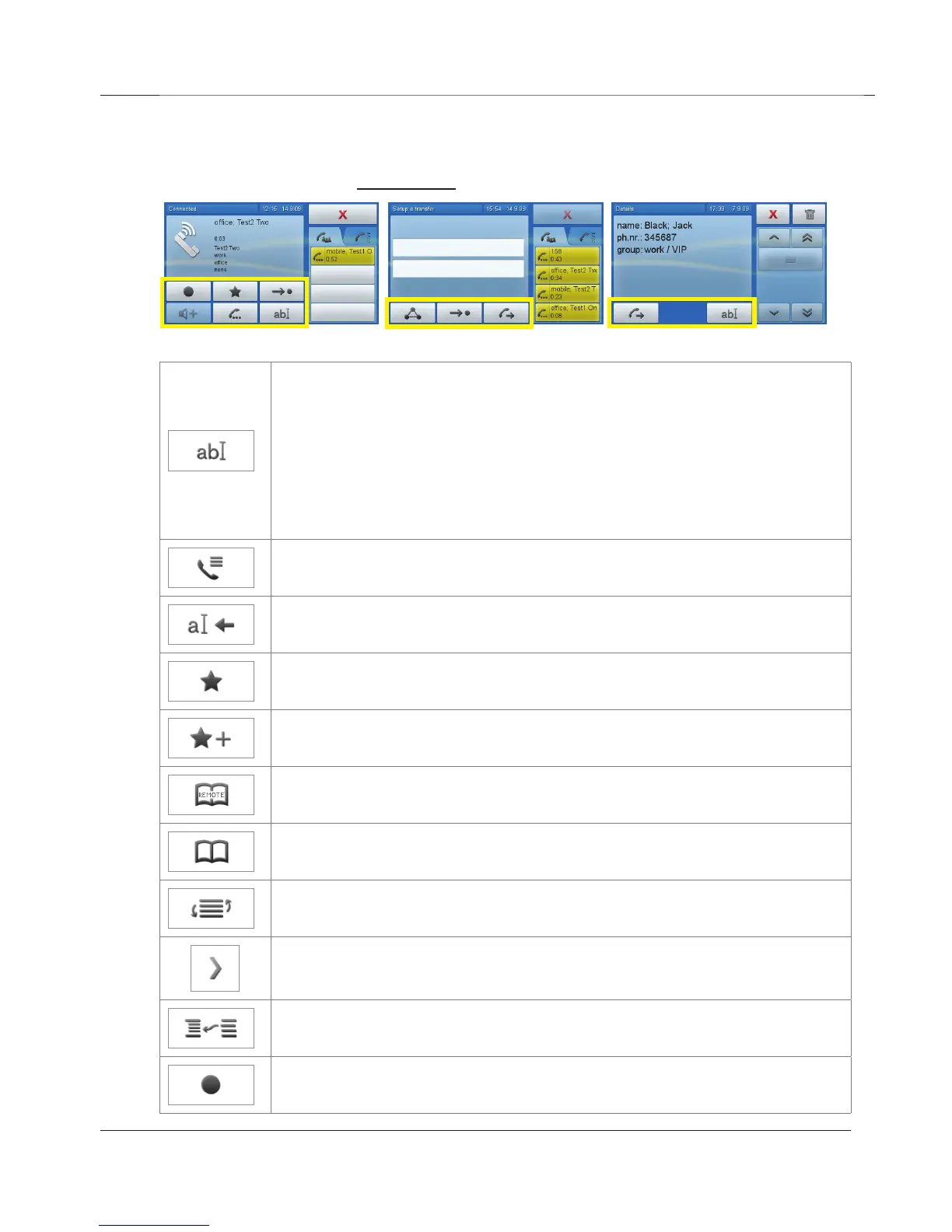
Display Icons, Buttons, and Indications
These are the buttons underneath the context area (outlined in yellow).
In directories: Tap to show details buttons, tap again to enter
edit mode.
In call lists: Tap to show call details. Tap again to show caller
details. Tap again to enter edit mode.
When editing text fields: Change input mode (numerals to small
letters to capital letters to numerals)
Open call lists
Delete character to the left of the cursor
Open favorites list
Add phone book entry to favorites list
Open remote directories (LDAP, contacts, etc.)
Open phone's directory
Sort entries
Show details of entry (directories, call lists)
Merge two directory entries
Tap icon to start recording (conversation or dictation). Must be
available on server.
www.InternetVoipPhone.co.uk | sales@internetvoipphone.co.uk | 0800 088 48 46



 To Next Page