© 2009 snom technology AG
man_snom870_v101_en
41
snom 870 User Manual
Directories
2. Navigate to the entry.
3. Tap arrow button
of entry to be deleted.
a. If a name has more than one phone number associated with it, tap the
name button if you wish to delete the entire group.
b. If you wish to delete an associated number, tap the number button.
4. Tap
to delete .
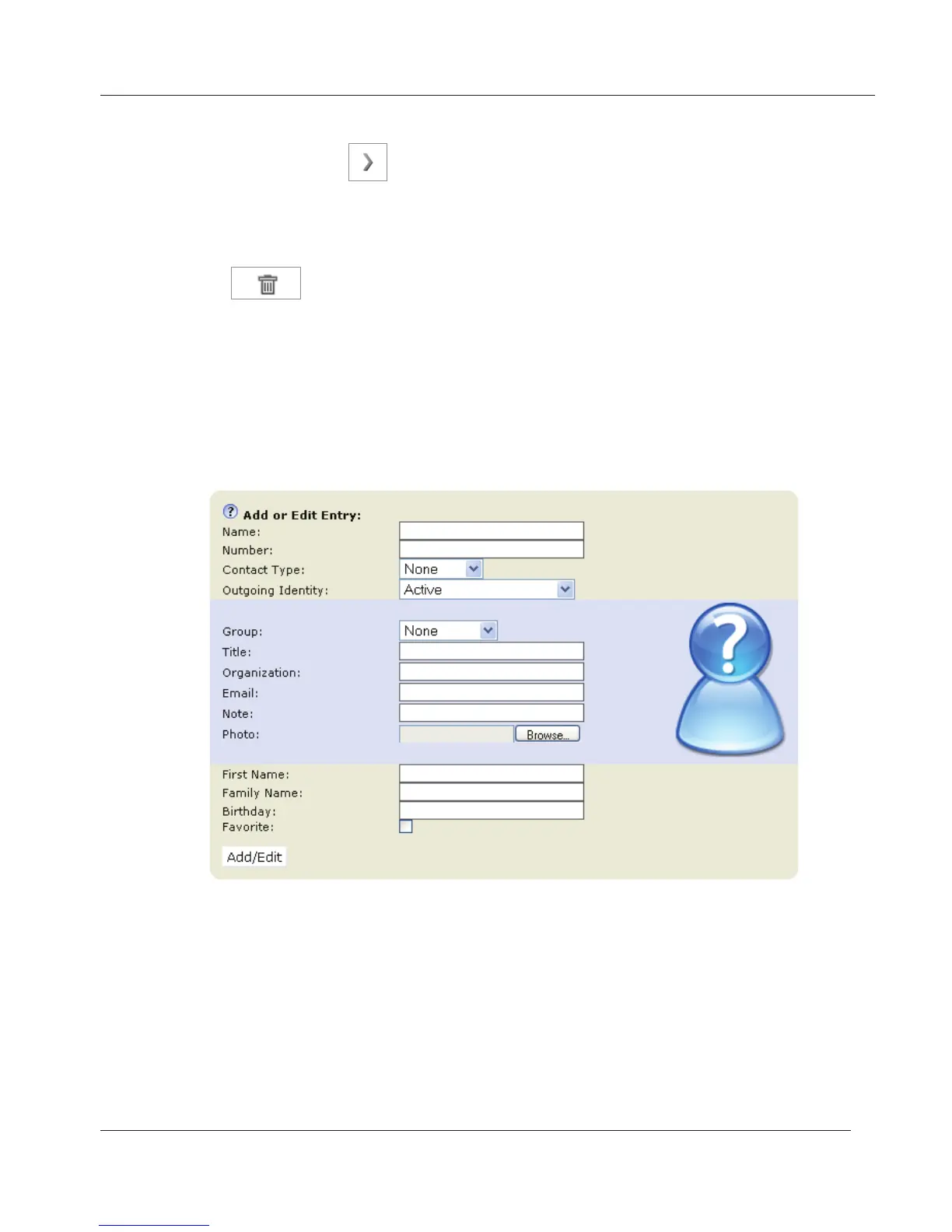
Adding/Editing Entry on Web Interface
Click on Directory in the menu on the left side.
Type data in text fields of "Add or Edit Entry“.
1. Name: Enter type of connection, i.e., home, office, mobile, etc.
2. Number: Type the number exactly as you would dial it, with country and
area codes, if necessary, and without parentheses, hyphens, blank spaces.
3. Contact Type: Select from the drop-down list. The default setting is
"None".
• You can assign a distinct ringtone to the contact type "VIP“:
Preferences > Directory Ringtones.
• Calls from entries on the "VIP" list will always ring on the phone, even
www.InternetVoipPhone.co.uk | sales@internetvoipphone.co.uk | 0800 088 48 46



 To Next Page