© 2009 snom technology AG
man_snom870_v101_en
40
snom 870 User Manual
Directories
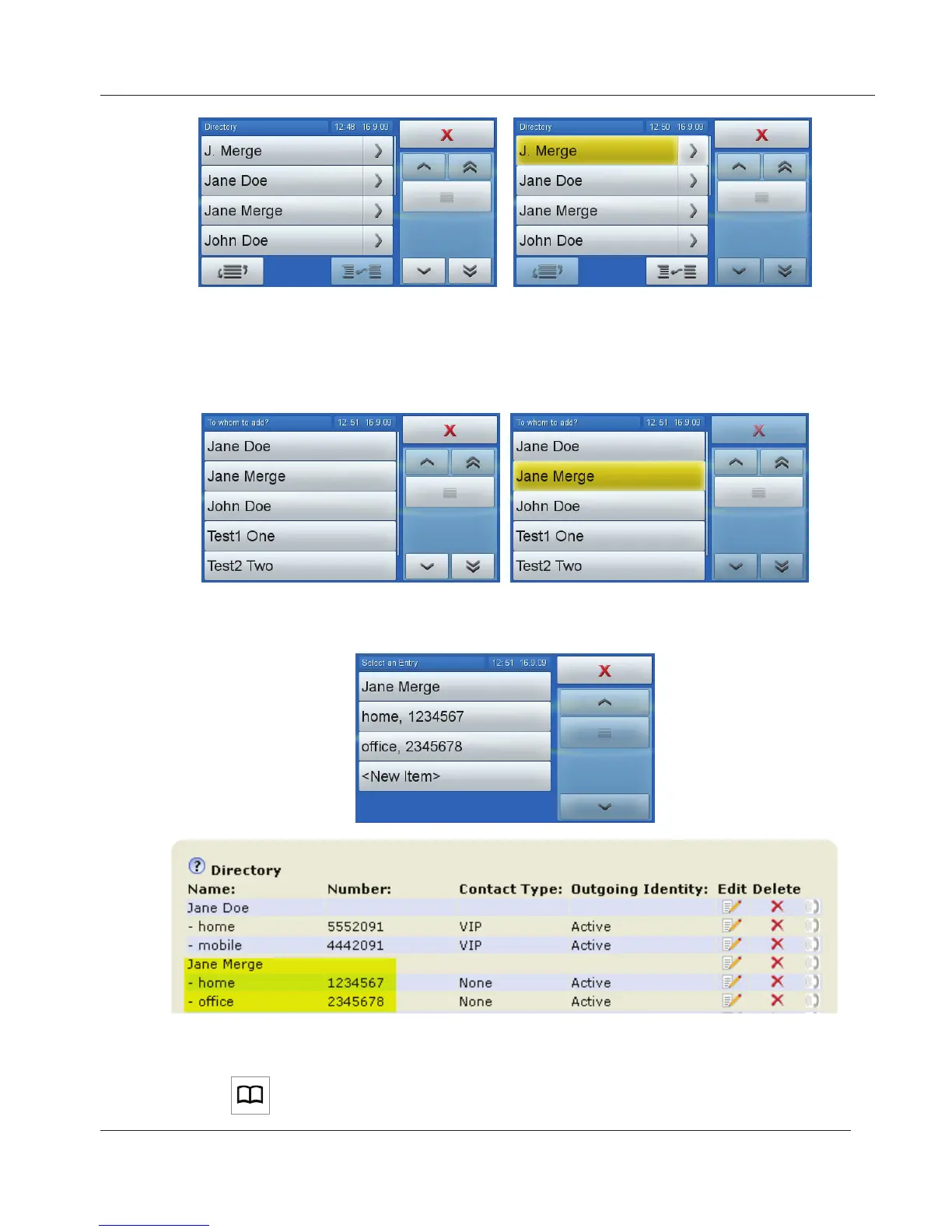
4. Slide your finger from the entry button to the merge button without lifting it
off the touchscreen. Another directory screen opens.
5. Navigate to the entry the subentry is to be associated with and tap the
button to merge the two entries.
6. There is now a main entry "Jane Merge" with two subentries, "home" and
"office".
1. Tap to open the phone's directory.
www.InternetVoipPhone.co.uk | sales@internetvoipphone.co.uk | 0800 088 48 46



 To Next Page