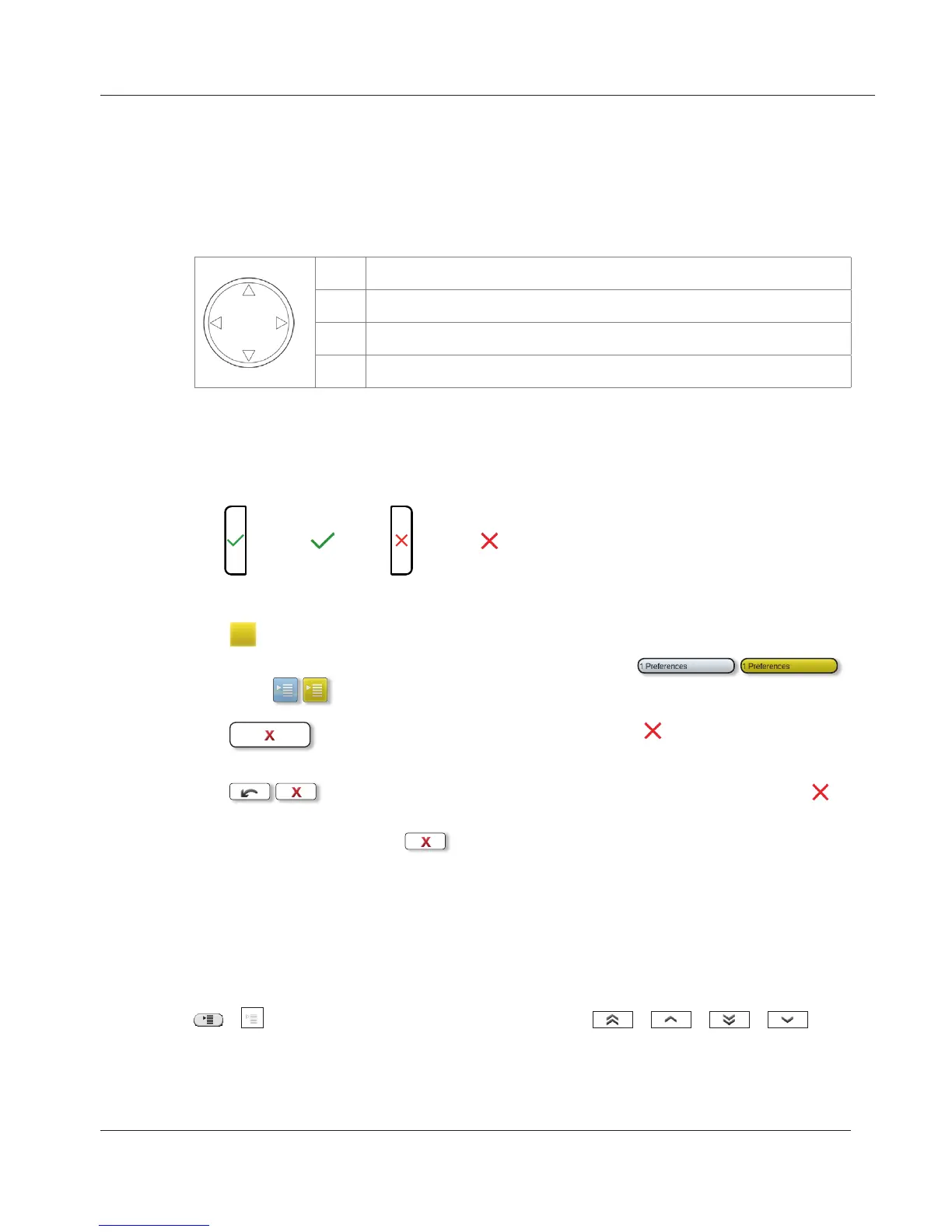
Throughout this manual, you will see notations like the below-listed.
1. Arrows up/down: Navigation in menus and lists. Geometric arrow
symbols in this manual indicate:
r
Press up arrow on navigation key
s
Press down arrow on navigation key
v
Press left arrow on navigation key
w
Press right arrow on navigation key
2. Confirmation and cancellation of actions.
a. The hard keys are represented by symbols:
=
;
=
.
b. Display touch buttons.
: Tap icons/buttons to confirm/initiate actions/selections/functions.
The icon/button turns yellow. Examples:
.
: Tapping the button or pressing the hard key will return
the display to the previous screen.
: In the Settings menus tapping the arrow button or the
hard key will return the display to the previous screen;
tapping will return the display to the springboard.
3. Menu item numbers: Represented by number and title, e.g.,
"5 Maintenance".
4. Sequences of actions to be taken. The character > indicates the next step
in a sequence of actions to change a setting or perform a function.
a. Example 1:
/ > 1 Preferences > 2 Time Zone > / / / >
tap selected button
www.InternetVoipPhone.co.uk | sales@internetvoipphone.co.uk | 0800 088 48 46



 To Next Page