© 2009 snom technology AG
man_snom870_v101_en
7
snom 870 User Manual
Notational conventions
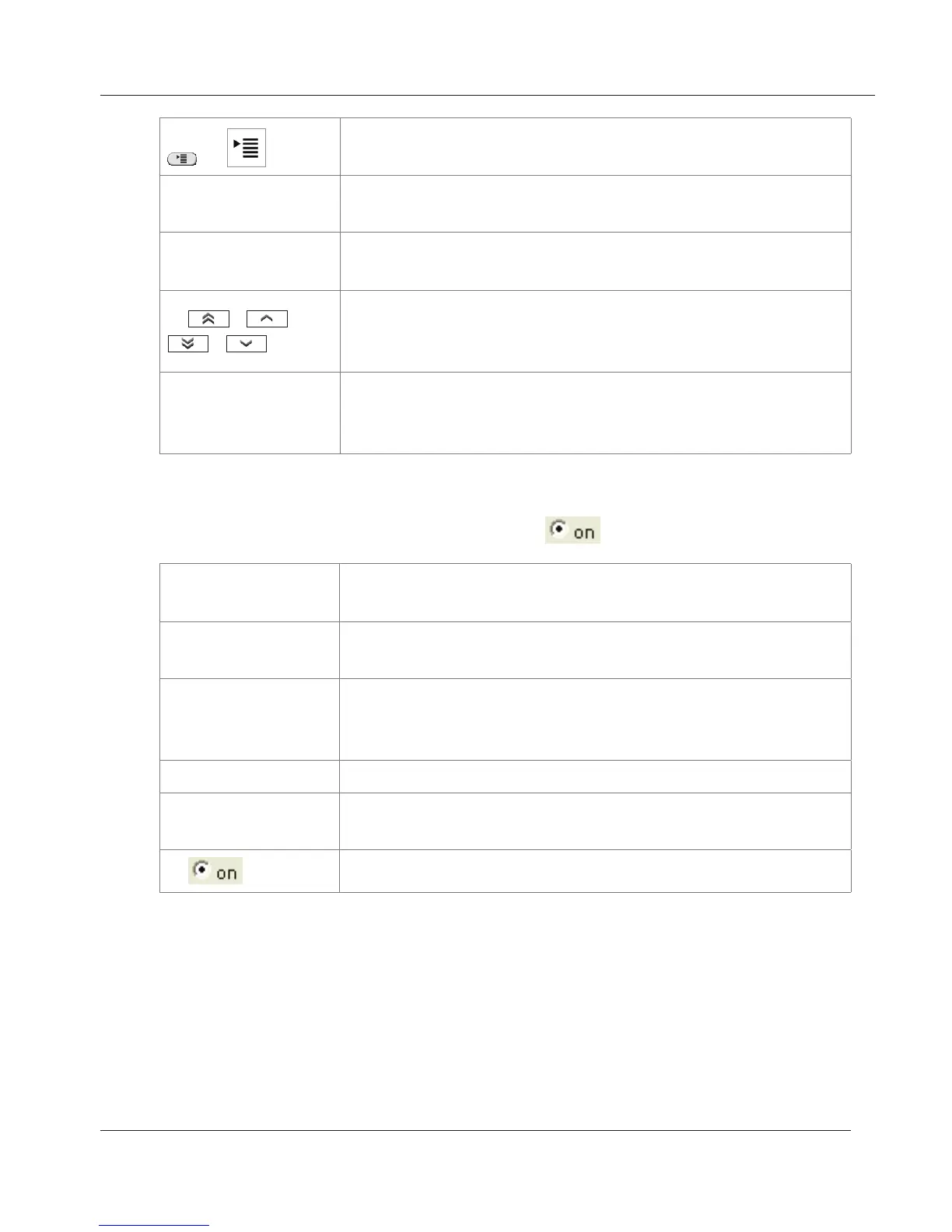
/
Press the hardkey or tap the icon on the display to open
the Settings menu
> 1 Preferences
Next, tap the "1 Preferences" button or press the
number "1" key on the alphanumeric keypad.
> 2 Time Zone
Next, tap the "2 Time Zone" button or press the number
"2" key on the alphanumeric keypad.
>
/ /
/
Scroll through the list with the help of the arrow keys or
with fingertip scrolling - see "Using the Touchscreen" on
page 17
> tap selected
button
Tap the button of your time zone (country/city) with
your fingertip to save your selection and return to the
previous screen.
b. Example 2: Web interface > Advanced > Behavior > Phone Behavior
> Number Guessing >
Web interface Open the phone‘s web interface (see "The Phone’s Web
Interface" on page 26 on how to do it)
> Advanced Click on the item "Advanced" in the menu on the left
side of the window
> Behavior Next, click on the tab labelled "Behavior". The bold
lettering of the title on a tab indicates that its contents
are currently visible.
> Phone Behavior Find the section titeled "Phone Behavior"
> Number
Guessing
Find the item "Number Guessing"
>
Click on the radio button "on"
www.InternetVoipPhone.co.uk | sales@internetvoipphone.co.uk | 0800 088 48 46



 To Next Page