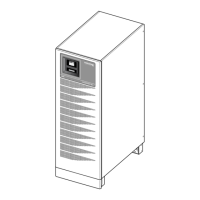
MASTERYS IP+
40-60 kVA 3/1
ENGLISH
IOMMASIPXX07-GB 02
35
8.6 “EVENT LOG” MENU.
Shows a list of UPS events in chronological order.
It allows the user to analyse UPS operation with regard to variations in the power supply, load or the environ-
ment.
8.6-1
Legend.
A Shows date and time of event.
B Shows the event code.
C Describes the event.
D ON/OFF status of event.
E Progressive number of event.
A
C
B
D
E
8.5.3 “Service code” menu.
This displays the service code to be sent to the sup-
port service to make an accurate and rapid diagnostic
of the problem.
In the event of a fault, select the menu SERVICE >
SERVICE CODE and inform the support centre of the
code displayed.
8.5.3-1
8.7 MIMIC PANEL CONCENTRATOR.
In systems with 2 UPS units connected in parallel 1+1 redundant con guration, advanced mimic panels can provide
an overall view of the system and a detailed view of the UPSs in a single point.
The UPS with transformer (on the left side) and the relative mimic panel are con gured as “the concentrator”.
8.7.1 Keyboard blocking procedure.
It is possible to block/unblock the keyboard using the buttons in following sequence: ENTER, DOWN
,
UP
, ESC (pressed for over 3 seconds). The sequence must be done in no more than 15 seconds.
MENU
8


 To Next Page
 Loading...