7
3.2 Auto-Store
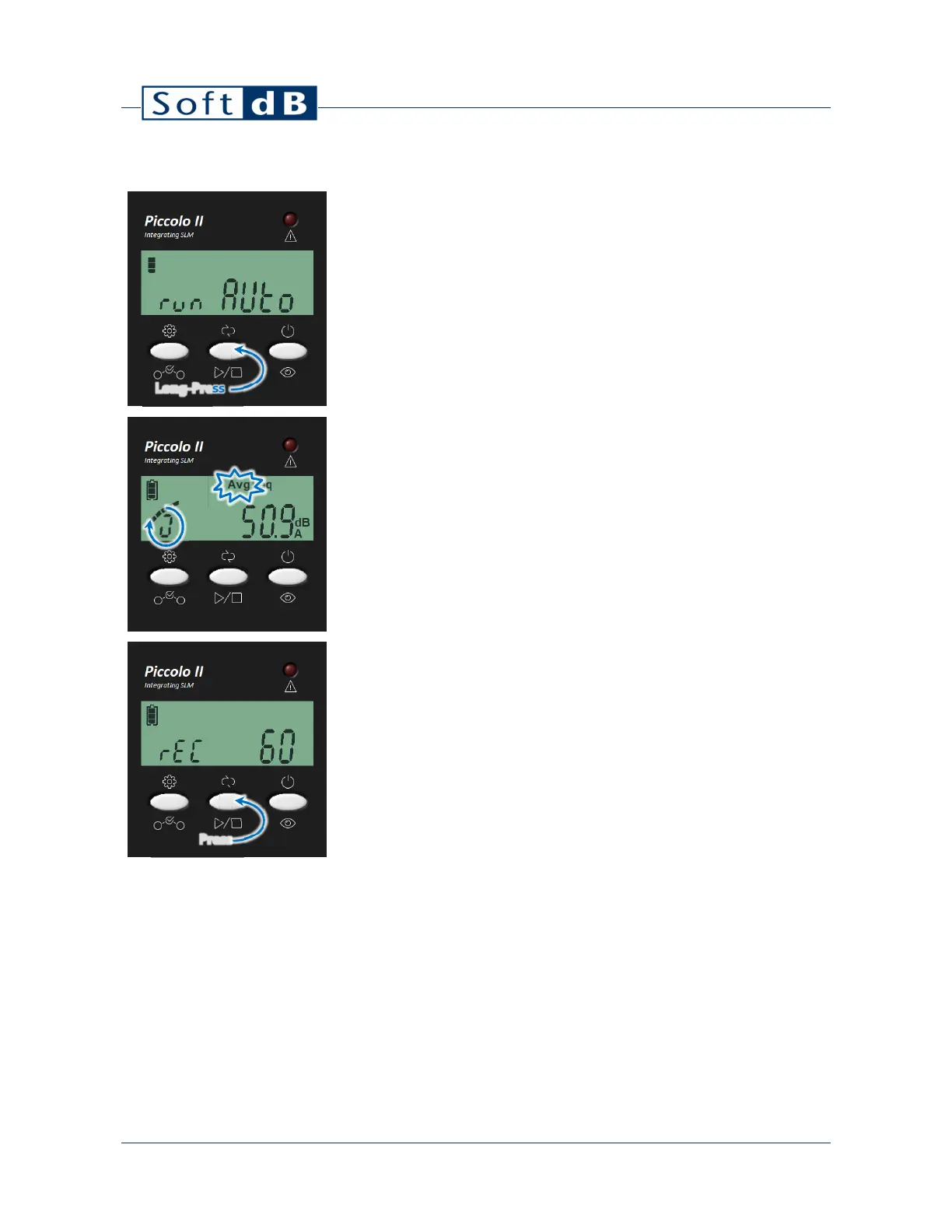
To start an Auto-Store measurement, perform a long-press on the center button.
This will display “run AUTO” on the display for 1s and start the measurement.
Once the measurement is started, the display automatically shows the Leq.
While the measurement is running, the “Avg” indicator will blink and the left-most
segments will rotate indicating a measurement in progress.
Note that the left-most segments rotate to form an “O” shape in Auto-Store mode
whereas it forms a small “o” shape in Single-Store mode.
To stop the measurement, press the center button.
When the measurement is over, the record number will be displayed for 1s and the
display will return to the Leq.
Long-Press
Press


 To Next Page