13
8.3 Utility Software
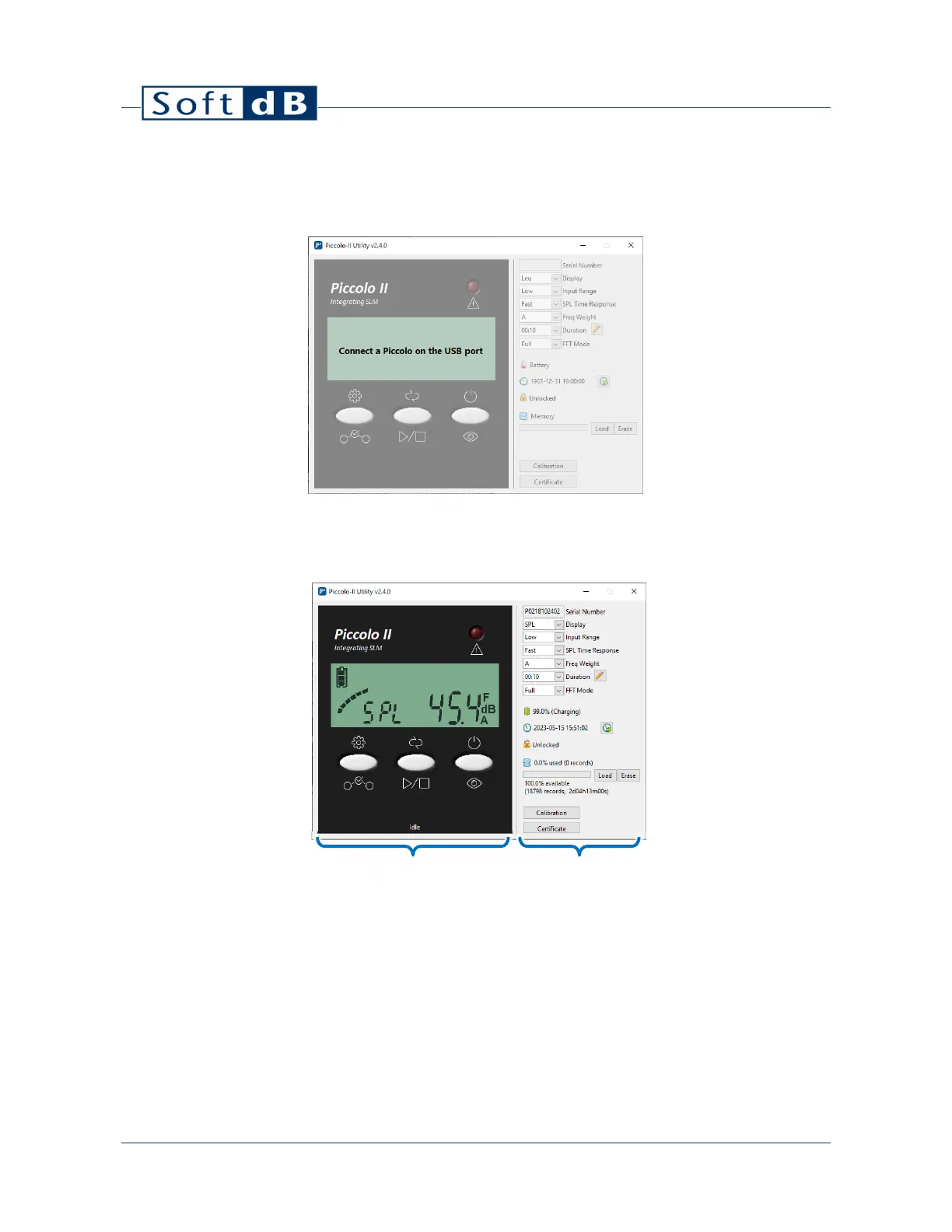
1) To open the software, click on “Piccolo-II Utility” from the Start Menu.
2) Connect a Piccolo-II instrument to the computer using the provided USB cable. Once
connected, the software should automatically detect it.
The left side of the interface shows the Instrument Panel and the right side shows the Setup and
Tools.
The Instrument Panel shows exactly what’s happening on the instrument itself. You can use the 3
software buttons as you would with the physical buttons. The display screen shows the same
information as on the physical instrument as well as the Overload LED.
The Setup and Tools shows the setup parameters of the instrument as well as additional tools
Setup and Tools
Instrument Panel


 To Next Page