10
6 Calibrating
1) Insert the microphone in the calibration chamber of a microphone calibrator
1
2) Perform a long press on the Setup button to enter the setup;
3) Perform another long-press on the setup button to get to the calibration menu;
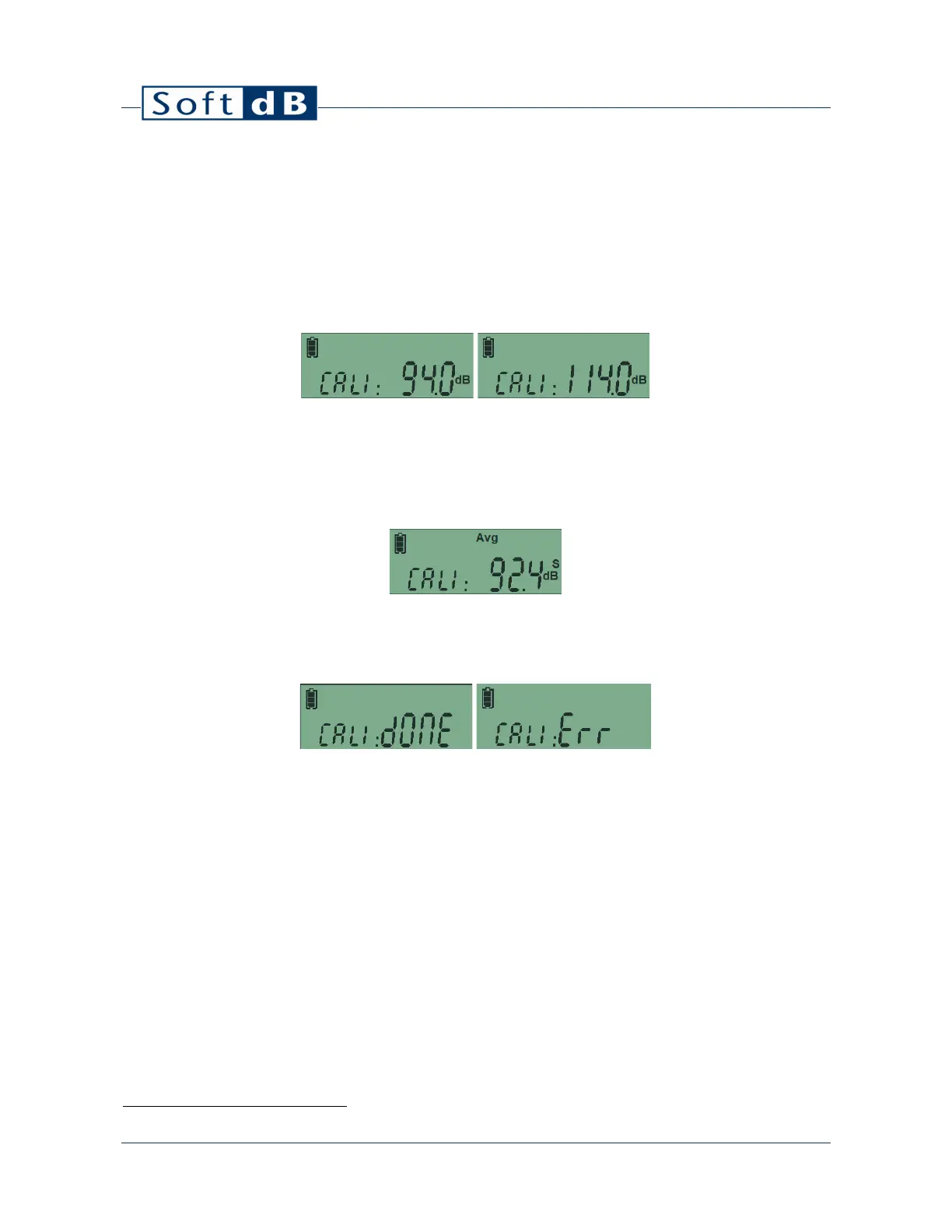
4) Perform a short-click on the setup button to select the calibration level (94dB or 114 dB)
matching the calibrator reference level;
5) Turn the calibrator ON;
6) Perform a long-press on the RUN/STOP button to initiate the calibration process;
7) The calibration process takes 5s. During this period the display shows the measured SPL
and the “Avg” label blinks;
8) When the process is done, the display shows “done” indicating a success or “err” indicating
an error.
An error can occur if the calibration value is out of range. This can occur when the calibrator is not in
function or when the level selection (94-114) does not match the calibrator reference level.
Note that when an external signal source is connected on the auxiliary jack, the auxiliary input will
be calibrated. This will not affect the calibration value of the main microphone.
The calibration process can also be performed using the software. Refer to section 8.3.2 for more
information.
1
The microphone calibrator should be compliant to IEC 60942.


 To Next Page