19
8.5 Spectrum Analyzer Software
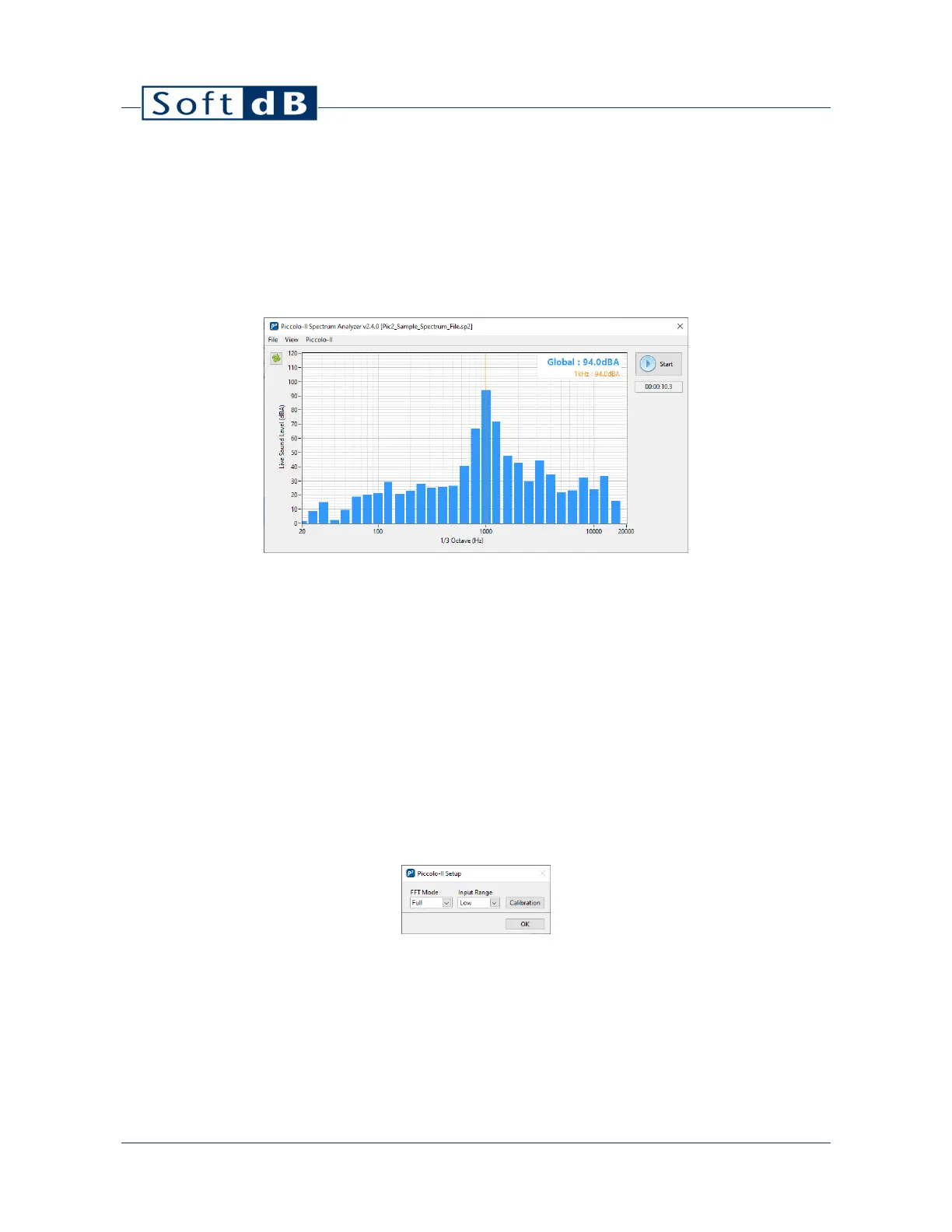
The Spectrum Analyzer software allows recording 1/1 octave, 1/3 octave and FFT records
simultaneously. All spectra definitions are recorded simultaneously.
1) Click on the “Start” button to start a measurement;
2) Click on the “Stop” button to stop the measurement.
The “File” menu allows:
Opening a *.sp2 file;
Saving a *.sp2 file;
Exporting a spectrum as a text file.
The “View” menu allows viewing the current spectrum as:
“Live” or “Averaged”;
“1/1 Octave”, “1/3 Octave” or “FFT”;
“A”, “C” or “Z” frequency weighting.
The “Piccolo-II” menu allows to configure the relevant parameters for spectral measurements.
Note: The FFT resolution and bandwidth follows the Piccolo-II FFT mode. Refer to section 5 for more
information.


 To Next Page