14
8.3.1 Memory Download
1) Click on the “Load” button to load the records in memory;
2) Once the download is completed, a file save prompt will show to save the *.pic2 file on the
computer.
3) Once the file is saved, the Data Manager software (Section 8.4) is launched to view the data.
8.3.2 Calibration
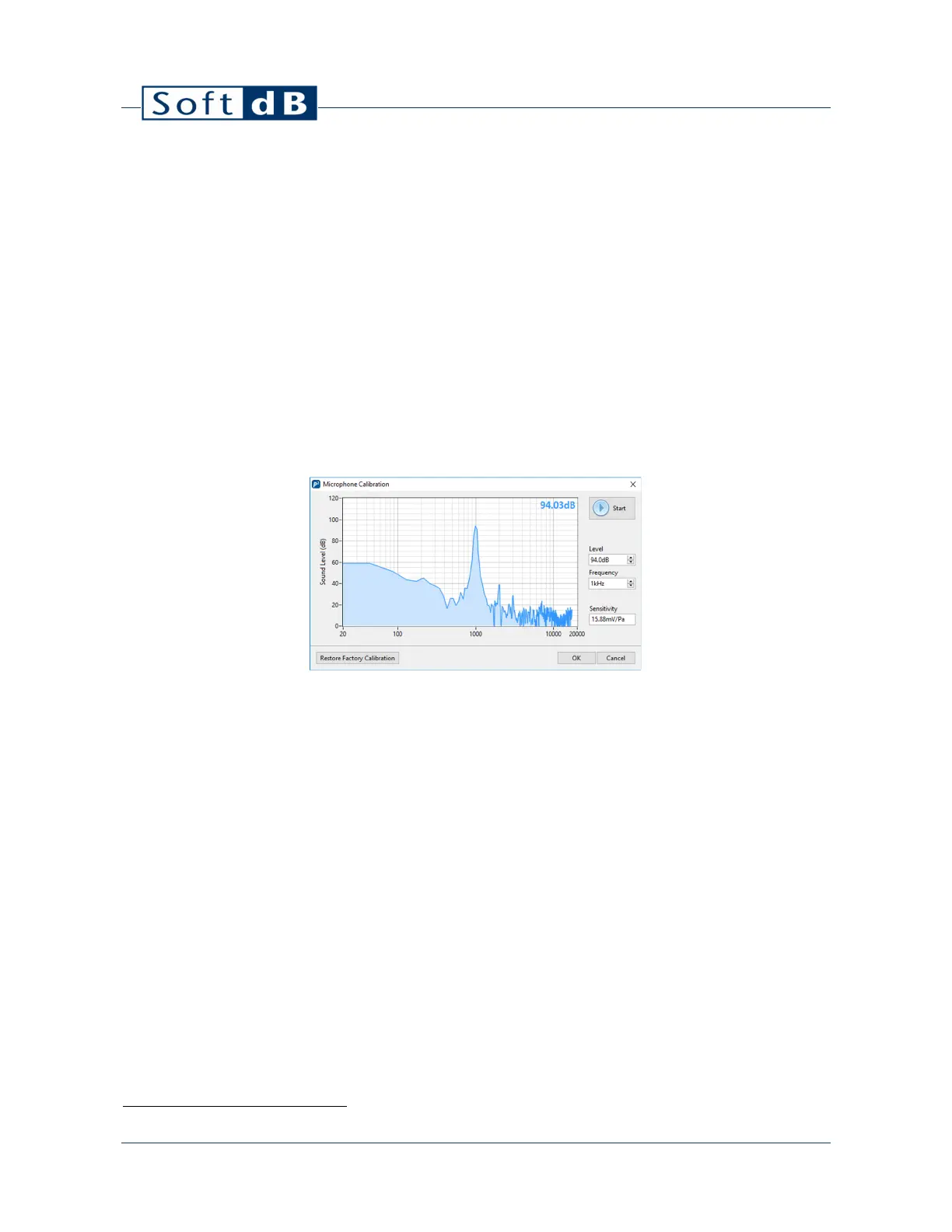
1) Click on the “Calibration” button to launch the microphone calibration interface;
2) Insert the microphone in the calibration chamber of a microphone calibrator
1
;
3) Enter the calibrator reference Sound Pressure Level and Frequency;
4) Turn the calibrator ON;
5) Click on the “Start” button to start the calibration process;
6) After 5s the measurement stops and the sensitivity value is updated.
Note: If an external source is used with the auxiliary jack connector, the auxiliary jack will be
calibrated.
8.3.3 Calibration Certificate
Click on the “Certificate” button to view the factory calibration certificate of the Piccolo-II:
1
The microphone calibrator should be compliant to IEC 60942.


 To Next Page