46
Connection
46
Echochange - Manual / Connection
intermittently, it puts less load on the network than the other priorities because the line will not be
monitored as the connection is closed after each send transaction.
Please note that when using express priorities, the transmission will not be faster than with normal
priorities. For some PLCs, however, the data will be transferred to the RAM using an interrupt if you
select priority 0. This may result in a faster overall data transmission. For priorities 0 and 1, the
maximum data length is 16 bytes. By default, the line priority is 3.
8.2 Connection Settings
This section describes all dialog boxes that open when you edit a connection. The number of dialog
boxes varies depending on the echo device to be configured.
8.2.1 Network Protocol
Name of the Connection
Here, you can edit the connection name, if required. All characters except brackets may be used.
Expert mode
If the expert mode is disabled, the available settings that are typically not used, will be hidden. Only
enable this mode if you want to make special settings. By default, this mode is off.
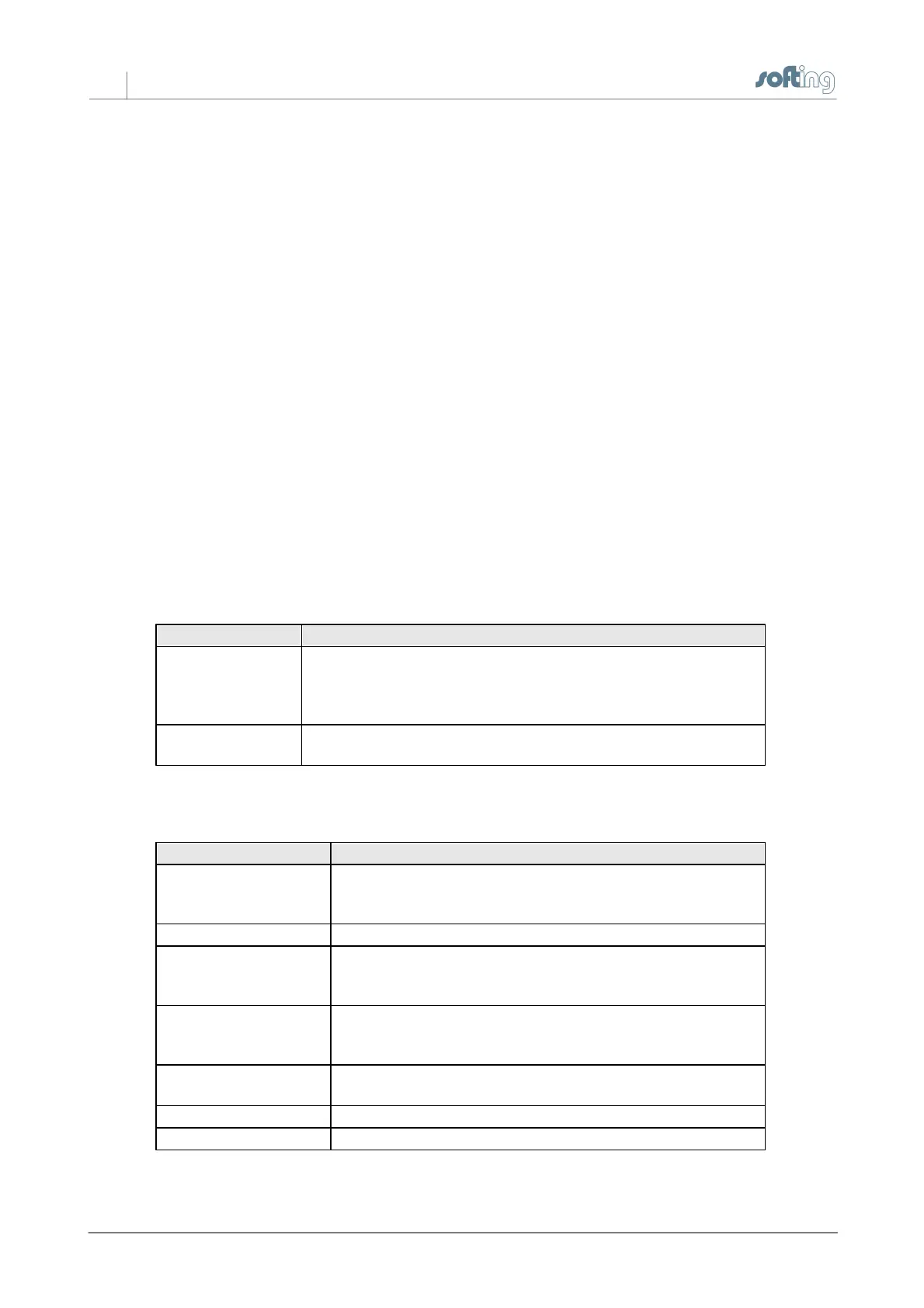
Transport Protocol
Here, you can select the transport protocol to be used when communicating via the Ethernet
network.
The Transmission Control Protocol/Internet Protocol is
capable of routing and is often used today for the
communication with PLCs and field devices. For an RFC 1006
(ISO on TCP) communication, select TCP/IP.
ISO H1 protocol to connect to Siemens S5 or S7 PLCs that
do not support TCP/IP.
Application Protocol
Here, you can select the application protocol.
Used for the communication with other PLCs or devices that do
not support any of the protocols listed below. Only payload data
(raw data) will be transmitted, but no protocol information.
Communication with Siemens S5 CPs or echo devices.
S7 protocol used to connect to Siemens S7-400, S7-300 or S7-
200 PLCs
or echo devices.
Communication with PLCs or devices supporting the Modbus
TCP protocol, such as Wago, Beckhoff, Groupe Schneider,
Modicon ...
Communication with Allen-Bradley ControlLogiX, CompactLogiX,
SoftLogiX
Communication with Allen-Bradley PLC-5 and SLC
Communication with Mitsubishi Melsec-Q
OK
Click OK to apply your selection.



 To Next Page