47Connection
Echochange - Manual / Connection
47
8.2.2 Network PLC Protocol
Name of the Connection
Here, you can edit the connection name, if required. All characters except brackets may be used.
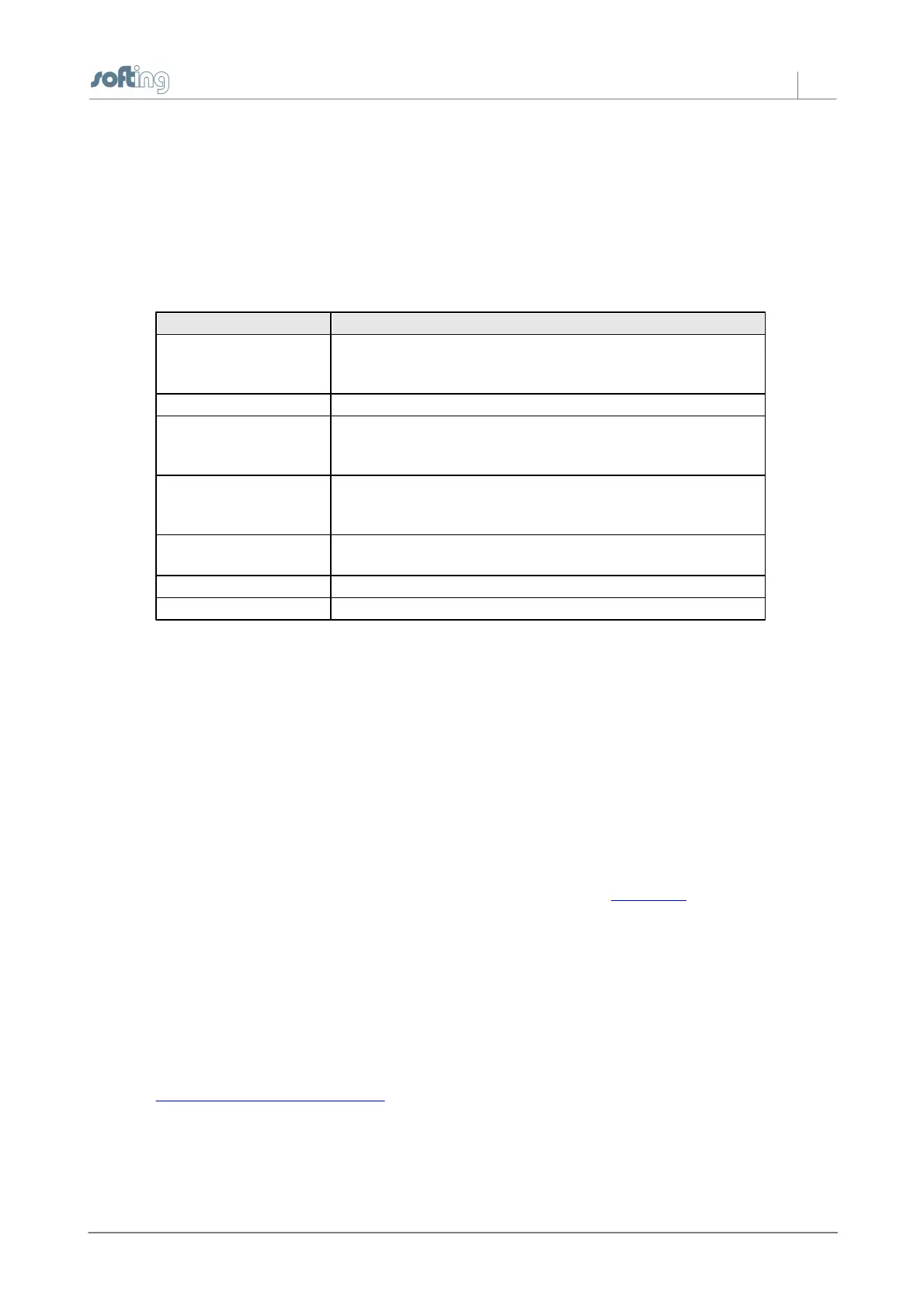
Plc Protocol
Here, you can select the PLC application protocol.
Used for the communication with other PLCs or devices that do
not support any of the protocols listed below. Only payload data
(raw data) will be transmitted, but no protocol information.
Communication with Siemens S5 CPs or echo devices.
S7 protocol used to connect to Siemens S7-400, S7-300 or S7-
200 PLCs,
or echo devices
Communication with PLCs or devices supporting the Modbus
TCP protocol, such as Wago, Beckhoff, Groupe Schneider,
Modicon ...
Communication with Allen-Bradley ControlLogiX, CompactLogiX,
SoftLogiX
Communication with Allen-Bradley PLC-5 and SLC
Communication with Mitsubishi Melsec-Q
OK
Click OK to apply your selection.
8.2.3 TCP/IP Connect Parameters
In this dialog box, you can edit the TCP/IP parameters.
Name of the Connection
You can choose any connection name you like. All characters except brackets may be used.
Destination IP Address (or name)
Here, you can specify the IP address of the destination station (IP address of the PLC) or the DNS
name of the destination station. If the device was configured for DNS and a DNS server is available in
the network, you can also enter the symbolic name of the destination station.
For information on the structure of IP addresses, please refer to the IP Address section.
Port
Port numbers are addresses that are used on the transport layer in order to address applications.
Port numbers are required for TCP connections. Ports are similar to the TSAPs used for RFC 1006
and H1 connections. Each port number is a 16-bit number in the range from 1 to 65535. To establish
a connection, please note the following:
NOTE:
You can only establish a connection if the port number is identical on both sides.
More detailed information on ports
Type:
Here, you can specify whether your own station will actively initiate the connection attempt or will
wait passively for the destination station to establish the connection. Please make sure that different



 To Next Page