Paramount MX User Guide
29 | Page
declination shaft’s “through-hole” during polar scope
alignment.
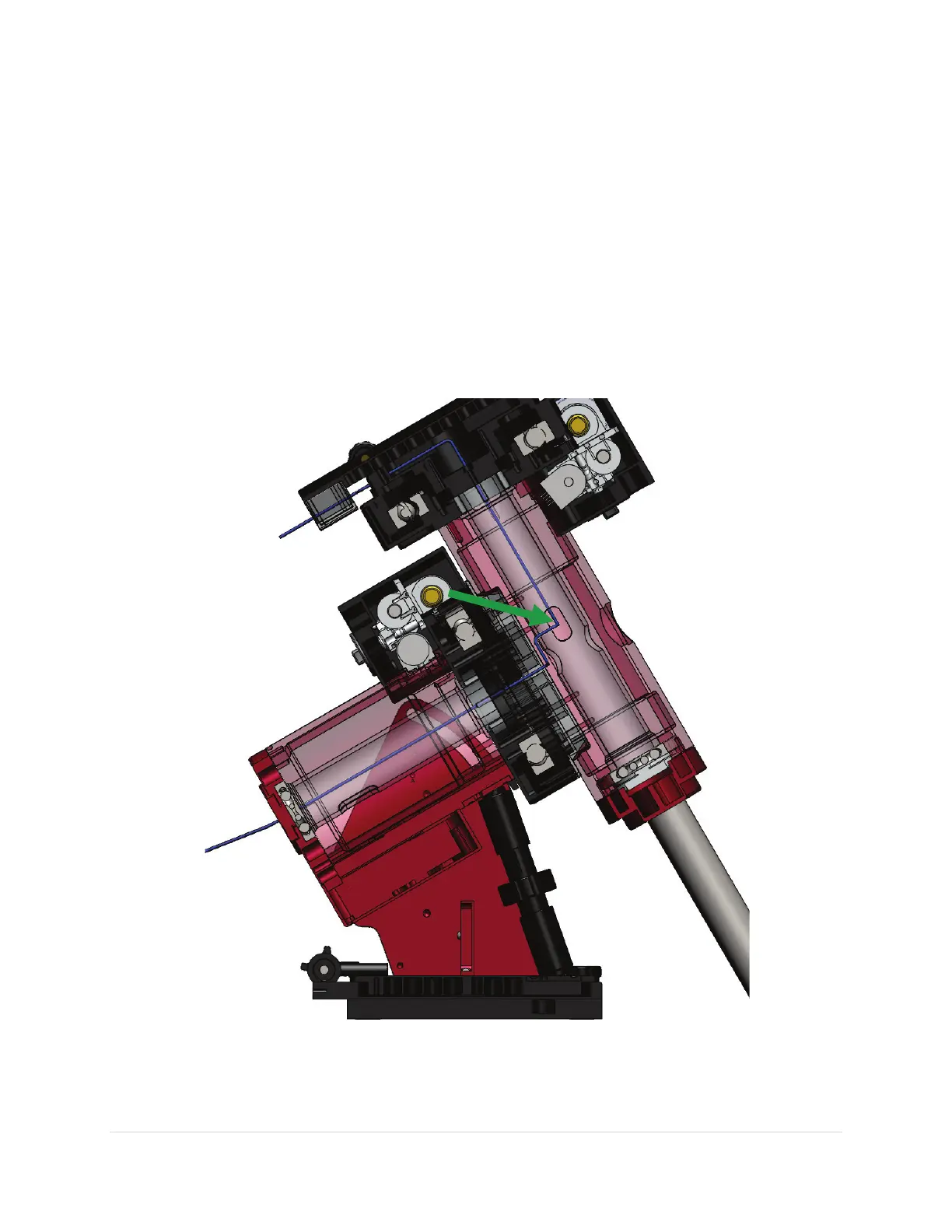
The Paramount MX allows custom cables to be passed through the mount, entering at the cable conduit
through the right ascension and declination axis up to the top of the declination axis and out to the
Instrument Panel. Routing cables through the mount has many advantages, particularly during remote
operation.
Most imaging systems have numerous cables draped from somewhere near the telescope to the
observatory floor. These cables are prone to snag “something” as the telescope slews from one part of
the sky to another and often causes problems that require human intervention. Running the cables
through the mount all but eliminates these and many other issues.
Figure 6: Mount cross section showing path of cable through the mount (blue line).



 To Next Page