Paramount MX User Guide
43 | Page
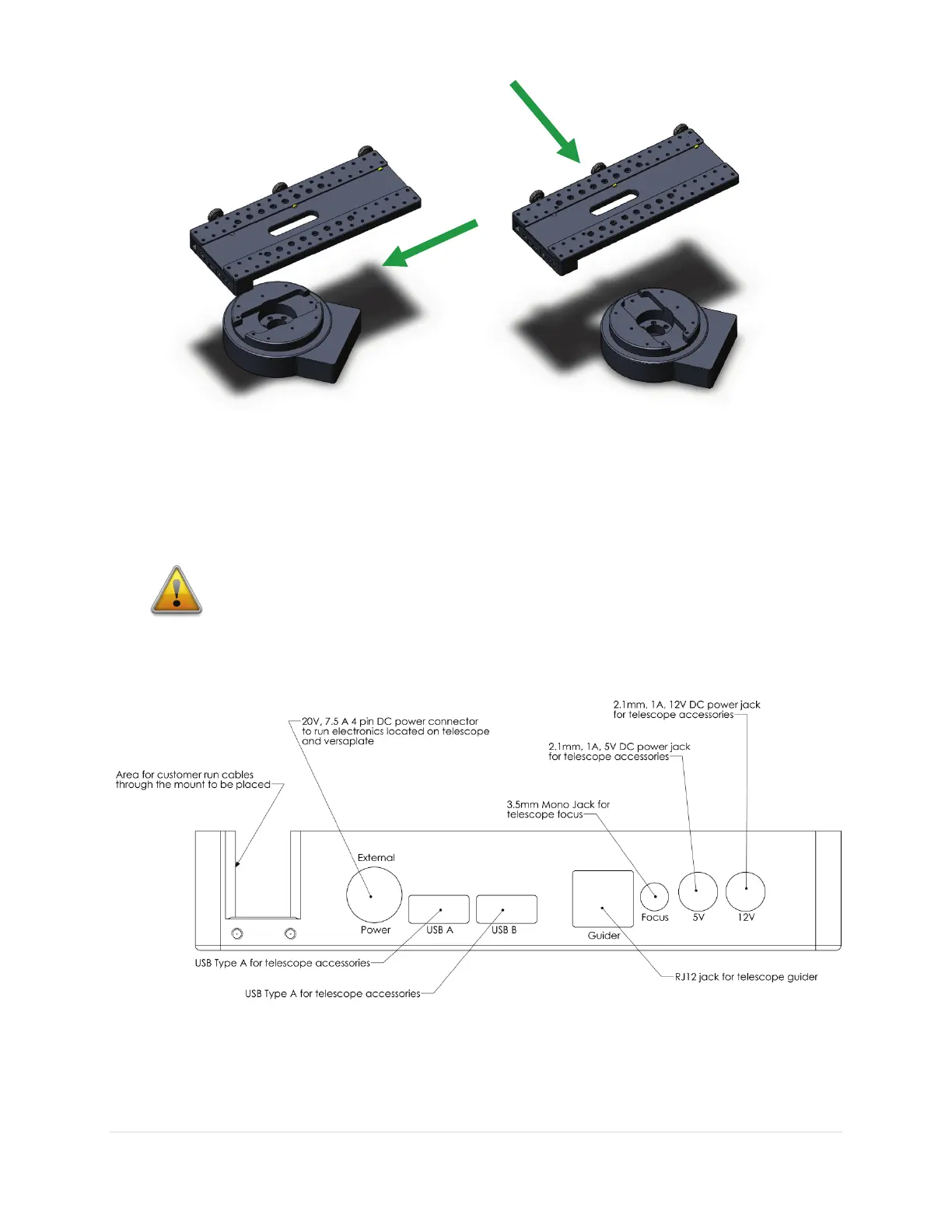
Figure 16: The standard (left) and wide (right) Versa-Plate mounting orientations.
Figure 16 shows the standard and wide orientations of the Versa-Plate relative to the top of the
declination axis. The green arrows show the direction of incoming light for the optical tube assembly
mounted on the Versa-Plate.
Mounting the Versa-Plate in the wrong
orientation will prevent the Paramount
MX from operating normally.
Instrument Panel
Figure 17: The Instrument Panel is mounted to the underside of the Versa-Plate.



 To Next Page