Paramount MX User Guide
117 | Page
Appendix A: Installing the MKS 5000 USB Windows Driver
The Paramount MX’s MKS 5000 control system requires installation of a software driver before TheSkyX
Professional Edition can be used to control the mount.
Windows 7 Driver Installation
1. Install TheSkyX Professional Edition for Windows Version 10.1.11 or later from the Software
Bisque Downloads page. This version includes the necessary MKS 5000 USB Windows driver file
named MKS 5000 Driver.inf.
2. Plug the mini USB cable into the USB port on the Electronics Box and the USB 2.0 connector into
a free USB port on the computer.
The Paramount MX must be turned on before the operating system will
recognize the built-in USB port on the Electronics Box.
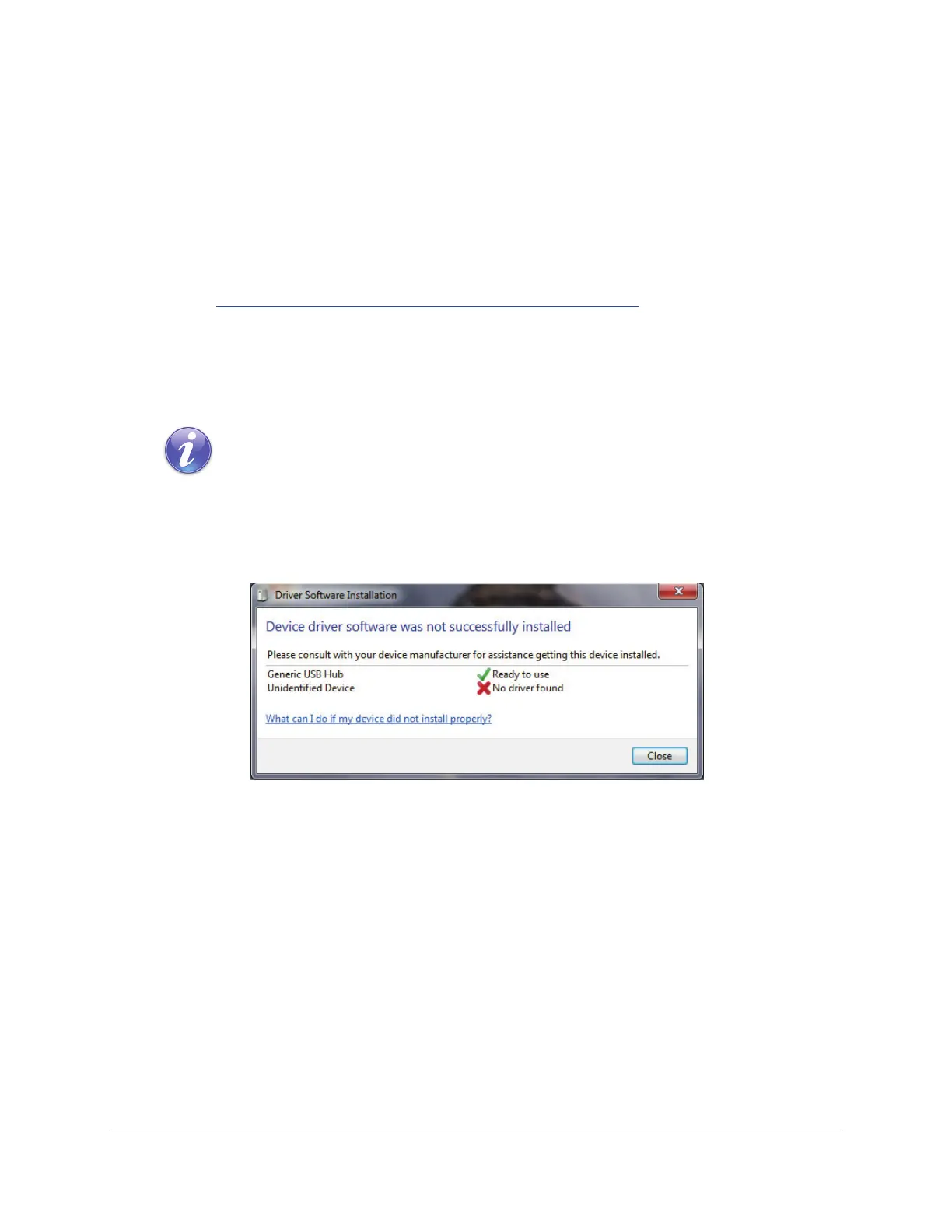
3. Flip the Paramount MX power switch to the on position. Windows detects that a Generic USB
Hub is present and attempts to automatically find and install a driver for the device. This step
will fail, showing the window in Figure 56. Do not panic, this is normal and expected behavior.
Figure 56: Windows 7 shows this message after plugging in the MKS 5000 USB cable.
4. Click the Windows Start graphic, then click the Devices and Printers command. One of the
devices listed is a Generic USB Hub (Figure 57).



 To Next Page