Paramount MX User Guide
37 | Page
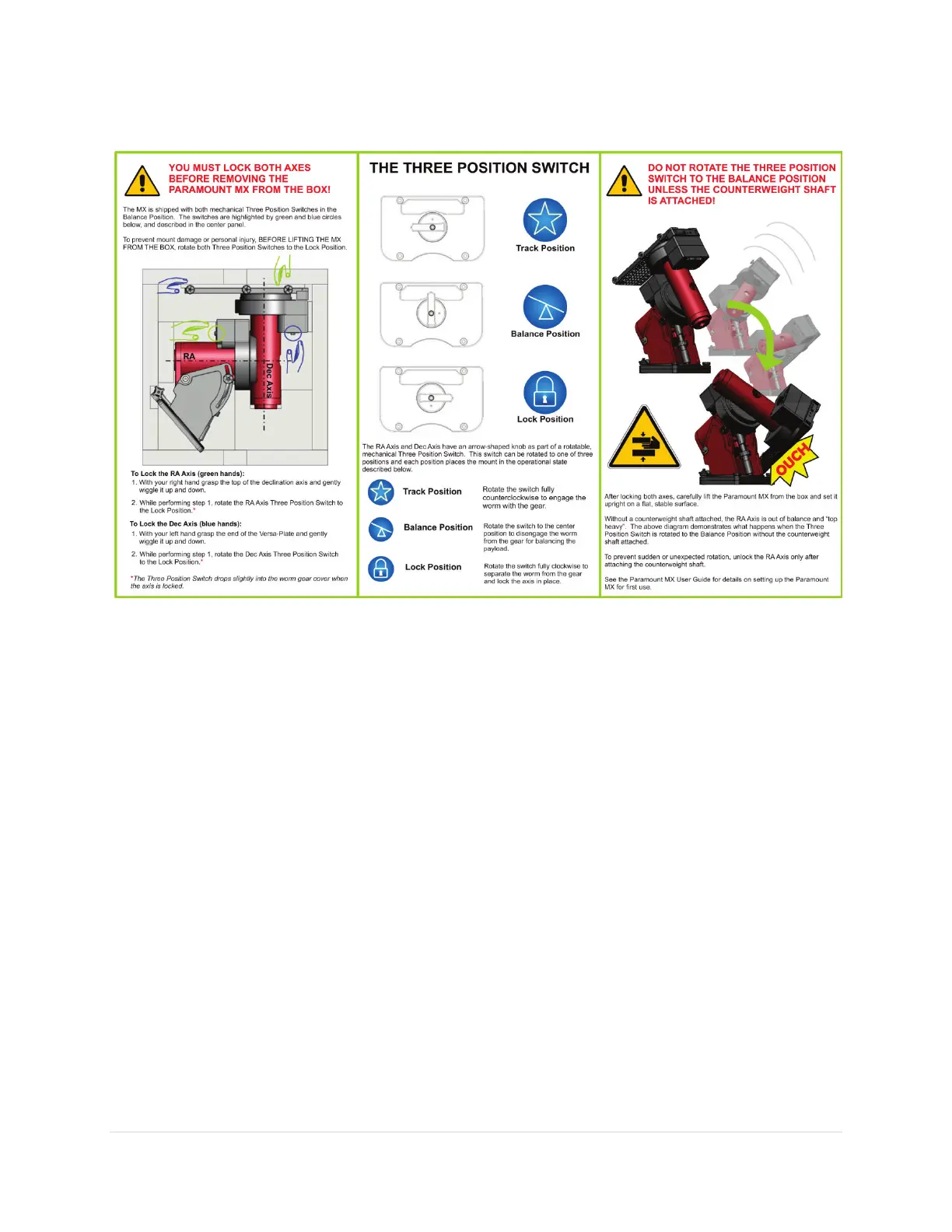
Figure 10: Please carefully read this flyer before unpacking the Paramount MX.
Please see the “RA Worm Block Three Position Switch” on page 46 for details about using the three
position mechanical switch.
Packing the Paramount MX for Transport
Always make sure to perform the following steps when packing up the Paramount MX for shipment or
transport.
1. Rotate the right ascension axis Three Position Switch to the Balance position.
2. Rotate the right ascension axis so that the counterweight shaft is “down”.
3. Rotate the right ascension axis’ Three Position Switch to the Lock position.
4. Carefully remove the payload from the Versa-Plate.
5. Carefully remove the counterweight safety knob.
6. Carefully remove the counterweights.
7. Carefully remove the counterweight shaft.
8. Rotate the Versa-Plate fully clockwise to the hard stop position. In this position, the Versa-Plate
is parallel to the sides of the mount so that the mount will lay flat in the box. The Versa-Plate
will not be parallel with the sides of the mount when rotated fully counterclockwise.
9. Remove the four mounting knobs.
10. Lift the mount off the pier or tripod and gently place it in the packing foam.



 To Next Page