Paramount MX User Guide
38 | Page
11. Rotate the right ascension axis’ Three Position Switch to the Balance position. The mount’s RA
and Dec axes should always be in the Balance position when the mount is being transported.
Paramount MX Components
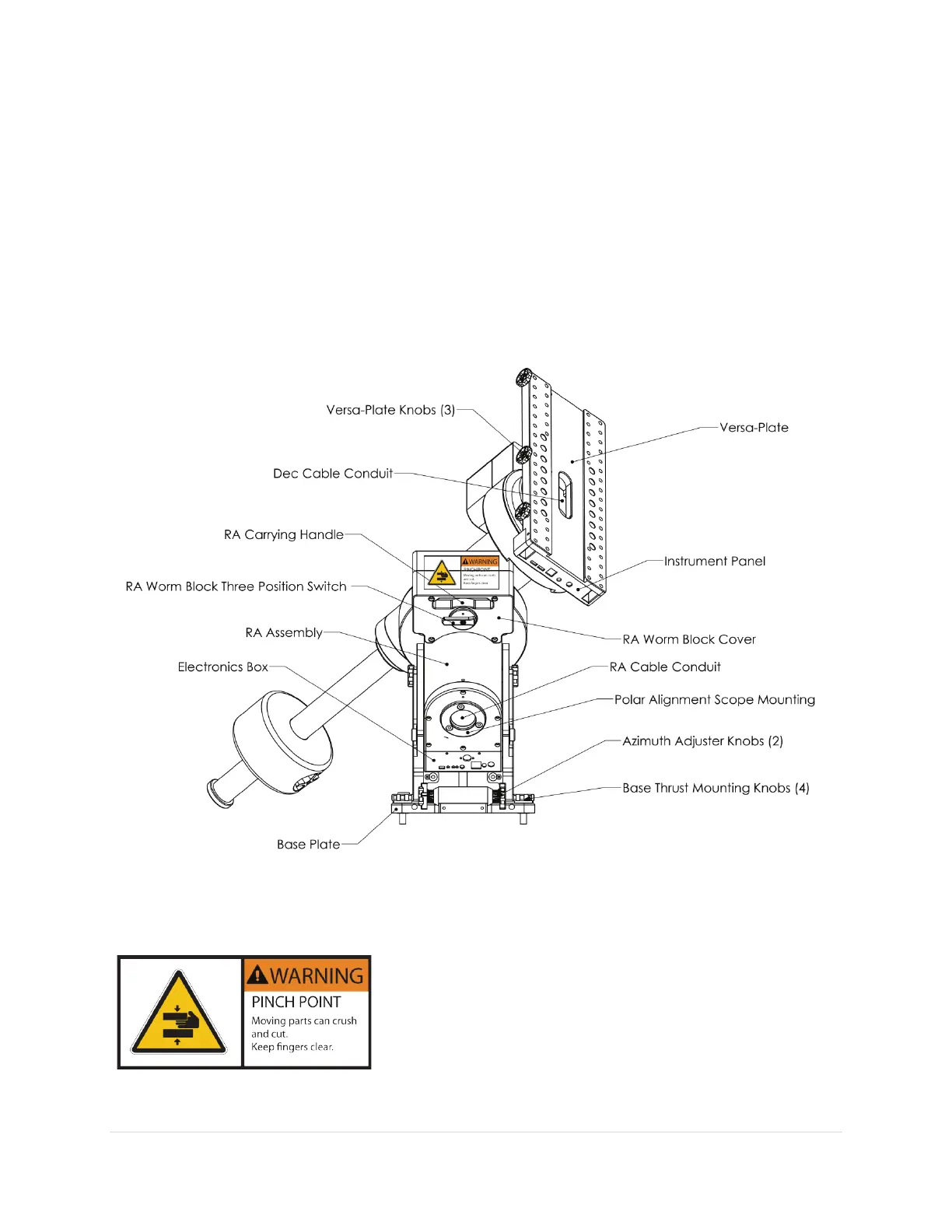
Please carefully review the individual Paramount MX components before attempting to operate the
mount. A detailed description of each component listed in the diagram follows.
Front View
Figure 11: The "front" side of the Paramount MX.
RA Worm Block Cover
Always keep hands and fingers away from the right ascension
axis worm block cover!
A “pinch point” is created when the bottom of the declination
gear cover rotates past the top of the right ascension axis worm
block cover.



 To Next Page